
Home Blog Page 4

Best Free AI Tools for Content Creators in 2026

Free AI Tools for Content Creators

Hello friends, You know Content creation in recent days became faster, smarter, and more competitive than ever. Whether you’re a blogger, YouTuber, social media manager, or solopreneur, AI tools are no longer optional — they became essential.

Here In this guide, we’ll explore the best free AI tools for content creators that will help you write better content, design visuals, edit videos, generate voiceovers, and grow faster — without spending a rupee.


Why Content Creators Must Use AI Tools

Every content creator need to use AI tools to work done fast with proper management, You can do quality work with the help of AI tools. AI tools will help you to Save time, Scale content production, Beat creative blocks, Compete with big brands etc.

Check out these Best AI tools that will improve your Works.


1. ChatGPT (Free Version) – Best AI Writing Assistant

Best for: Blogs, scripts, captions, Ideas

ChatGPT remains one of the most powerful free AI tools for content creators. Even the free version can help you:

  • Write blog posts
  • Generate video scripts
  • Create Instagram captions
  • Rewrite content for SEO
  • Brainstorm viral ideas

Why it’s great in 2026:

  • Better understanding of context
  • Improved long-form writing
  • More human-like tone

Pro Tip: Use clear prompts like “Write an SEO-optimized blog post for Indian startups in 2026”


2. Canva AI (Free Plan) – Design Like a Pro

Best for: Thumbnails, social media posts, presentations

Canva’s AI features have evolved massively. With the free plan, creators can:

  • Generate designs using text prompts
  • Remove backgrounds
  • Resize designs instantly
  • Create YouTube thumbnails and Reels covers

Why creators love it:

  • No design skills required
  • Perfect for Instagram, YouTube, blogs
  • Fast and beginner-friendly

3. CapCut AI – Best Free AI Video Editor

Best for: YouTube Shorts, Reels, promo videos

CapCut has become a favorite among creators in 2026. Its free AI features include:

  • Auto captions
  • Smart cuts
  • Background removal
  • AI effects and transitions

Perfect for:

  • Short-form video creators
  • Faceless YouTube channels
  • App promotion videos

4. Pictory AI (Free Trial) – Text to Video

Best for: Turning blogs into videos

Pictory helps convert:

  • Blog posts → videos
  • Scripts → social videos

You can:

  • Upload text
  • Choose visuals
  • Generate videos with AI

Why it’s useful:

  • Repurpose blog content
  • Grow on YouTube and Instagram
  • No video editing skills needed

5. ElevenLabs (Free Tier) – AI Voice Generator

Best for: Voiceovers, reels, explainer videos

If you want natural AI voiceovers without recording your own voice, this tool is gold.

Use cases:

  • YouTube narration
  • App explainer videos
  • Instagram Reels
  • Podcast intros

The free tier gives enough credits for beginners.


6. Grammarly – AI Writing & Grammar Checker

Best for: Error-free content

Even great content fails if it’s full of mistakes.

Grammarly helps with:

  • Grammar correction
  • Tone improvement
  • Clarity suggestions

Must-have for:

  • Bloggers
  • Email marketers
  • LinkedIn creators

7. Google Gemini (Free) – Research & Ideas

Best for: Research, outlines, brainstorming

Gemini is powerful for:

  • Topic research
  • Content outlines
  • Fact-based explanations
  • Trend analysis

Use it alongside ChatGPT for better accuracy and ideas.


8. Leonardo AI – Free AI Image Generator

Best for: Blog images, thumbnails, social posts

Leonardo AI allows creators to generate:

  • High-quality AI images
  • Illustrations
  • Cinematic visuals

Perfect if you don’t want stock photos.


How to Use These AI Tools Together (Creator Workflow)

Here’s a simple 2026 content workflow:

  1. Idea & research: ChatGPT + Gemini
  2. Write blog/script: ChatGPT
  3. Design images: Canva AI / Leonardo AI
  4. Convert to video: Pictory / CapCut
  5. Voiceover: ElevenLabs
  6. Polish content: Grammarly

This workflow lets a solo creator do the work of an entire team.


Conclusion:

We hope you find this post useful, We are using these tools from few months and these tools are helping us for my company works done fast. So we recommend you to try these tools also and give us your feedback.

FAQs on Best AI Tools

Which AI tool is good for Content Creation

For research and idea, you go to ChatGPT or Gemini, And for writing content post go with ChatGPT.

Which AI tool is Best for creating AI Images

If you are going to create AI images with your prompts, then best AI tool is to go with Nano Banana By Google Gemini. Also you can go with Leonardo AI.

Which Tools is best to create Voiceover?

ElevenLabs AI is best, If you want natural AI voiceovers without recording your own voice, this tool is gold. It has natural Voiceovers.

Which AI tool is best for Writing Error-free content

Even great content fails if it’s full of mistakes. You can use Grammarly AI tool to check writing mistakes.
Happy Chocolate Day AI Prompts For Photo Editing

0
AI Prompts For Photo Editing

Hello guys, If you want to create Chocolate Day photos with your partner with AI Prompts For Photo Editing. Then use these provided Gemini AI Prompts and create your Chocolate Day Photo. Chocolate Day Prompts download and use in one step. Just copy the prompt and edit your Chocolate Day photos.

1. Chocolate Day AI Prompts For Photo Editing

IMPORTANT – FACE LOCK (STRICT – MUST FOLLOW) Use the uploaded boy photo and uploaded girl photo as the ONLY facial references. Do NOT change facial structure, eyes, nose, lips, jawline, skin tone, beard, hairline, age, or expression. No beautification, no smoothing, no AI face regeneration or face swap. Preserve natural skin texture, pores, asymmetry, and real human imperfections. Faces must be 100% identical, ultra-HD, sharp, crystal clear, and instantly recognizable. PROMPT: Create an ultra-realistic cinematic Chocolate Day portrait with a soft romantic luxury vibe. SCENE & BACKGROUND: Cozy romantic indoor setup Background colour gradient: milk-chocolate brown → warm caramel → soft cream Wooden table with premium chocolate bars, truffles, cocoa beans Soft roses and subtle fairy lights in the background Clean, elegant, Valentine-style environment POSE & ACTION: Boy gently feeding a small piece of chocolate to the girl Girl smiling softly, eyes focused on the boy Their hands lightly touching near the chocolate Natural, intimate, affectionate moment (not exaggerated) DRESS CODE (CLEAR & PREMIUM): Boy: light brown cardigan, white t-shirt, beige trousers Girl: soft pastel peach dress, flowy fabric Luxury fabric texture clearly visible FACIAL EXPRESSION & MOOD: Warm, loving, sweet emotion Natural smiles, relaxed faces No overacting, no forced pose TEXT (BOLD & CINEMATIC): Elegant bold typography in background: HAPPY CHOCOLATE DAY Chocolate-brown cinematic font with soft glow Text well-placed, faces fully clear LIGHTING: Soft natural daylight Gentle highlights on faces Zero harsh shadows, even skin tones CAMERA & QUALITY: Professional DSLR photography look Ultra-HD resolution Faces extremely sharp, no blur Real skin tones, no plastic effect ASPECT RATIO: • 3:4 vertical TEXT / SIGNATURE: Add “iTechCube.com” at the bottom-left corner, HANDWRITTEN SIGNATURE-STYLE typography, thin cursive strokes, small size, subtle premium elegance, white or soft off-white color.

2. Photo Editing Prompt for Chocolate Day

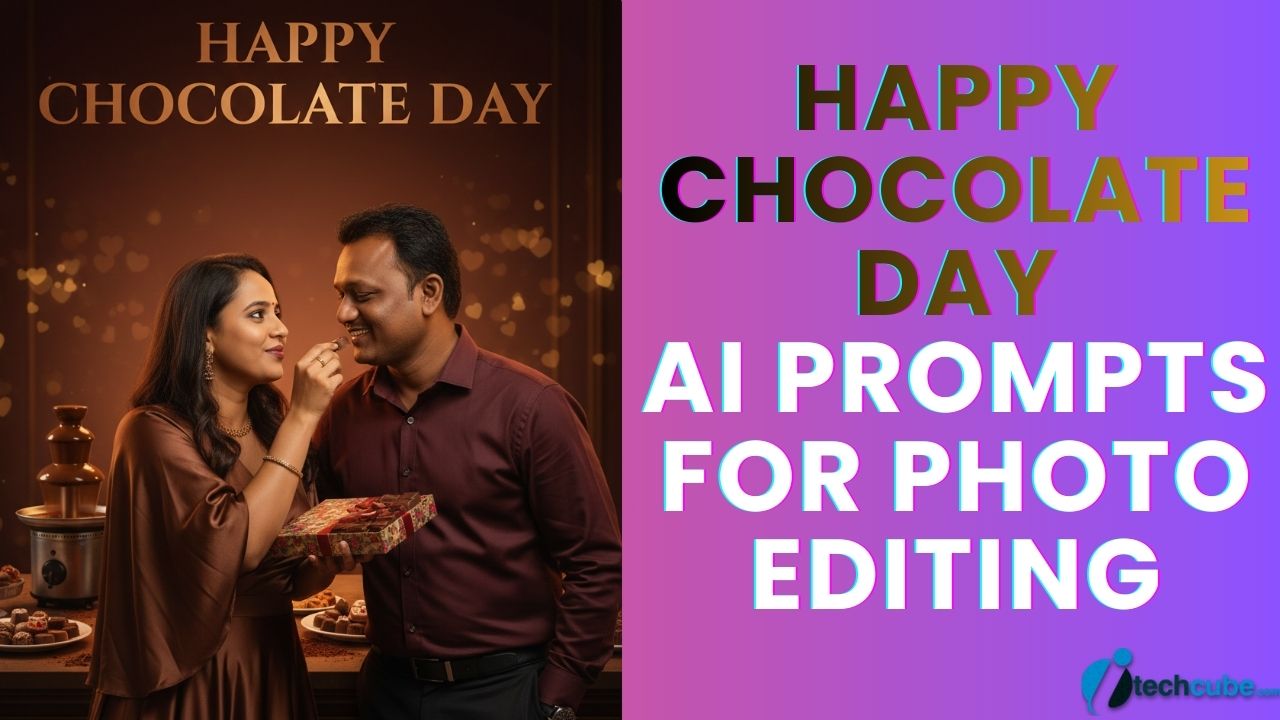
IMPORTANT – FACE LOCK (ABSOLUTE RULE) Use the uploaded boy photo and uploaded girl photo as the ONLY face references. Do NOT alter face shape, skin tone, hairstyle, expression, or age. No AI enhancement, no beauty filter, no smoothing. Faces must remain 100% exact, HD clear, and natural. PROMPT: Create a high-impact ultra-realistic Chocolate Day evening portrait with playful romantic energy. SCENE & BACKGROUND: Romantic evening café / dessert-bar style setup Background colour gradient: deep cocoa brown → dark burgundy → soft golden highlights Chocolate fountain, dessert plates, cocoa powder dusted surface Warm fairy lights and soft heart bokeh in distance POSE & ACTION: Girl surprising the boy with a chocolate gift box Boy laughing softly, slightly leaning toward her Girl holding one chocolate near his lips teasingly Cute, playful, loving body language DRESS CODE (COMPLETELY DIFFERENT): Boy: dark maroon shirt, black trousers Girl: rich chocolate-brown satin dress, evening style Elegant Valentine night fashion FACIAL EXPRESSION & MOOD: Happy, playful, romantic Genuine expressions, no exaggeration TEXT (BOLD CINEMATIC): Big bold glowing text: HAPPY CHOCOLATE DAY Modern cinematic font with warm brown-gold glow Text positioned clearly, faces untouched LIGHTING: Warm evening lighting Balanced highlights on faces Soft shadows, cinematic depth without blur CAMERA & QUALITY: DSLR professional photography look Ultra-HD clarity Faces crystal clear, no noise Natural skin texture visible ASPECT RATIO: • 3:4 vertical TEXT / SIGNATURE: Add “iTechCube.com” at the bottom-left corner, HANDWRITTEN SIGNATURE-STYLE typography, thin cursive strokes, small size, subtle premium elegance, white or soft off-white color.

3. Chocolate Day Ai Image Editing

Use the uploaded boy photo and girl photo as the ONLY facial references. Do NOT change facial structure, eyes, nose, lips, jawline, skin tone, hairline, age, or natural expression. No beautification, no smoothing, no AI face regeneration, no face swap. Preserve real skin texture, pores, fine lines, natural asymmetry, and human imperfections. Faces must be 100% identical, instantly recognizable, ultra-sharp, zero blur. Only real human photography look — NO cartoon, NO anime, NO illustration, NO CGI.PROMPT: Ultra-realistic 8K DSLR-style cinematic photograph, portrait orientation, professional real-life couple photography. SCENE & MOOD A cozy Chocolate Day celebration inside a warm European-style café corner. Soft romantic atmosphere with wooden textures, chocolate décor, and gentle lighting. The scene clearly communicates Chocolate Day through props, colors, and emotion. POSE & INTERACTION Boy standing slightly behind the girl One hand gently wrapping around her shoulder Other hand holding an open box of premium chocolates Girl slightly turned toward camera She is picking one chocolate from the box Natural intimacy, candid romantic moment No exaggerated pose, looks like a real captured memory FACE & EXPRESSION (VERY IMPORTANT) Faces taken only from reference images 100% exact face match, no modification Soft smile, warm eye expression Eyes crystal clear, eyelashes natural Skin texture visible, pores intact No glow, no smoothing, no blur OUTFIT & STYLING Boy: Dark cocoa-brown knit sweater Black fitted trousers Minimal wristwatch Natural fabric folds and texture Girl: Cream-beige long dress Soft brown shawl Light jewelry only Hair open, natural flow COLOR GRADING Warm chocolate brown + soft golden tones Natural skin colors preserved No heavy cinematic filter Elegant, premium look BACKGROUND DETAILS Café table with chocolate bars, truffles, cocoa mugs Subtle roses on table Soft fairy lights behind Background slightly distant, faces remain ultra-sharp TEXT (CINEMATIC & BOLD) HAPPY CHOCOLATE DAY Bold cinematic typography Chocolate-brown with soft gold glow Clean placement, not overpowering faces CAMERA & LIGHTING Eye-level couple shot 50mm lens look Natural soft lighting on faces Zero blur anywhere Professional DSLR clarity TEXT / SIGNATURE Add “iTechCube.com” at the bottom-left corner, handwritten signature-style typography, thin cursive strokes, small size, subtle premium elegance, white or soft off-white color. ASPECT RATIO 3:4 vertical NEGATIVE PROMPT cartoon, anime, illustration, CGI, AI face, face swap, blur, bokeh, smooth skin, beauty filter, fake lighting, watermark, logo, extra fingers

4. Ai prompt for Chocolate Day

Use the uploaded boy photo and girl photo as the ONLY facial references. Do NOT change facial structure, eyes, nose, lips, jawline, skin tone, hairline, age, or natural expression. No beautification, no smoothing, no AI face regeneration, no face swap. Preserve real skin texture, pores, fine lines, natural asymmetry, and human imperfections. Faces must be 100% identical, instantly recognizable, ultra-sharp, zero blur. Only real human photography look — NO cartoon, NO anime, NO illustration, NO CGI.PROMPT: Ultra-realistic 8K professional night photography, portrait orientation, premium couple cinematic realism. SCENE & MOOD A luxury outdoor Chocolate Day celebration on a softly lit terrace at night. City lights in the distance, romantic ambience, elegant and modern vibe. POSE & INTERACTION Boy sitting on a low terrace seat Girl standing between his knees facing him Boy gently holding a chocolate close to her lips Girl smiling softly, one hand on his shoulder Very intimate, emotional moment Looks like a real candid photo, not staged FACE & REALISM Faces taken strictly from reference images 100% exact face match No reshaping, no enhancement Natural expressions Ultra-sharp eyes, no blur Real skin texture clearly visible OUTFIT & COLOR VARIATION Boy: Matte black blazer Deep maroon t-shirt Dark jeans Premium modern look Girl: Wine-red satin dress Minimal gold jewelry Hair softly styled, natural shine COLOR GRADIENT Deep chocolate brown + wine red + soft amber lights Night luxury tone Realistic skin color maintained BACKGROUND & PROPS Small round table with chocolates & roses Warm fairy lights around railing City bokeh far away (faces remain sharp) TEXT (BOLD & CINEMATIC) HAPPY CHOCOLATE DAY Luxury bold typography Chocolate-gold gradient Cinematic placement LIGHTING & CAMERA Soft ambient night lighting Gentle key light on faces No artificial glow DSLR night photography look Zero motion blur TEXT / SIGNATURE Add “iTechCube.com” at the bottom-left corner, handwritten signature-style typography, thin cursive strokes, small size, subtle premium elegance, white or soft off-white color. ASPECT RATIO 3:4 vertical NEGATIVE PROMPT anime, cartoon, illustration, CGI, AI face, smooth skin, face distortion, blur, bokeh, beauty filter, watermark, logo, extra hands

5. Photo Generation Prompt for Chocolate Day

Use the uploaded boy photo and girl photo as the ONLY facial references. Do NOT change facial structure, eyes, nose, lips, jawline, skin tone, hairline, age, or natural expression. No beautification, no smoothing, no AI face regeneration, no face swap. Preserve real skin texture, pores, fine lines, natural asymmetry, and human imperfections. Faces must be 100% identical, instantly recognizable, ultra-sharp, zero blur. Only real human photography look — NO cartoon, NO anime, NO illustration, NO CGI.PROMPT: Ultra-realistic 8K DSLR-style cinematic photograph, portrait orientation, professional real-life couple photography. SCENE & MOOD A cozy Chocolate Day celebration inside a warm European-style café corner. Soft romantic atmosphere with wooden textures, chocolate décor, and gentle lighting. The scene clearly communicates Chocolate Day through props, colors, and emotion. POSE & INTERACTION Boy standing slightly behind the girl One hand gently wrapping around her shoulder Other hand holding an open box of premium chocolates Girl slightly turned toward camera She is picking one chocolate from the box Natural intimacy, candid romantic moment No exaggerated pose, looks like a real captured memory FACE & EXPRESSION (VERY IMPORTANT) Faces taken only from reference images 100% exact face match, no modification Soft smile, warm eye expression Eyes crystal clear, eyelashes natural Skin texture visible, pores intact No glow, no smoothing, no blur OUTFIT & STYLING Boy: Dark cocoa-brown knit sweater Black fitted trousers Minimal wristwatch Natural fabric folds and texture Girl: Cream-beige long dress Soft brown shawl Light jewelry only Hair open, natural flow COLOR GRADING Warm chocolate brown + soft golden tones Natural skin colors preserved No heavy cinematic filter Elegant, premium look BACKGROUND DETAILS Café table with chocolate bars, truffles, cocoa mugs Subtle roses on table Soft fairy lights behind Background slightly distant, faces remain ultra-sharp TEXT (CINEMATIC & BOLD) HAPPY CHOCOLATE DAY Bold cinematic typography Chocolate-brown with soft gold glow Clean placement, not overpowering faces CAMERA & LIGHTING Eye-level couple shot 50mm lens look Natural soft lighting on faces Zero blur anywhere Professional DSLR clarity TEXT / SIGNATURE Add “iTechCube.com” at the bottom-left corner, handwritten signature-style typography, thin cursive strokes, small size, subtle premium elegance, white or soft off-white color. ASPECT RATIO 3:4 vertical NEGATIVE PROMPT cartoon, anime, illustration, CGI, AI face, face swap, blur, bokeh, smooth skin, beauty filter, fake lighting, watermark, logo, extra fingers

How to Create Viral Cinematic Ghost Videos Using AI

Viral Cinematic Ghost Videos Using AI

Create viral cinematic ghost videos using AI with dark horror vibes scary transitions cinematic lighting and realistic ghost effects. Learn how AI turns normal clips into viral horror reels perfect for Instagram creators and editors.

How to Create Viral Cinematic Ghost Video:

1. First open Google Gemini.

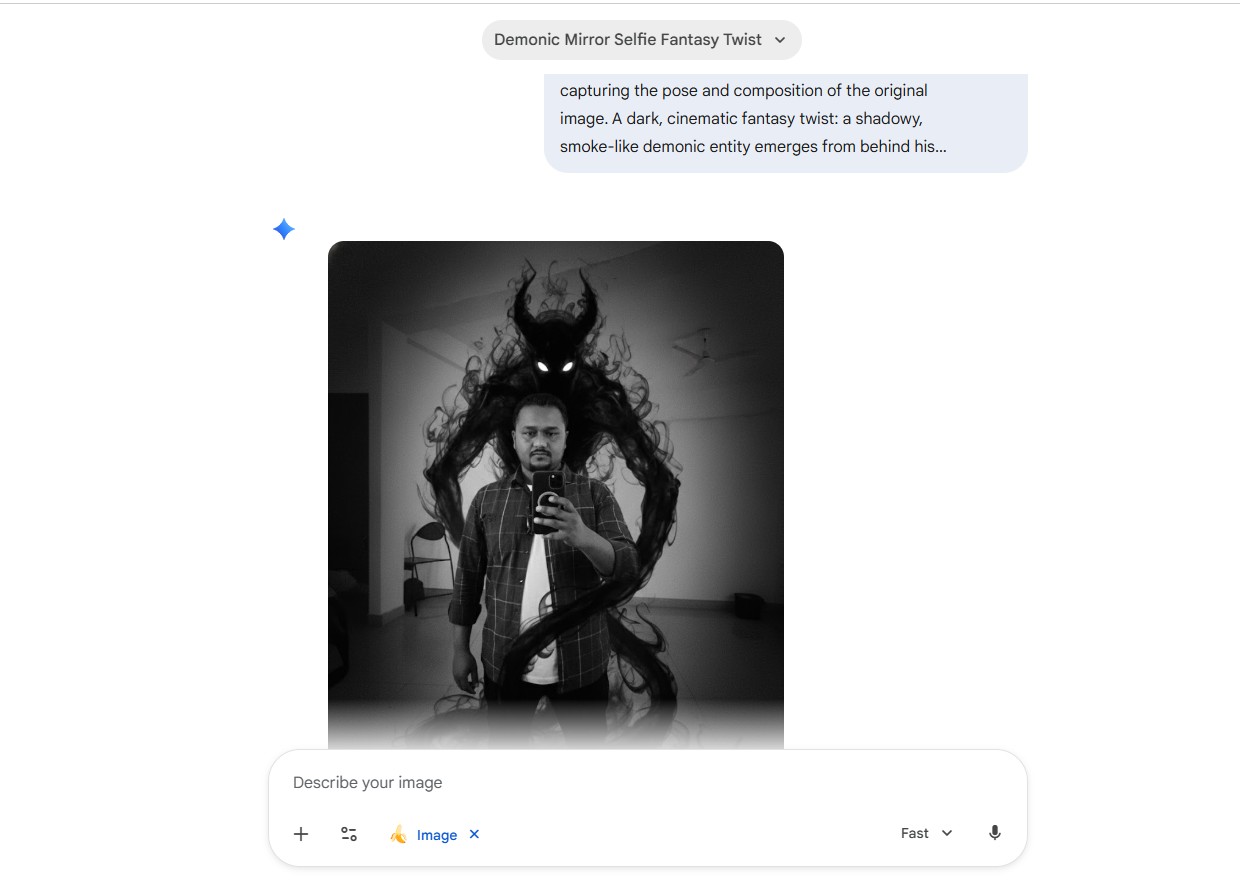
2. Now add your face image and add bellow prompts to Generate Image.

A realistic black and white mirror selfie of a man in a brown shirt over a white top holding a phone, exactly capturing the pose and composition of the original image. A dark, cinematic fantasy twist: a shadowy, smoke-like demonic entity emerges from behind his back. The entity is made of swirling black smoke, semi-transparent, with glowing white eyes. The smoke wraps around the body and flows down to the floor naturally, blending with the environment. Dark, moody atmosphere, high contrast, cinematic lighting, ultra-realistic, 4K quality, grainy film texture.

ghost gemeni image

3. Now download the generated image.

4. Now go to the Google Flow and Login using your Gmail account.

5. Then, click the “Create Project” option. 

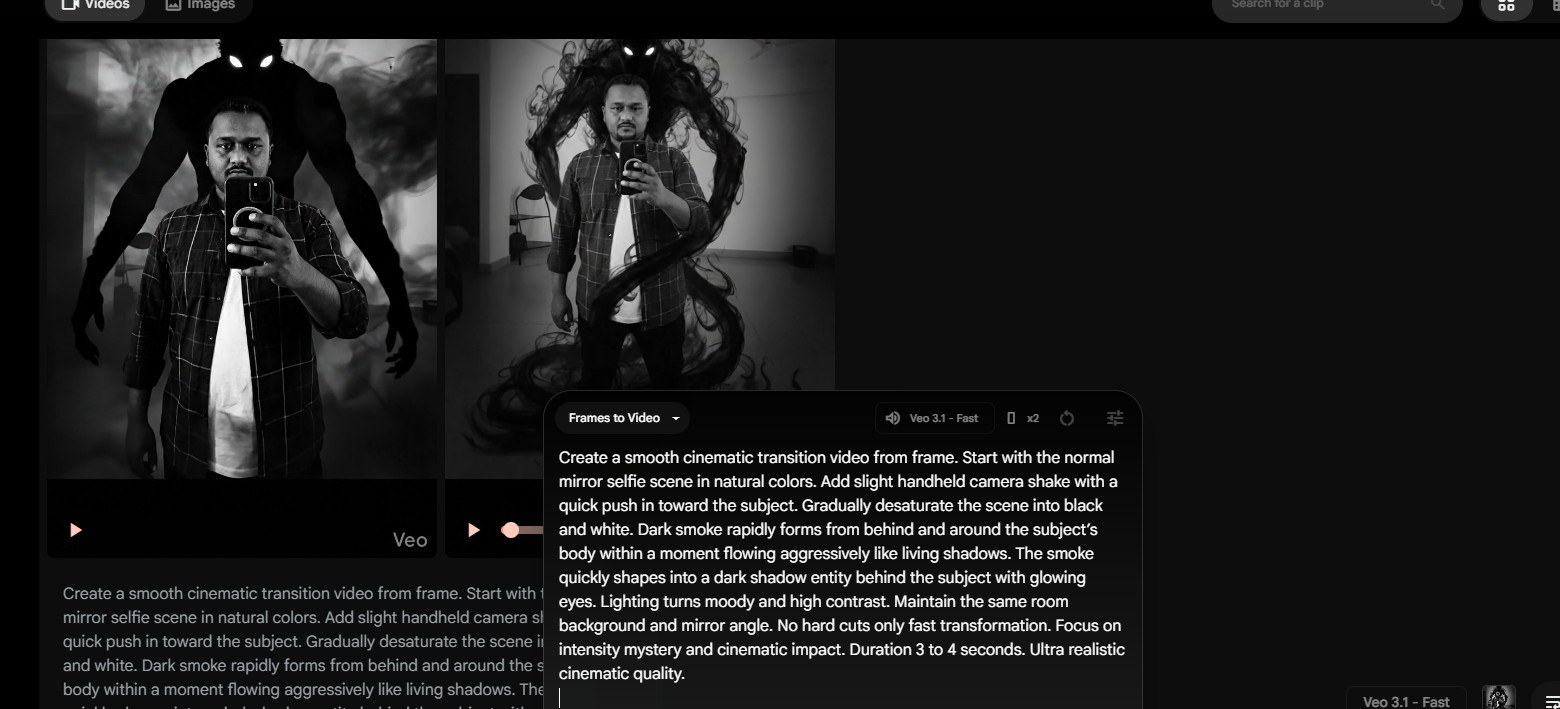
6. Choose Frames to Video and Then, click the “+” icon to add both images (Your normal Mirror Selfie and Generated Image).

7. Now add Bellow Prompt to create video and click on Next to process video.

Create a smooth cinematic transition video from the first frame to the second frame. Start with the normal mirror selfie scene in natural colors. Add slight handheld camera shake with a quick push in toward the subject. Gradually desaturate the scene into black and white. Dark smoke rapidly forms from behind and around the subject’s body within a moment flowing aggressively like living shadows. The smoke quickly shapes into a dark shadow entity behind the subject with glowing eyes. Lighting turns moody and high contrast. Maintain the same room background and mirror angle. No hard cuts only fast transformation. Focus on intensity mystery and cinematic impact. Duration 3 to 4 seconds. Ultra realistic cinematic quality.

ghost video

Keywords: ai ghost video, cinematic ghost ai, horror reels ai, viral ghost video, ai horror edit, ghost cinematic, scary ai video, ai reels editing, horror ai content, ghost video ai

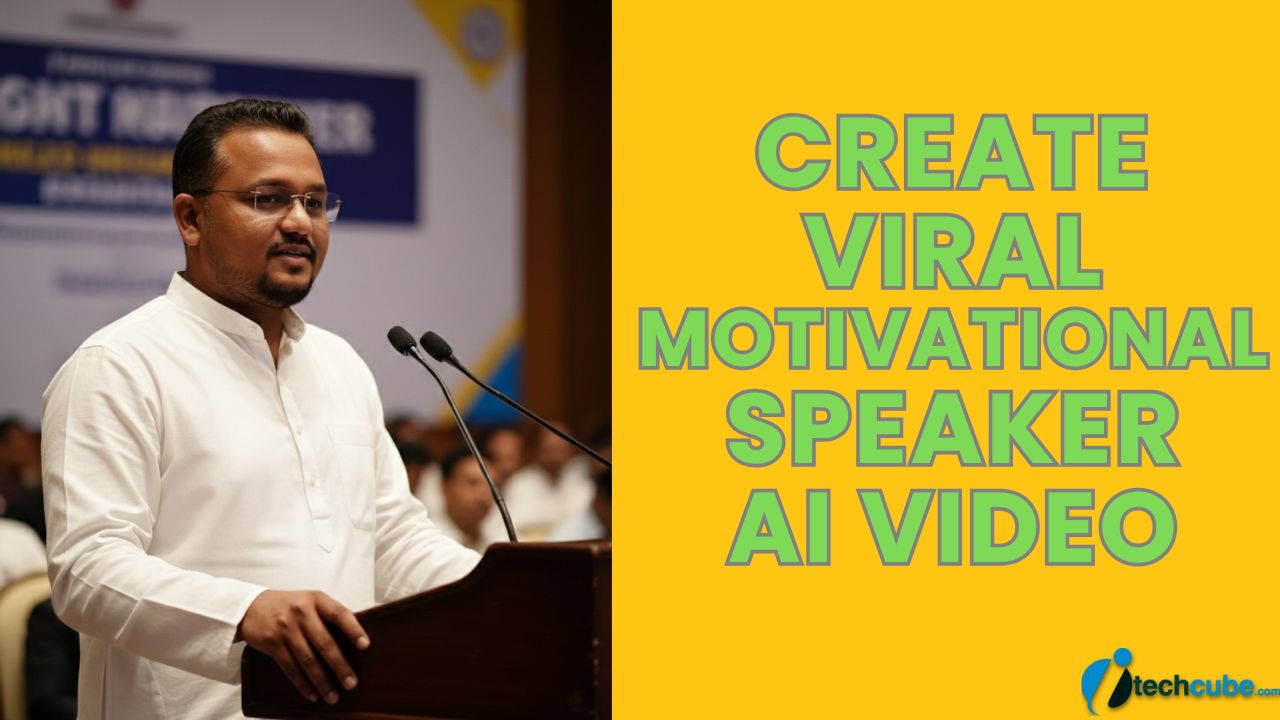
How to Create Viral Motivational Speaker AI Video

Viral Motivational Speaker AI Video

Create your own viral motivational speaker video using AI with cinematic voice energy powerful words and social media ready visuals perfect for reels shorts and creators who want growth inspiration and engagement fast.

How to Create Viral Motivational Speaker AI Video:

1. First open Google Gemini.

2. Now add your face image and add bellow prompts to Generate Image.

A realistic professional photograph of a me as a motivational speaker delivering a speech at a formal indoor event.
I am standing behind a wooden podium with a microphone, speaking with calm confidence and clarity.
I am wearing a white solid kurta and minimal accessories.
he is wearing subtle eyeglasses.
The background shows a soft-focus seminar or conference hall with a motivational banner behind him (text not readable, blurred).
Lighting is warm and professional, similar to auditorium stage lighting.
The composition is mid-shot to waist-up, slightly angled from the side, cinematic depth of field.
Ultra-realistic, DSLR photography, sharp focus, natural skin tones, professional corporate event vibe, 4K quality, shallow depth of field, no distortion, no cartoon, no illustration.

3. Now download the generated image.

4. Now go to the Google Flow and Login using your Gmail account.

5. Then, click the “Create Project” option. 

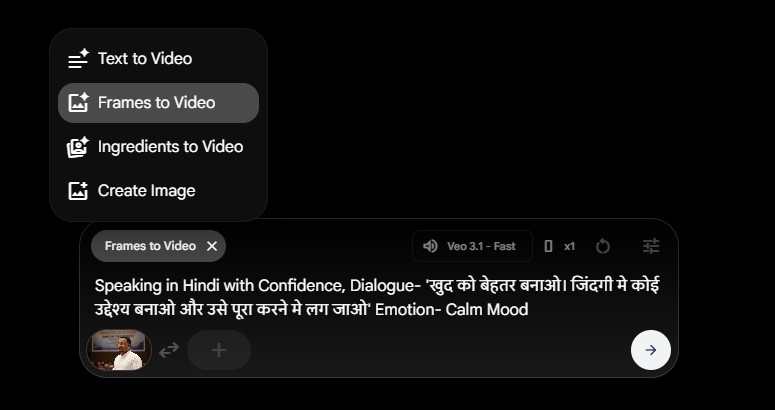
6. Choose Frames to Video and Then, click the “+” icon to add an images.

7. Now add Bellow Prompt to create video (Change Dialogue to your Own) and click on Next to process video.

Speaking in Hindi with Confidence, Dialogue- ‘खुद को बेहतर बनाओ। जिंदगी मे कोई उद्देश्य बनाओ और उसे पूरा करने मे लग जाओ’ Emotion- Calm Mood

google flow motivational speaker

After video generate, Download the videos and edit, merge these from any video editor.

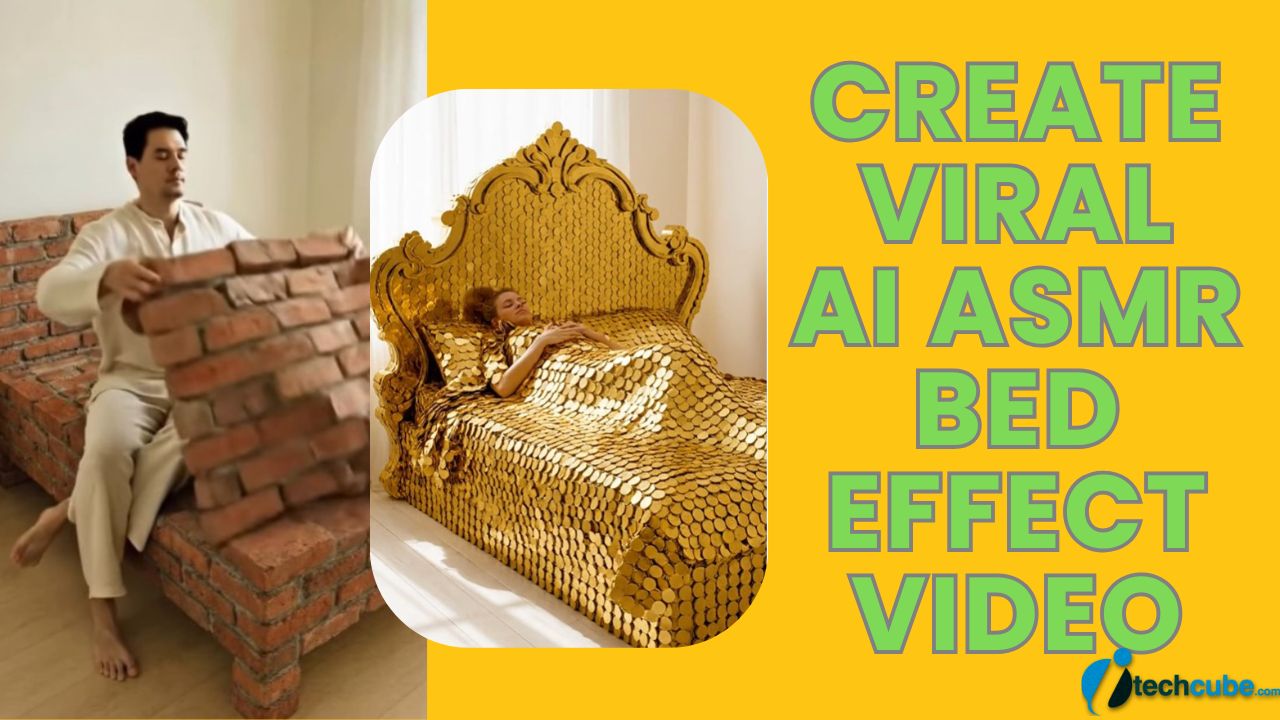
How to Create Viral AI ASMR Bed Effect Video ?

Viral AI ASMR Bed Effect Video

These day ASMR Videos are getting viral. So Here I’m going to show Provide tutorial and prompt to create This Viral AI ASMR Bed Effect Video.

If you want the “bricks” or “gold” to actually move like fabric, you need a specific prompt structure. I’ve put the exact formula below so you can recreate this in seconds using Flow.

How to Create Viral AI ASMR Bed Effect Video:

1. First open Google Flow .

2. Then, click the “Create Project” option. 

2. Now Choose Text to Video and Select the Veo 3.1 model.

3. Now Add bellow Prompt. but swap [OBJECT] for something crazy (Diamonds? Chocolate? Sand?).

A minimal, naturally lit bedroom identical in composition and perspective to the reference. The camera is static, positioned at a slight diagonal angle near the foot-side of the bed, showing the full bed and surrounding floor. Eye-level human POV. No camera movement.
A solid bed constructed entirely from [OBJECT], including the frame and headboard, placed on a clean wooden floor beside a softly lit window with sheer curtains.
A white girl wearing a casual t-shirt and shorts enters the frame from the side, walks toward the [OBJECT] bed, and sits down naturally. Movements are slow, grounded, and realistic, matching the reference pacing.
She gently lifts a flexible blanket made entirely from [OBJECT] and carefully places it over her body exactly like in the reference video. The blanket behaves softly despite being [OBJECT]-textured, with believable physics and weight distribution.
ASMR-quality sound design synced precisely with the action: all audio must strictly match the physical material of [OBJECT], including accurate contact, friction, weight, and settling sounds wherever the person sits, moves, or places the blanket. No exaggerated or cinematic audio — only realistic, calming, material-accurate sounds.
She lies down fully, adjusts the [OBJECT] blanket once, then rests calmly. Expression is neutral and peaceful.

4. Make sure the “Audio” setting is toggled ON for that ASMR crunch!

5. Proceed For Video generate.

6. Wait for result and Download your Generated Video.

10+ Best Free Contact Us Form Plugins For WordPress

1
Contact Us Form Plugins

Are you looking for a best free Contact Us plugins to add a contact form on your WordPress site? There are thousand of contact form plugins available on WordPress marketplace. Not sure which one of the WordPress contact form plugins to use? In this article, I have selected top best contact us form plugins for WordPress.

So you can use any one of the listed contact form plugin into your wordpress site.

Free Contact Us Form Plugins

#1. Contact Form 7

Contact Form 7 is one of the most downloaded plugin in the official WordPress plugin directory. Contact Form 7 can manage multiple contact forms, plus you can customize the form and the mail contents flexibly with simple markup. The form supports Ajax-powered submitting, CAPTCHA, Akismet spam filtering and so on.

Contact Form 7

#2. Fast Secure Contact Form

Fast Secure Contact Form is another popular free WordPress contact form plugin. As the name suggests, the plugin focuses on preventing spam and making contact forms secure.
It uses Akismet spam protection to deal with contact form spam. You can also install a companion plugin to add CAPTCHA support.

https://wordpress.org/plugins/si-contact-form/

#3. Contact Form by BestWebSoft

This Contact Form plugin allows you to implement contact form to a web-page or a post in no time. It is an extremely easy form, that doesn’t require any additional settings, though there are some available options. All you need is just to activate the plugin and insert the shortcode [bestwebsoft_contact_form] into the text. There is also a premium version of the plugin with more useful features available.

Contact Form by BestWebSoft – Advanced WP Contact Form Builder for WordPress

#4. Ninja Forms

Ninja Forms is the easiest way to build any form you need for your WordPress website. No longer mess with code or worry about made-up limitations. Create the form you want, when you want with a simple drag and drop interface provided by the very powerful Ninja Forms framework.

Ninja Forms – The Contact Form Builder That Grows With You

#5. Visual Form Builder

Visual Form Builder is a plugin that allows you to build and manage all kinds of forms for your website in a single place. Building a fully functional contact form takes only a few minutes and you don’t have to write one bit of PHP, CSS, or HTML!

Visual Form Builder

#6. Jetpack Contact form:

Jetpack wordpress plugin is very popular must have plugin. It has lots of extension for different tasks. One extension contact form to create coll contact forms.
But to allow this powerful plugin you need to have wordpress.com account. you just need to login to wordpress.com account to activate this plugin. If you don’t have wordpress.com account. you can create a free wordpress.com account.

Jetpack Contact Form Customization 

Jetpack – WP Security, Backup, Speed, & Growth

#7. Contact Form by ContactUs

Add a flexible contact form to your website. Built with ContactUs.com’s cloud-based software. Customize to build beautiful, functional contact forms. In less than five minutes, you can be up and running with a simple yet powerful contact form on your WordPress website. This contact form plugin is integrated with ContactUs.com’s customer acquisition software suite, built to help you track and prioritize your contact form submissions.

https://wordpress.org/plugins/contactuscom/

#8. Creative Contact Form

Creative Contact Form is a responsive contact form builder with amazing visual effects.You will be surprised by count of all the possible features! It is packed with a Template Creator wizard to create fanstastic contact forms in a matter of seconds without coding.

Creative Contact Form

Pro Contact Us Form Plugins

#9. Gravity Forms:

Gravity Forms is the most popular paid contact form plugin for WordPress. Gravity Forms is the most user friendly contact form plugin for WordPress. This plugin have lots of add-ons. With the help of additional add ons, Gravity Forms can be used to create surveys,quiz, user submitted content, web directory and even lead generation.

#10. AJAX Contact Forms

This is a jQuery based AJAX powered HTML / PHP contact form with Twitter Direct Messaging, easily integrated into WordPress via shortcodes and functions.

https://codecanyon.net/item/ajax-contact-forms-for-wordpress/129211

#11. Quform – WordPress Form Builder

Quform is an advanced WordPress plugin that allows you to quickly and easily build multiple forms with total control. If it’s a complex quote or booking form or just a simple contact form, Quform will allow you to do this without touching any code. In a few clicks you will have a fully functional form. It’s that simple.

https://codecanyon.net/item/quform-wordpress-form-builder/706149

SEO Tags: Contact Form Plugin WordPress, WordPress Contact Form Widget, WordPress Popup Contact Form Plugin, Best Free WordPress Contact Form, WordPress Form Plugin