Home Blog Page 3

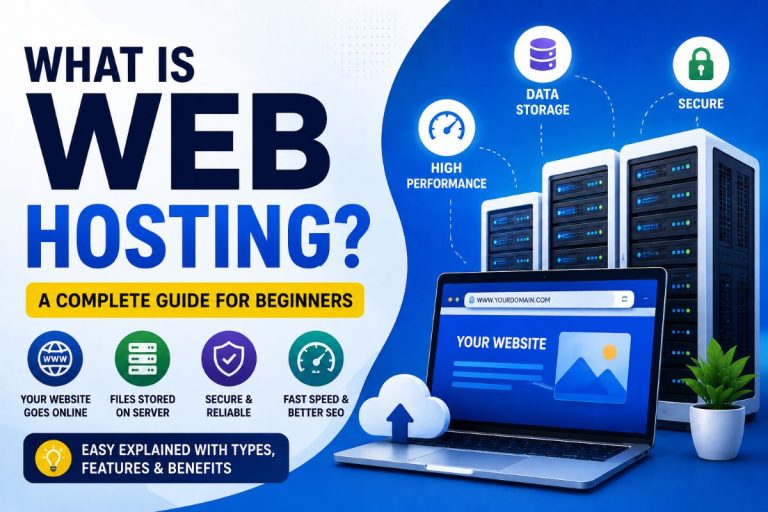
What is Web Hosting? A Complete Beginner’s Guide

If you’re planning to create a website, one of the first terms you’ll come across is web hosting. Whether you’re starting a personal blog, business website, eCommerce store, or portfolio, choosing the right web hosting service is essential for your website’s performance, security, and success.

In this guide, we’ll explain what web hosting is, how it works, the different types of hosting available, and how to choose the best hosting provider.
What is Web Hosting
What is Web Hosting

What is Web Hosting?

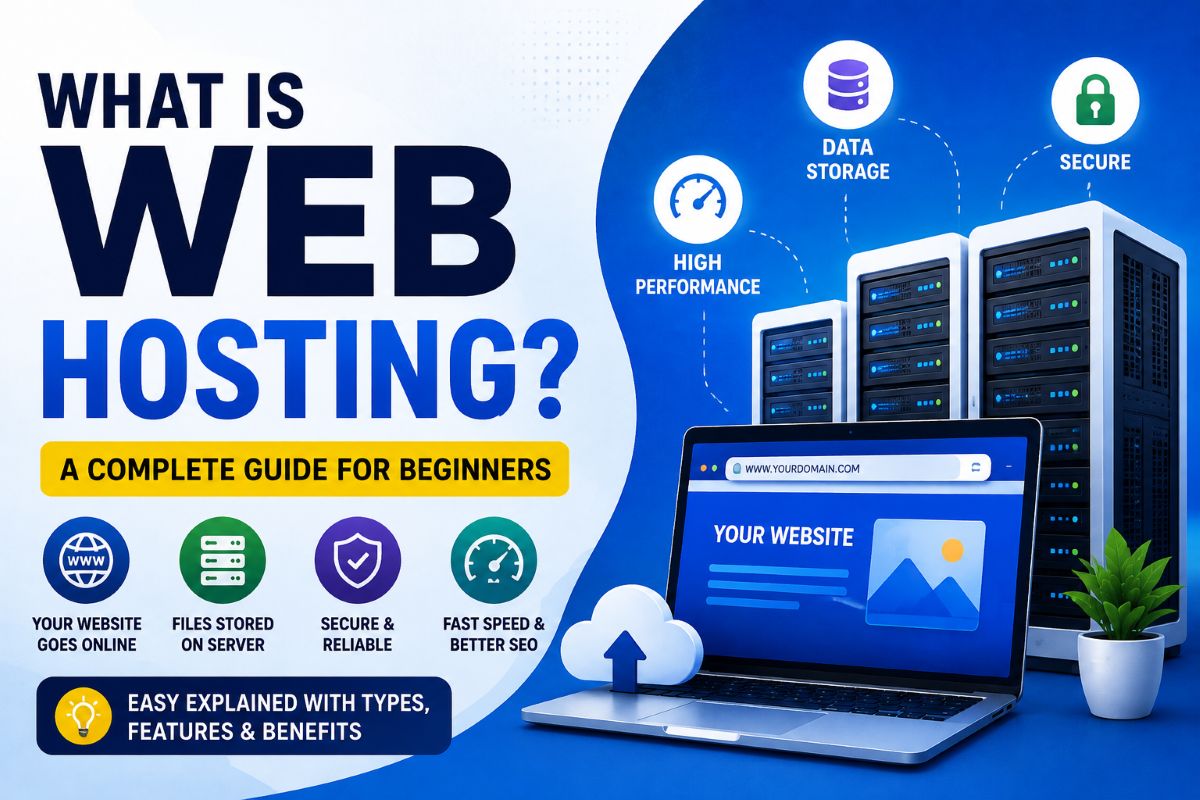
A web hosting service is a service that stores your website’s files, images, videos, databases, and other content on a powerful server connected to the internet. When someone enters your domain name (such as www.yourwebsite.com) into their browser, the hosting server delivers your website to the visitor.

Simply put, web hosting is the home where your website lives. Without hosting, your website cannot be accessed online.

For example, if you own a business website, all your product pages, blog posts, customer data, and images are stored on a hosting server, making them available to visitors 24/7 from anywhere in the world.

How Does Web Hosting Work?

The process is simple:

  1. You register a domain name.
  2. You purchase a web hosting plan.
  3. Upload your website files to the hosting server.
  4. Point your domain to the hosting server.
  5. Visitors enter your domain name.
  6. The hosting server displays your website within seconds.

Modern hosting providers also offer one-click WordPress installation, free SSL certificates, automatic backups, website migration, email hosting, and advanced security features, making it easy even for beginners.

Why Do You Need Web Hosting?

A reliable web hosting service offers much more than just storage space. It ensures that your website remains fast, secure, and available around the clock.

Some key benefits include:

  • 24/7 website availability
  • Faster loading speed
  • Better search engine rankings (SEO)
  • Improved website security
  • Free SSL certificate for HTTPS
  • Automatic backups
  • Professional business email addresses
  • Easy website management
  • Scalability as your business grows

Difference Between Domain Name and Web Hosting

Many beginners confuse domain names with web hosting.

Domain NameWeb Hosting
Your website’s address on the internetThe server where your website files are stored
Example: www.itechcube.comStores HTML, images, databases, videos, and emails
Purchased separately or bundledRequired to make the website accessible online

Think of it like this:

  • Domain Name = Your Home Address
  • Web Hosting = Your Actual House

Types of Web Hosting Services

1. Shared Hosting

Shared hosting is the most affordable and beginner-friendly hosting option. Multiple websites share the same server resources, making it ideal for: Personal blogs, Small business websites, Portfolio websites, Startup websites.

2. VPS Hosting (Virtual Private Server)

VPS hosting provides dedicated resources within a virtual environment. It’s ideal for websites that have outgrown shared hosting. Best for: Growing businesses, Medium to high traffic websites, Developers.

3. Cloud Hosting

Cloud hosting uses multiple servers instead of a single server, ensuring high uptime and excellent scalability. Cloud Hosting is Perfect for eCommerce websites, SaaS applications, Business websites, High-traffic blogs.

4. Dedicated Server Hosting

A dedicated server gives your website exclusive access to an entire server. Suitable for: Large enterprises, High-traffic portals, Corporate websites, Enterprise applications. It offers maximum performance, security, and customization but comes at a higher cost.

5. Managed WordPress Hosting

Managed WordPress hosting is specifically optimized for WordPress websites. Features include: Automatic updates, Enhanced security, Daily backups, Built-in caching, Expert WordPress support. It’s an excellent choice for bloggers, agencies, and businesses using WordPress.

6. Reseller Hosting

Reseller hosting allows individuals or agencies to sell hosting services under their own brand. It is suitable for: Web designers, Digital marketing agencies, Freelancers, Hosting businesses.

Essential Features to Look for in a Web Hosting Provider

When choosing a hosting provider, consider these important features:

  • NVMe SSD storage for faster performance
  • 99.9% uptime guarantee
  • Free SSL certificate
  • Daily backups
  • Malware protection
  • DDoS protection
  • LiteSpeed or NGINX servers
  • Free CDN integration
  • Automatic WordPress installation
  • One-click staging
  • 24/7 customer support
  • Easy-to-use control panel
  • Website migration assistance

For More Details on How to Choose the Best Web Hosting Provider

How Web Hosting Affects SEO

Web hosting plays a significant role in your website’s search engine rankings. A good hosting provider helps by offering:

  • Faster page loading speed
  • Better uptime
  • Secure HTTPS connection
  • Reliable server response time
  • Improved Core Web Vitals
  • Better user experience

Google favors websites that load quickly and remain consistently available.

Common Mistakes to Avoid

Many beginners make these mistakes when purchasing hosting:

  • Choosing the cheapest plan without checking features
  • Ignoring renewal prices
  • Buying hosting without backups
  • Not checking server location
  • Choosing limited customer support
  • Ignoring uptime guarantees
  • Not considering future scalability

Best Web Hosting Providers

After evaluating speed, reliability, customer support, security, and value for money, these hosting providers are among the best choices for different types of websites.

1. Hostinger – Best Overall

Best for beginners, bloggers, freelancers, and small businesses. Get 20% Additional Discount of Discounted PriceClick HERE

Highlights:

  • Affordable pricing
  • NVMe SSD storage
  • LiteSpeed servers
  • Free SSL certificate
  • Free domain on eligible plans
  • AI-powered website builder
  • Excellent performance

2. SiteGround – Best Premium Hosting

Ideal for business websites and WordPress users who want premium performance and support.

Highlights:

  • Google Cloud infrastructure
  • Daily backups
  • Managed WordPress features
  • Outstanding customer support
  • Advanced security

3. A2Hosting– Best Managed Hosting

Perfect for growing websites, WooCommerce stores, and agencies.

Highlights:

  • Managed hosting
  • High scalability
  • Excellent performance
  • Pay-as-you-grow model

4. Bluehost – Best for New WordPress Websites

A beginner-friendly option with easy WordPress setup and reliable hosting.


Frequently Asked Questions

Is web hosting necessary?

Yes. Without web hosting, your website cannot be accessed on the internet.

Can I create a website without hosting?

You can build a website locally on your computer, but it won’t be visible to the public unless it’s hosted on a web server.

Which hosting is best for beginners?

Shared hosting is the most affordable and beginner-friendly option. As your website grows, you can upgrade to VPS or cloud hosting.

Does hosting affect website speed?

Absolutely. Faster servers, NVMe SSD storage, optimized caching, and modern web technologies significantly improve loading speed and user experience.

Is free hosting a good choice?

Free hosting can be suitable for learning or testing, but it usually comes with limited resources, advertisements, lower performance, and fewer security features. For professional websites, a paid hosting plan is recommended.

Conclusion

Web hosting is the backbone of every successful website. Choosing the right hosting provider ensures your site remains fast, secure, and available to visitors around the clock. Before making a decision, compare features such as performance, uptime, security, customer support, scalability, and pricing rather than focusing solely on cost.

Whether you’re launching a personal blog, business website, or online store, investing in quality web hosting will provide a strong foundation for long-term growth and better search engine visibility.


How to Choose the Best Web Hosting Provider in 2026 (Complete Beginner’s Guide)

Web Hosting Companies Often overlooked, web hosting is one of the key features in running a website. Without hosting, your website cannot be accessed online. Know more about web hosting in details by clicking here. There are numerous type of web hosts that are available: Free, Shared, VPS, Dedicated servers, and managed CMS hosting. Sometimes the wrong decision can come back to haunt you in the future.

In this guide, we will cover Some things to consider when choosing a Web Hosting Provider, and share with you a list of Recommended Top Web Hosting Companies.

Best Web Hosting Provider

How to Choose the Best Web Hosting Provider

Choosing a web hosting provider is one of the most important decisions you’ll make when launching a website. Whether you’re starting a personal blog, business website, online store, or portfolio, your hosting directly affects your site’s speed, security, uptime, and SEO performance.

In Recent Days, website performance is more important than ever. Search engines prioritize fast-loading websites, visitors expect pages to load within seconds, and AI-powered search experiences reward high-quality, reliable websites.

This guide explains everything you need to know before buying web hosting and recommends trusted hosting providers suitable for different needs.

Types of Web Hosting

1. Shared Hosting

Shared Hosting is Best for: Beginners, Personal blogs, Small businesses, Portfolio websites

Advantages

  • Cheapest option
  • Easy to manage
  • Beginner-friendly
  • One-click WordPress installation

Disadvantages

  • Resources are shared
  • Performance may decrease during high traffic

Recommended if you’re just starting.

2. VPS Hosting

VPS Hosting is Best for Growing businesses, Medium traffic websites, Developers,

Advantages

  • Dedicated resources
  • Better performance
  • Higher security
  • Root access

3. Cloud Hosting

Cloud Hosting is Best for High traffic websites, E-commerce stores, Agencies

Advantages

  • Excellent uptime
  • Scalable resources
  • Faster performance
  • High reliability

4. Dedicated Server

Dedicated Server is Suitable for Enterprise websites, Large businesses, Applications with heavy traffic. Dedicated server Provides maximum performance but is expensive.

5. Managed WordPress Hosting

Perfect for WordPress websites. It Includes Automatic updates, Security monitoring, Daily backups, Built-in caching, Expert WordPress support

Factors to Consider Before Choosing a Web Hosting Provider

#1. Security

Web Hosting Security is the very serious thing to remember while signing up to a web host. You do not want to risk a hacker getting into your website via back door (the server). Most services are going to brag (in some way) about their server security. If your web hosting provider is not hardened from security perspective, your site may get hacked very frequently. And its very difficult to clean a hacked website completely. This can cause serious issues with your website including getting banned by search engines like Google.

Look for

  • Malware scanning
  • Firewall
  • DDoS protection
  • Login protection
  • File monitoring

#2. Bandwidth/Disk space

This is a little tricky since most of the major shared hosting providers promise “unlimited” bandwidth and disk space. Have you ever imagined of a disk with unlimited space? To be clear, anyway, your website doesn’t really need that much space. Unless you are starting Multiples of site or a big site like news site, videos, photos gallery sites, your site will probably never come close to 1GB of disk usage. Your main concern should be bandwidth – which, unfortunately, is “unlimited.” However, since the top providers won’t reveal how much bandwidth your website is allotted, you can always ask customer support to clarify this to you.

#3. Customer Support

Support from web hosting provider always tops the list of features that customers are looking for. Always check 24×7 support before signing up. Read Customers reviews on forums to know better. That’s because when your website runs into a technical issue, you want to be sure that the technical support staff will be there to help and resolve it quickly.

Good hosting companies provide

  • 24×7 live chat
  • Ticket support
  • Knowledge base
  • Phone support (optional)

Test support before purchasing.

#4. Reliability

A web host with frequent downtime can not only hurt your business. Also, if search engine bots and spiders can’t access your website due to the downtime, they may remove your website from the search index. And it may be very difficult to get the rankings back.

Look for 99.9% uptime or higher. Downtime means lost visitors and reduced trust.

#5. Website Speed

A faster website not only improves user experience, its also a ranking factor in search engine rankings. All other things being equal, a faster website will rank better in Google then a slower website.

Choose hosting with:

  • NVMe SSD storage
  • LiteSpeed Web Server
  • HTTP/3
  • Latest PHP version
  • CDN integration

Fast websites improve both SEO rankings and user experience.

#6. Customer Reviews

Today’s It’s a lot harder to trust web hosting reviews, Since most websites that show up on the first page of Google are likely sponsored. Not to say that all review sites are sponsored, but you should watch out for those that seem to consistently rate one particular company as the best in shared hosting, VPS hosting, dedicated hosting etc. In the end, you want to read balanced reviews and be able to pick a web host with the minimal reliability and support issues.

7. Server Location

Choose a hosting provider with servers location close to your audience.

Example:

  • India → Indian data centers
  • Europe → European servers
  • USA → US servers

Lower latency means faster loading.

8. Free SSL Certificate

SSL is mandatory in websites today. A good hosting company should provide Free SSL, Automatic renewal, HTTPS support

#8. Add-ons

A good web hosting service is n’t just space, bandwidth and email. The truth is that many of them try to appear as attractive as it can get with an endless list of add-ons. But what makes a hosting company different? Maybe a reputation for uptime, enhanced security and data back up features? A company could list countless features but not provide basic data backups. Others offer free domain privacy, while others charge for that. Find a company that offers add-ons that you’ll find important.

#9. Pricing

We’ve all probably fallen in cheap web hosts that promise everything that every other reputable host does. That is not to say that low prices are an indicator of poor quality services; but in general, a ridiculously cheap hosting plan is probably not as reliable as you’d hope. Price still remains a serious consideration, but don’t forget to also consider what value you’ll be getting for your money. Take your time to compare the various offerings of different companies, their customer reviews, support system etc. before you finally compare the prices.

Avoid selecting hosting based only on the lowest price.

Instead compare

  • Renewal price
  • Included features
  • Backups
  • Free migration
  • Support quality

Recommended Best Website Hosting Providers

Hosting ProviderBest ForStarting PriceWhy Choose It
HostingerBeginners & Small BusinessAffordableLiteSpeed, AI tools, Free Domain
BluehostWordPress BeginnersMediumOfficial WordPress recommendation
SiteGroundSpeed & SupportPremiumExcellent performance and support
CloudwaysDevelopers & AgenciesPremiumManaged cloud hosting
A2 HostingSpeedMediumTurbo Servers available
ChemiCloudReliabilityMediumGreat customer support
GreenGeeksEco-Friendly HostingMediumRenewable energy hosting

Common Mistakes People Make

  • Buying the cheapest hosting
  • Ignoring renewal pricing
  • Choosing hosting without backups
  • Not checking customer support
  • Purchasing unlimited hosting without reading limitations
  • Ignoring server location

🏆 Our Top Web Hosting Recommendation For you

🥇 1. Hostinger (Best Overall)

Best for: Beginners, bloggers, freelancers, and small businesses.

Why we recommend it: Affordable pricing, LiteSpeed servers, NVMe storage, AI website tools, free SSL, free domain (on eligible plans), and excellent performance for WordPress.

👉 Check the latest Hostinger deals

Get 20% Additional Discount on Any Hostinger Plans- Use Coupon- 1ABHAY800 or Click Here

Which hosting is best?

For beginners, Hostinger offers one of the best balances of price, speed, and features. SiteGround is a strong premium choice, while Cloudways is ideal for high-performance cloud hosting.

Is shared hosting still worth buying?

Yes. Shared hosting is sufficient for new websites, blogs, portfolios, and small business sites. You can upgrade later as your traffic grows.

Does hosting affect SEO?

Yes. Faster loading times, better uptime, and secure HTTPS connections contribute to improved user experience and can positively influence search performance.

How much should I spend on hosting?

A quality beginner hosting plan typically costs between $1.5– $15 per month, depending on features and promotional pricing.

Do I need a free domain?

A free domain for the first year can reduce startup costs, but compare the total renewal costs before deciding.

Final Thoughts

Selecting the right web hosting provider is about more than just price. Consider performance, uptime, security, backups, support, scalability, and long-term value. A reliable hosting provider creates a solid foundation for your website’s growth and helps deliver a better experience for your visitors.

Best ERP App to Manage Your Billing and Inventory in 2026 – Why I Recommend DukanApp

Running a business today isn’t just about selling products. Whether you own a grocery store, fashion boutique, electronics shop, pharmacy, hardware store, or wholesale business, managing billing, inventory, customer records, GST invoices, and payments can quickly become overwhelming.

A few years ago, I visited a local retail store where the owner proudly told me he still managed everything in notebooks. When I asked him how often he checked his stock, he smiled and said, “Whenever customers tell me something is out of stock.”

That conversation made me realize something.

Many small businesses don’t fail because of lack of customers—they lose money because they don’t have control over their business operations.

This is where a good ERP application makes all the difference.

After trying several billing applications available in India, I found one solution that offers everything a growing business actually needs without making it complicated. That app is DukanApp.

What Exactly is an ERP App?

ERP stands for Enterprise Resource Planning.

Now don’t let the fancy name scare you.

For a small business owner, an ERP app simply means one software that manages your entire business from a single dashboard.

Instead of using separate apps for billing, inventory, customer management, reports, and accounting, an ERP combines everything together.

A good ERP saves time, reduces mistakes, and helps business owners make better decisions.

Why Traditional Billing Methods Don’t Work Anymore

Many shop owners still depend on:

  • Manual billing
  • Excel sheets
  • Paper registers
  • Separate inventory records
  • Calculator-based GST calculations

These methods may work when your business is small.

But once sales increase, problems begin.

Common issues include:

  • Wrong GST calculations
  • Missing inventory
  • Duplicate entries
  • No purchase history
  • Difficulty finding invoices
  • Stock shortages
  • Delayed customer service

Eventually, these small mistakes become expensive.

Features Every Modern Billing ERP Should Have

Before choosing any billing software, make sure it includes these essential features.

1. Fast GST Billing

Customers don’t like waiting. A good ERP should create professional GST invoices within seconds.

It should also support:

  • Tax invoices
  • Retail bills
  • Thermal printer support
  • PDF invoices
  • Invoice sharing through WhatsApp

2. Inventory Management

Inventory is the heart of every retail business. Without proper stock tracking, you may either overstock products or lose sales because items are unavailable.

A good ERP should help you:

  • Track stock quantity
  • Monitor low stock
  • Update inventory automatically after every sale
  • Manage multiple product categories
  • Search products instantly

3. Customer Management

Knowing your customers helps increase repeat business.

An ERP should maintain:

  • Customer details
  • Purchase history
  • Outstanding payments
  • Credit accounts
  • Contact information

4. Sales Reports

Business decisions should always be based on numbers.

Reports should include:

  • Daily sales
  • Monthly sales
  • Profit reports
  • Best-selling products
  • GST reports
  • Payment summaries

5. Multi-Device Access

Business owners aren’t always sitting at their shop.

Modern ERP software should work across:

  • Android phones
  • Tablets
  • Desktop
  • Web browser

This allows you to monitor your business from anywhere.

Why I Recommend DukanApp

After exploring different billing applications, I found DukanApp to be one of the most practical ERP solutions for Indian businesses. Unlike many complicated enterprise software solutions that require weeks of training, DukanApp focuses on simplicity.

Even someone using billing software for the first time can start creating invoices within seconds.

What impressed me the most is that it isn’t just a billing app. It is a complete business management solution.

Key Features of DukanApp

Here are some of the features that make DukanApp stand out.

Professional GST Billing

Create GST invoices quickly with an easy-to-use interface.

Perfect for:


Smart Inventory Management

Managing stock manually becomes difficult as your business grows.

DukanApp automatically updates inventory after every sale, helping reduce stock errors and ensuring you always know what’s available.


Barcode Support

Scan products using barcode scanners for faster billing.

This significantly reduces billing time during busy hours.

Customer & Supplier Management

Store customer information, supplier details, and purchase history in one place.

No more searching through paper records.


Multiple Payment Methods

Accept payments through:

  • Cash
  • UPI
  • Credit Card
  • Debit Card
  • Bank Transfer

Everything gets recorded automatically.


Business Reports

DukanApp provides valuable reports including:

  • Sales reports
  • Profit reports
  • Inventory reports
  • GST summaries
  • Customer reports

These reports help business owners understand exactly how their business is performing.


Cloud-Based Access

Since DukanApp also offers a web-based ERP portal, business owners can manage operations from different devices, making it convenient to stay updated even when away from the shop.

Who Should Use DukanApp?

One of the biggest advantages of DukanApp is that it works across many business categories.

It is suitable for:

  • Grocery Stores
  • Kirana Shops
  • Fashion Stores
  • Clothing Shops
  • Footwear Stores
  • Mobile Shops
  • Electronics Stores
  • Electrical Shops
  • Medical Stores
  • Pharmacy Businesses
  • Gift Shops
  • Cosmetic Stores
  • Furniture Shops
  • Hardware Stores
  • Restaurants
  • Cafes
  • Sweet Shops
  • Bakery Businesses
  • Wholesale Traders
  • Distributors
  • Service Businesses

How DukanApp Compares to Traditional Billing

Traditional MethodDukanApp ERP
Manual billingDigital GST billing
Paper inventoryReal-time inventory
Manual calculationsAutomatic GST calculation
Limited reportsDetailed business analytics
Difficult invoice searchInstant invoice search
Manual stock updatesAutomatic inventory updates
No cloud accessAccess from multiple devices

Is DukanApp Worth It?

In my opinion, yes. Most small businesses don’t need expensive enterprise software with hundreds of features they’ll never use.

They need software that solves real business problems. That’s exactly where DukanApp performs well.

It combines billing, inventory management, customer records, reports, GST invoicing, and business management into one simple platform.

Whether you’re just starting your business or already handling thousands of invoices every month, it offers features that can genuinely simplify day-to-day operations.

7 Play Store Ranking Factors Most Developers Don’t Know (Complete Guide for 2026)

Publishing an Android app is only the first step. The real challenge is getting your app discovered by users. Millions of apps compete for visibility on the Google Play Store, and understanding how ranking works can make a huge difference in your app’s success.

Many developers focus only on keywords and downloads, but the ranking algorithm used by Google Play Console evaluates many hidden factors that influence app visibility.

In this guide, we will explore 7 Play Store ranking factors most developers don’t know and how you can optimize your Android app to rank higher and increase installs.

Play Store Ranking Factors

1. App Retention Rate

One of the most important ranking signals is user retention.

Retention measures how many users continue using your app after installing it. If users uninstall your app quickly, the Play Store algorithm assumes the app provides poor user experience.

Why retention matters

Apps with higher retention are ranked higher because they provide long-term value.

How to improve retention

  • Improve onboarding experience
  • Reduce app crashes and bugs
  • Add useful features regularly
  • Optimize app loading speed

Apps that keep users engaged are more likely to appear in top search results and recommendations.


2. App Crash Rate & Stability

The Play Store algorithm tracks how stable your app is.

If your app crashes frequently, it may lose visibility in search rankings.

Tips to improve stability

  • Monitor crash reports in Play Console
  • Use testing tools before publishing updates
  • Optimize memory usage
  • Fix ANR (Application Not Responding) errors

Stable apps usually receive better user ratings and higher rankings.


3. App Install Velocity

Install velocity refers to how quickly your app gains downloads over a short period of time.

If your app suddenly starts receiving more downloads, the algorithm treats it as a trending app and may promote it to more users.

Ways to increase install velocity

  • Promote your app on social media
  • Run Google Ads campaigns
  • Launch on product communities
  • Create YouTube tutorials or demos

A strong download spike can significantly boost your Play Store ranking.


4. Keyword Optimization in Title & Description

Just like SEO for websites, keywords play a crucial role in Play Store ranking.

Important places for keywords include:

  • App Title
  • Short Description
  • Long Description

Optimization tips

  • Add the main keyword in the app title
  • Use natural keywords in descriptions
  • Avoid keyword stuffing

Proper keyword optimization helps the Play Store algorithm understand what your app is about.


5. App Update Frequency

Regular updates show that your app is actively maintained.

Apps that receive consistent updates often rank higher because they:

  • Fix bugs
  • Improve performance
  • Add new features
  • Support new Android versions

Best update strategy

  • Minor updates every 2–4 weeks
  • Major updates every 2–3 months

Always include clear “What’s New” notes when submitting updates.


6. User Ratings and Reviews

User feedback is another strong ranking signal.

Apps with higher ratings are more likely to appear in search results, featured sections, and recommendations.

How to improve ratings

  • Ask satisfied users for reviews
  • Respond to user feedback
  • Fix issues reported in reviews
  • Provide good customer support

Maintaining a rating above 4.2 stars can significantly increase your app’s visibility.


7. App Engagement Metrics

The Play Store also analyzes how users interact with your app.

Important engagement signals include:

  • Daily active users (DAU)
  • Session duration
  • Frequency of app usage

If users frequently open and use your app, the algorithm assumes the app is valuable.

How to boost engagement

  • Send useful push notifications
  • Add gamification features
  • Improve UI/UX design
  • Provide personalized content

Higher engagement leads to better ranking and more organic installs.


Final Thoughts

Ranking higher on the Google Play Store is not just about downloads or keywords. The algorithm evaluates multiple performance signals including retention, stability, engagement, and update frequency.

By focusing on these 7 hidden Play Store ranking factors, developers can significantly improve their app visibility and attract more users.

If you consistently optimize your app and provide real value to users, you can achieve sustainable growth and higher installs over time.

How to Upgrade CyberPanel Using SSH (Easy to Use Step-by-Step Guide)

Upgrade CyberPanel

If you are running an older version of CyberPanel, Upgrade CyberPanel to the latest version is important for security, performance, and new features.

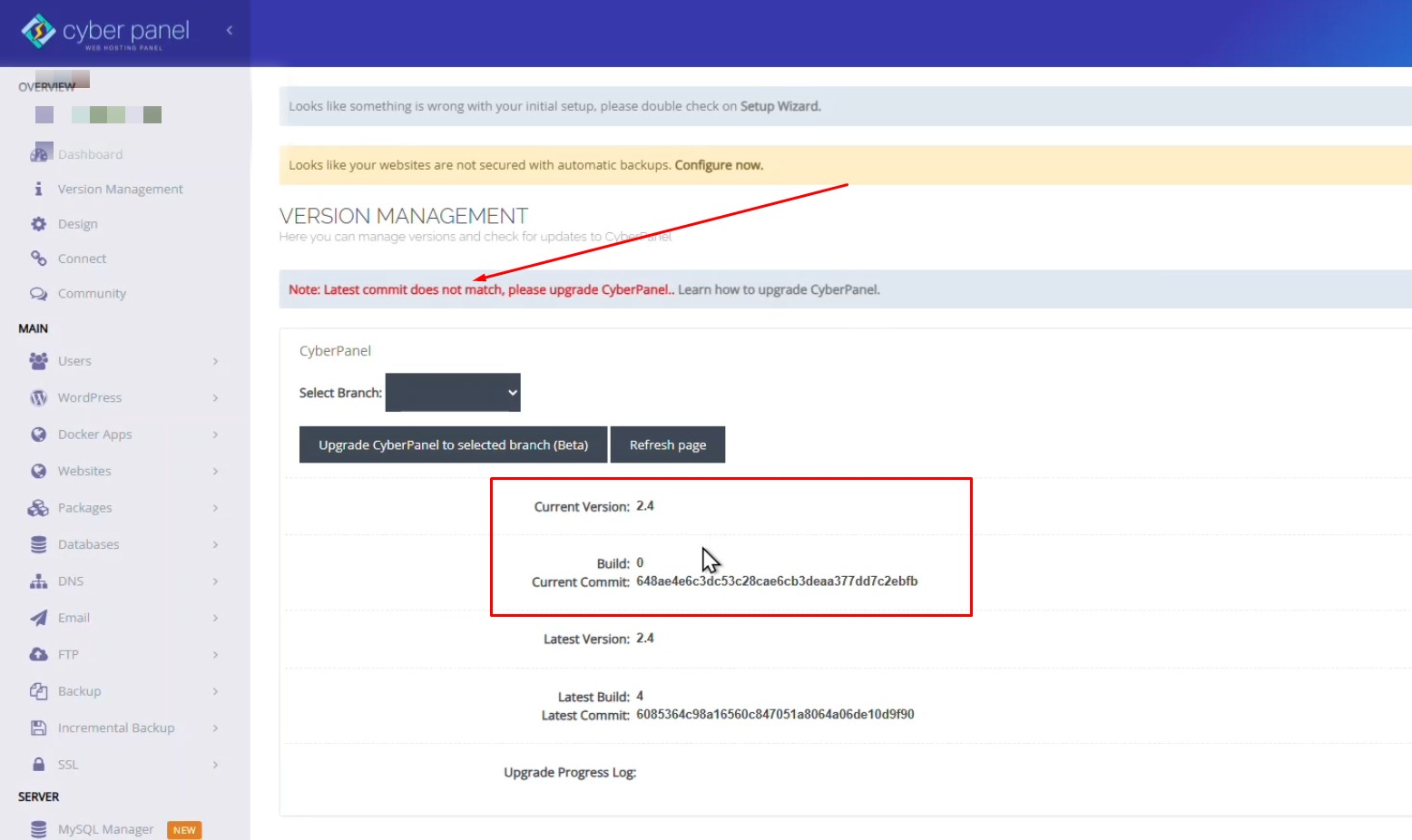
Many users still run CyberPanel 2.4.0, which uses an older dashboard design and may show warnings like: “Latest commit does not match, please upgrade CyberPanel.”

cyberpanel

In this tutorial, you will learn how to upgrade CyberPanel Latest Stable Release 2.4.5 safely using SSH without affecting your websites.

Why Upgrade CyberPanel?

Upgrading CyberPanel provides several benefits:

1. Improved User Interface

CyberPanel 3.x includes a modern dashboard and improved UI compared to older versions.

2. Better Security

New versions include security patches and updates for server components.

3. Improved Performance

CyberPanel runs on
OpenLiteSpeed
which receives performance improvements in newer releases.

4. Bug Fixes

Many bugs in CyberPanel 2.x have been fixed in later versions.

Requirements Before Upgrading

Before starting the upgrade, make sure your server meets these requirements:

  • Root SSH access
  • Minimum 1 GB RAM
  • At least 2 GB free disk space
  • Compatible OS such as:
    • Ubuntu 20.04 / 22.04
    • AlmaLinux
    • Rocky Linux

Guide to Upgrade CyberPanel

Step 1: Backup Your Server

Before upgrading, always create a backup. Its good to Create a Snapshot using Server Provide Panel.

Backup important data like:

  • Websites
  • Databases
  • Configuration files

Step 2: Login to Your Server via SSH

Connect to your server using SSH.

ssh root@your-server-ip

Replace your-server-ip with your server’s IP address.

Step 3: Run the CyberPanel Upgrade Script

Execute the official upgrade script:

sh <(curl https://raw.githubusercontent.com/usmannasir/cyberpanel/stable/preUpgrade.sh)

or If you want to Upgrad CyberPanel to a specific version, Replace <branch name> with actual branch name from Github

sh <(curl https://raw.githubusercontent.com/usmannasir/cyberpanel/<branch name>/cyberpanel_upgrade.sh)

This script will:

  • Download the latest CyberPanel files
  • Upgrade the control panel
  • Apply required updates
  • Restart necessary services

The process usually takes 10–15 minutes depending on your server speed.

Step 4: Restart CyberPanel Service

After the upgrade completes, restart the CyberPanel service:

systemctl restart lscpd

Step 5: Verify the Upgrade

Now open CyberPanel in your browser with your server IP: https://your-server-ip:8090

You should now see the updated CyberPanel version under Dashboard → Version Management

Watch Video For Complete Tutorial

Top 10 Awesome Tools for Content Discovery & Ideas

Awesome Tools for Content Discovery & Ideas

Hello, Friends, Today I’m here with few Awesome Content Discovery tools that will help you to discover great content. You know, For writing powerful content, Bloggers need to discover great published content on daily basis. With These tools, anyone can easily discover great content in less time.

The Good Bloggers find ways to keep the focus on writing while also finding ways to highlight and reference work from other Blogs to help build relationships and amplify distribution.

Recommended300+ Free High PR Dofollow Social Bookmarking Sites

Awesome Tools for Content Discovery & Ideas

Google Trends

Google Trends is a free online analytics tool developed by Google that provides aggregated insights into global search activity. Launched in 2006, it visualizes relative interest in keywords or topics over time and across regions, helping users understand public attention and behavior as reflected in search data.

  • Discover trending search topics
  • Compare keywords
  • Find regional interest (great if you’re targeting India)

>>>Go to Google Trends

AnswerThePublic

AnswerThePublic is a commercial “search listening” and keyword research platform that turns real user search behavior into content and SEO ideas. It pulls autocomplete data from major search engines and platforms, then visualizes it so marketers, SEOs, and creators can see what people are actually asking about any topic.

  • Keyword research / search listening SaaS platform
  • Shows real questions people ask
  • Great for blog titles & YouTube topics

How AnswerThePublic works: Users enter a seed keyword, choose a country and language, and AnswerThePublic queries autocomplete data from search and social platforms. It then organizes results into branches such as Questions, Prepositions, Comparisons, Alphabeticals, Numbers, Related, and “People Also Ask.” These branches reflect different user intents and phrasing patterns, helping uncover how audiences really talk and think about a subject.

>>>Go to AnswerThePublic

Feedly

Feedly is a commercial RSS-based news aggregation company that offers a web and mobile platform for reading, organizing, and monitoring online content. It has evolved from a personal news reader into a broader intelligence tool used by individuals, marketers, analysts, and cybersecurity teams to track topics and trends across the web.

>>>Go to Feedly

ChatGPT

ChatGPT is an artificial intelligence company operated by OpenAI, best known for creating the conversational AI platform of the same name. It provides generative AI tools that help individuals and organizations perform tasks ranging from writing and coding to data analysis and business automation. The platform has become a central offering in enterprise AI deployment globally.

  • Generate content outlines
  • Brainstorm video scripts
  • Create hooks & captions

>>>Go to ChatGPT

Instapaper

Instapaper is a great way to save articles for offline reading. It also cleans up saved articles to minimize distractions. Set it up on all of your devices to collect content for later reading.

>>>Go to Instapaper

Pocket

Pocket is also the same as Instapaper and an equally great product. This tools also synchronize in all your devices and save any articles for future reading.

>>>Go to Pocket

Quora

Quora is a popular social network platform for question and answer discussions. Identify trends from consistently asked questions to inform your content creation efforts. Its very useful for content research.

>>>Go to Quora

Instagram (Explore + Reels tab)

Instagram is a social media platform and technology company focused on photo, video, and story sharing. Launched in 2010, it became one of the world’s leading visual communication apps, shaping digital culture and influencer marketing. It is owned by Meta Platforms.

Core features include a photo and video feed, Stories (temporary 24-hour posts), Reels (short-form video), and direct messaging. The app supports shopping integrations, influencer tools, and creator monetization, reflecting its evolution from a photo network into a comprehensive content and commerce platform.

>>>Go to Instagram

X (Previous Twitter)

X is useful to Search trending topics to see what is popular worldwide or in a specific region to gain insights on what content to develop. Also, search hashtags that are relevant to your expertise and industry to research what subjects of our interest to your existing audience and potential audiences.

>>>Go to X

Reddit

Discover what’s trending worldwide on Reddit for content inspiration on a variety of topics from across the web. Observing which headlines are more effective on Reddit can bring insights to the subject of your next article, infographic, video or other type of content.

Reddit is an American social media and discussion platform where users share and comment on posts within topic-based communities known as “subreddits. it has become one of the internet’s largest community-driven sites and a major hub for online discourse. Reddit, Inc. went public in March 2024 on the New York Stock Exchange under the ticker RDDT.

  • Browse niche subreddits
  • Find real problems & discussions

>>>Go to Reddit