Home Blog

Top 5 Free Social networking Open-Source software

Social networks are everywhere. Facebook, Instagram, LinkedIn, Reddit, and other platforms have made online communities a normal part of everyday life.

But what if you want to build your own social networking website instead of creating a community on someone else’s platform?

You don’t necessarily have to develop everything from scratch.
Free Social networking Open-Source software

There are several free and open-source social networking software projects that can give you the foundation for building your own community, private network, social intranet, or even a decentralized social platform.

Some are designed for traditional community websites, while others are built around the modern Fediverse and decentralized social web.

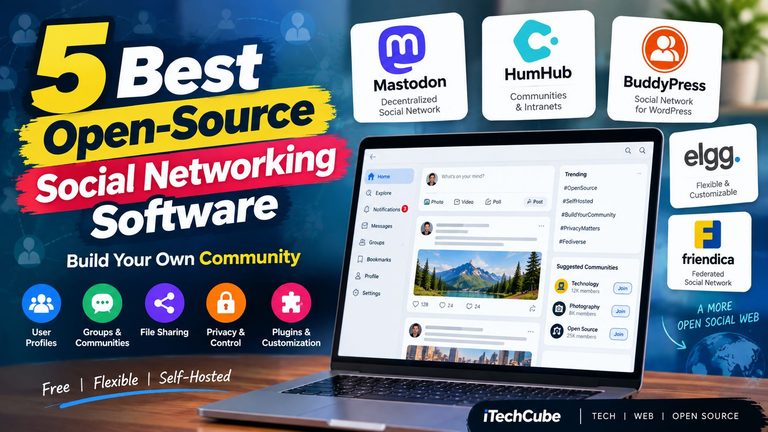
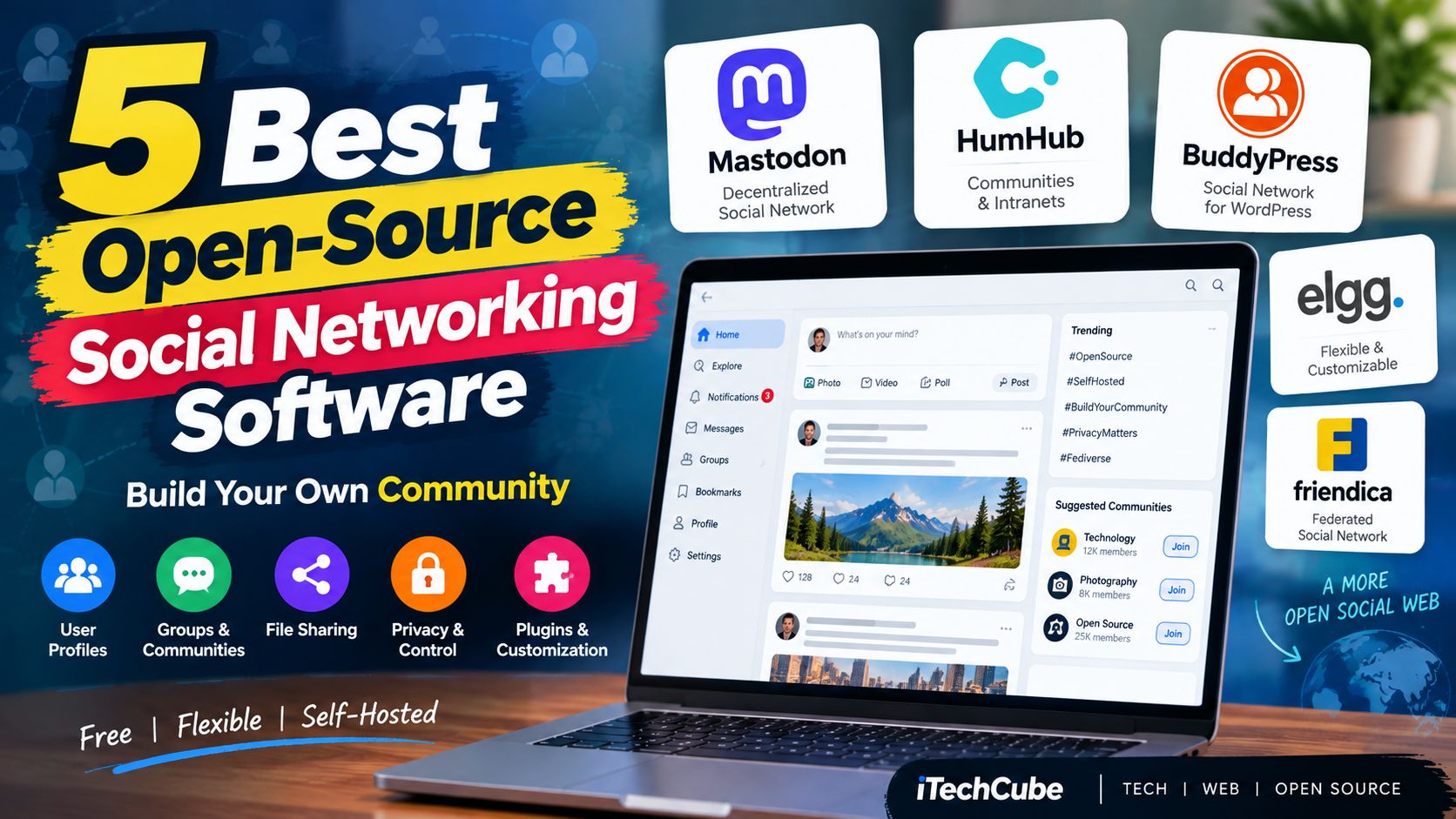
In this guide, we’ll look at 5 open-source social networking platforms worth considering in 2026.

What Is Open-Source Social Networking Software?

Open-source social networking software provides the source code and core functionality needed to create or operate your own social network.

Depending on the platform, you may get features such as:

  • User profiles
  • Activity feeds
  • Posts and comments
  • Groups or communities
  • Private messaging
  • Notifications
  • Media sharing
  • Forums or discussions
  • User permissions
  • APIs and integrations
  • Themes and plugins
  • Decentralized or federated communication

The major advantage is control. Instead of depending completely on a large social media company, you can host and customize the software yourself.

Keep in mind that free software does not mean free hosting. You may still need a domain, web hosting or VPS, backups, maintenance, and technical administration.


1. Mastodon

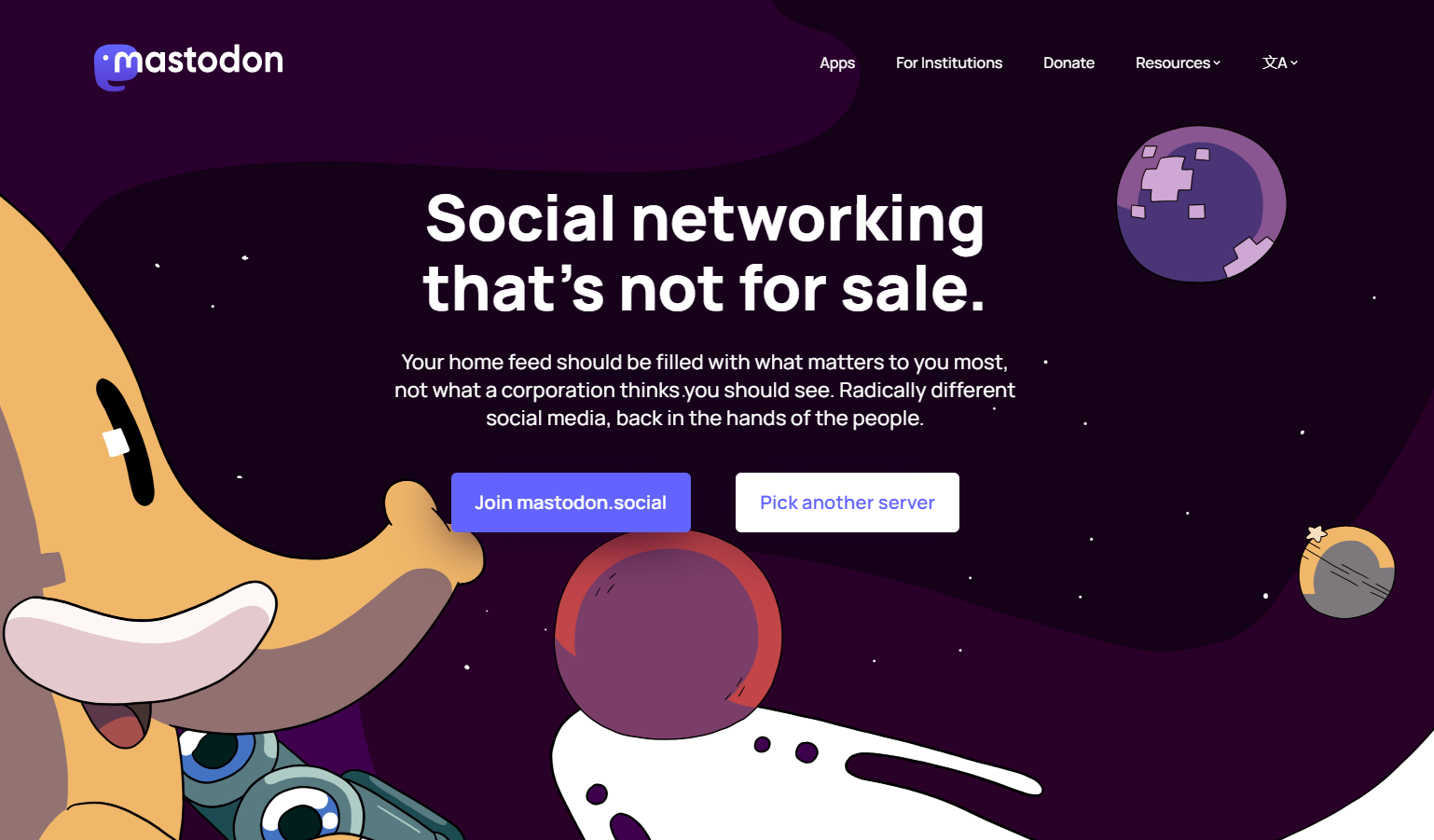
Mastodon is one of the best-known open-source projects in the decentralized social networking space.

Unlike a traditional social network where everything is controlled by one company, Mastodon uses a federated architecture. Different servers can operate independently while still communicating with each other through ActivityPub.

Users can publish text, images, video and other content, follow people, interact with posts, and communicate across compatible servers.

Mastodon is free and open-source software and is licensed under AGPLv3. Its servers can also communicate with other ActivityPub-compatible platforms in the Fediverse.
Mastodon

Key features

  • Decentralized social networking
  • ActivityPub support
  • User profiles and following
  • Posts with images and video
  • Polls
  • Content warnings
  • Custom emojis
  • Media attachments
  • Moderation tools
  • Self-hosting
  • Fediverse interoperability

Who should use Mastodon?

Mastodon is particularly interesting if you want to build or operate a decentralized social community rather than a traditional single-server social network.

It is also a good option for developers interested in the Fediverse and ActivityPub ecosystem.

Website: joinmastodon.org


2. HumHub

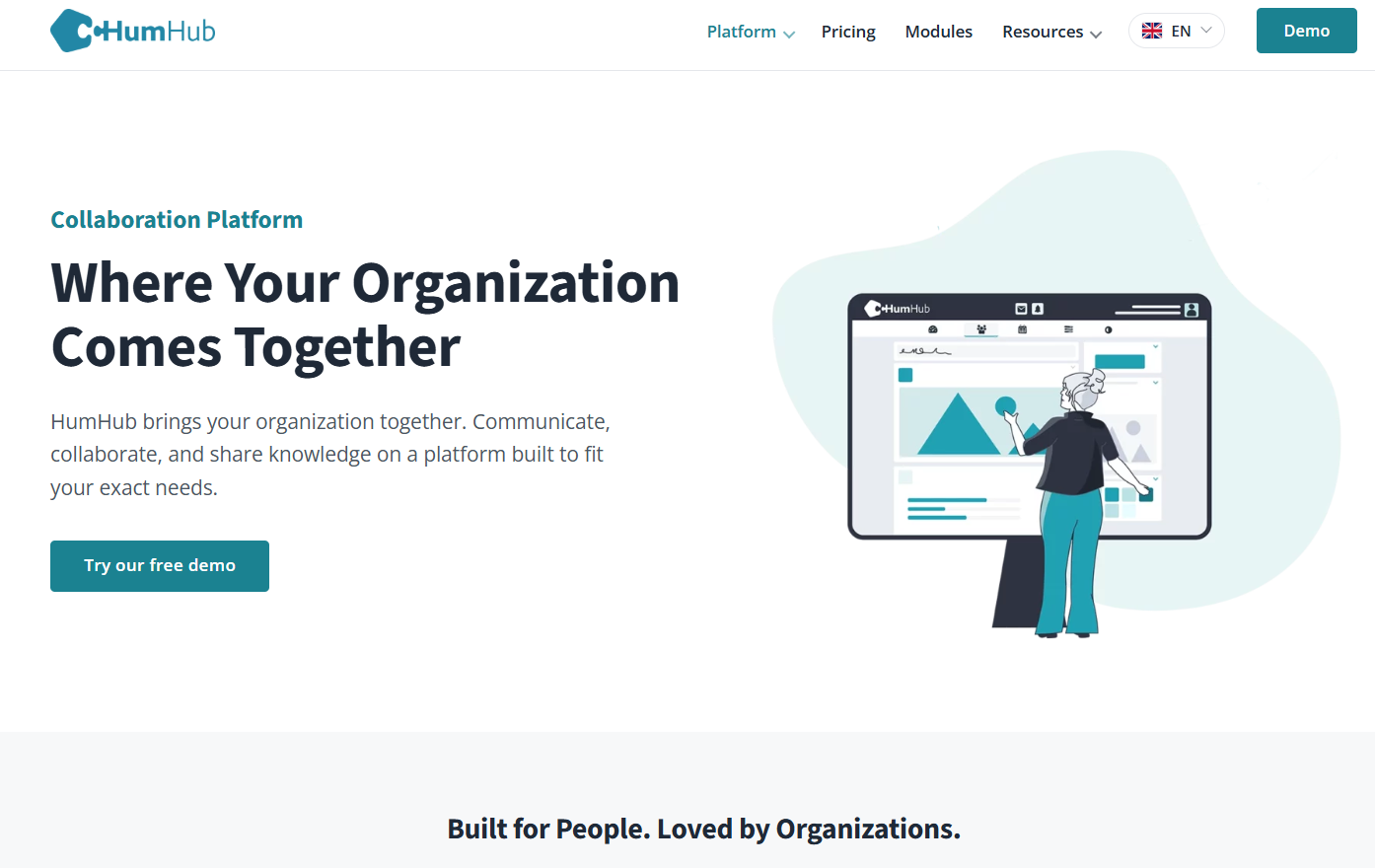
If your goal is to create a private social network, company intranet, school community, organization network, or collaboration platform, HumHub is worth looking at.

HumHub describes itself as an open-source social network platform that can be used for public or private communities, enterprise social intranets, schools, agencies, municipalities, and associations.

The platform is built around users, spaces, content, and modules. You can create spaces for different teams or communities and extend the platform with additional modules.
humhub

Key features

  • User profiles
  • Activity streams
  • Groups and Spaces
  • Posts and comments
  • File sharing
  • Calendar and events
  • Wiki functionality
  • Tasks
  • Notifications
  • Private messaging
  • Themes
  • Modules
  • APIs
  • Custom permissions

HumHub currently offers a free Community Edition that can be self-hosted. Its core is open source and licensed under AGPLv3.

Who should use HumHub?

HumHub is particularly suitable for:

  • Company intranets
  • Private communities
  • Schools
  • Universities
  • Clubs and associations
  • Internal communication
  • Collaboration platforms

If you want something that feels more like a private Facebook-style community combined with collaboration tools, HumHub is an interesting option.

Website: humhub.com


3. BuddyPress

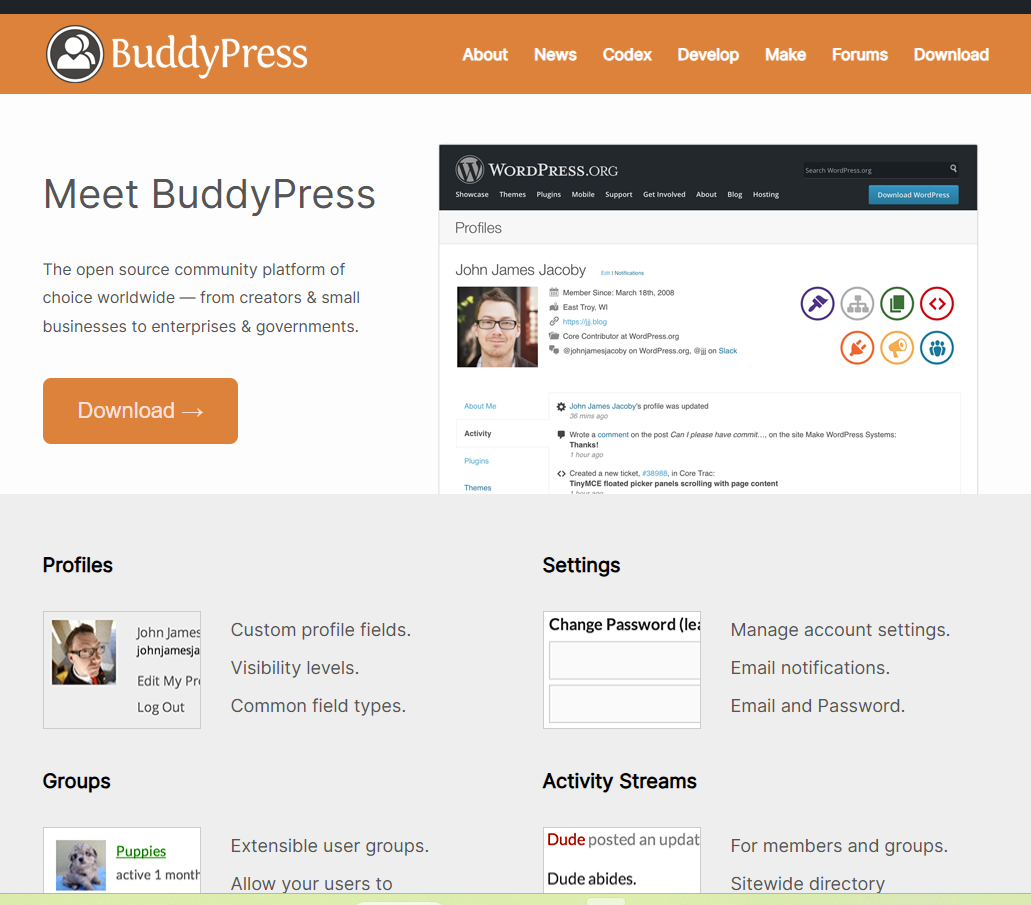
If you’re already familiar with WordPress, BuddyPress is one of the easiest ways to add social networking functionality to a WordPress website.

Instead of installing a completely separate social networking platform, BuddyPress works as part of the WordPress ecosystem.

It can turn a regular WordPress website into a community where members can create profiles, communicate, participate in groups, and interact with each other.

BuddyPress is completely open source and has been developed as an extensible community project since its early releases.
BuddyPress 1

Key features

  • Member profiles
  • Activity streams
  • Groups
  • Private messaging
  • Friend connections
  • Notifications
  • Member directories
  • User-generated content
  • WordPress theme compatibility
  • Plugin extensions

One useful aspect of BuddyPress is that you don’t have to enable everything. Features can be enabled or disabled depending on the type of community you’re building.

Who should use BuddyPress?

BuddyPress can be a practical choice for:

  • WordPress websites
  • School communities
  • College networks
  • Membership websites
  • Niche communities
  • Professional communities
  • Company intranets

If you already run WordPress and want to add community functionality, BuddyPress is worth investigating before building an entire social network from scratch.

Website: buddypress.org


4. Elgg

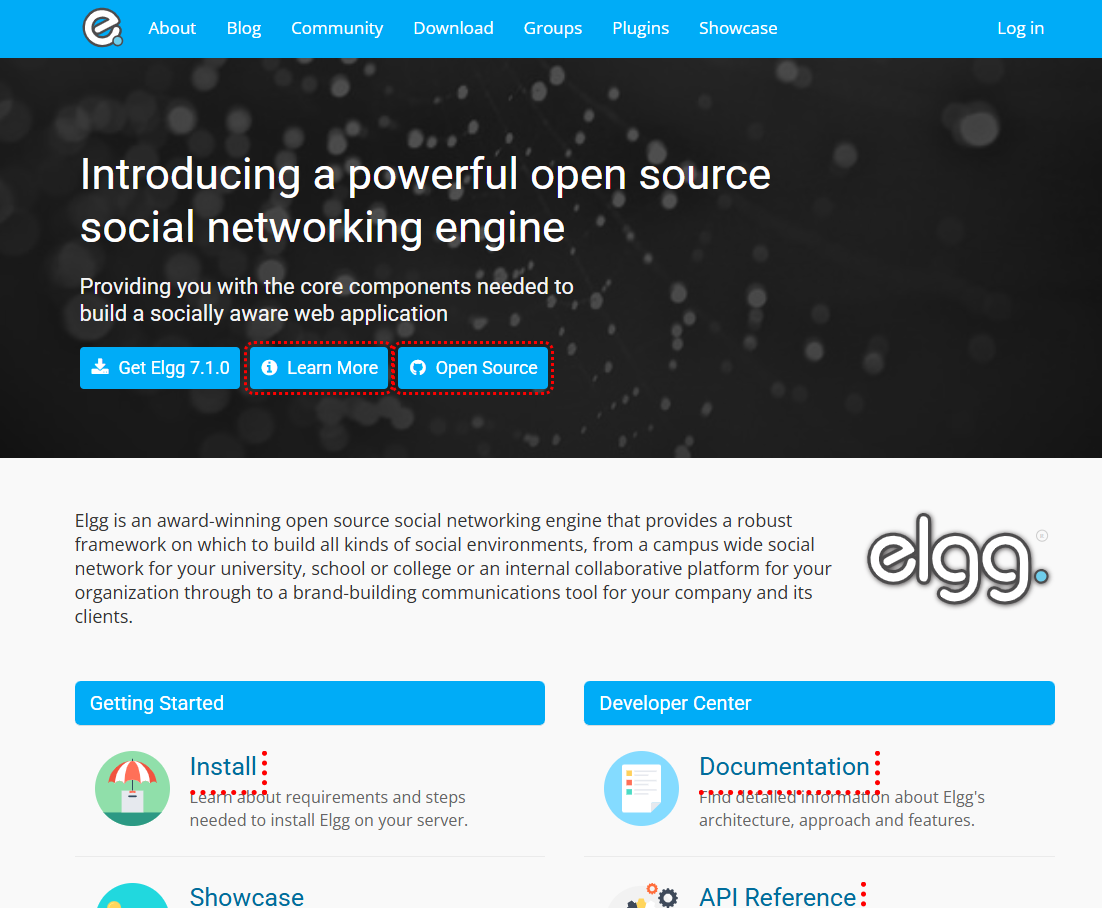
Elgg is a long-running open-source social networking engine designed for developers and organizations that want to build customized social environments.

Unlike software that tries to be a ready-made copy of a particular social network, Elgg provides a framework and core components that can be adapted to different use cases.

The project is still actively maintained. Elgg’s official website currently lists version 7.1.0, released on September 10, 2026, as its latest stable release, with a 6.3.8 LTS release also available.
Elgg

Key features

  • User profiles
  • Activity streams
  • Social connections
  • Groups
  • Content sharing
  • Plugins
  • Custom themes
  • APIs
  • Authentication options
  • Developer-friendly architecture
  • Community extensions

Elgg is licensed under GPLv2, with some code available under MIT depending on the release configuration.

Its architecture is designed to be extended through plugins, themes, hooks, events, and APIs, making it particularly interesting for developers who want to create a customized community platform.

Who should use Elgg?

Elgg can be useful for:

  • Custom social networks
  • Educational communities
  • University networks
  • Company communities
  • Membership websites
  • Niche social platforms
  • Developer-led projects

If customization is more important to you than having a completely ready-made social network out of the box, Elgg is worth considering.

Website: elgg.org


5. Friendica

Friendica takes a different approach from traditional social networking software.

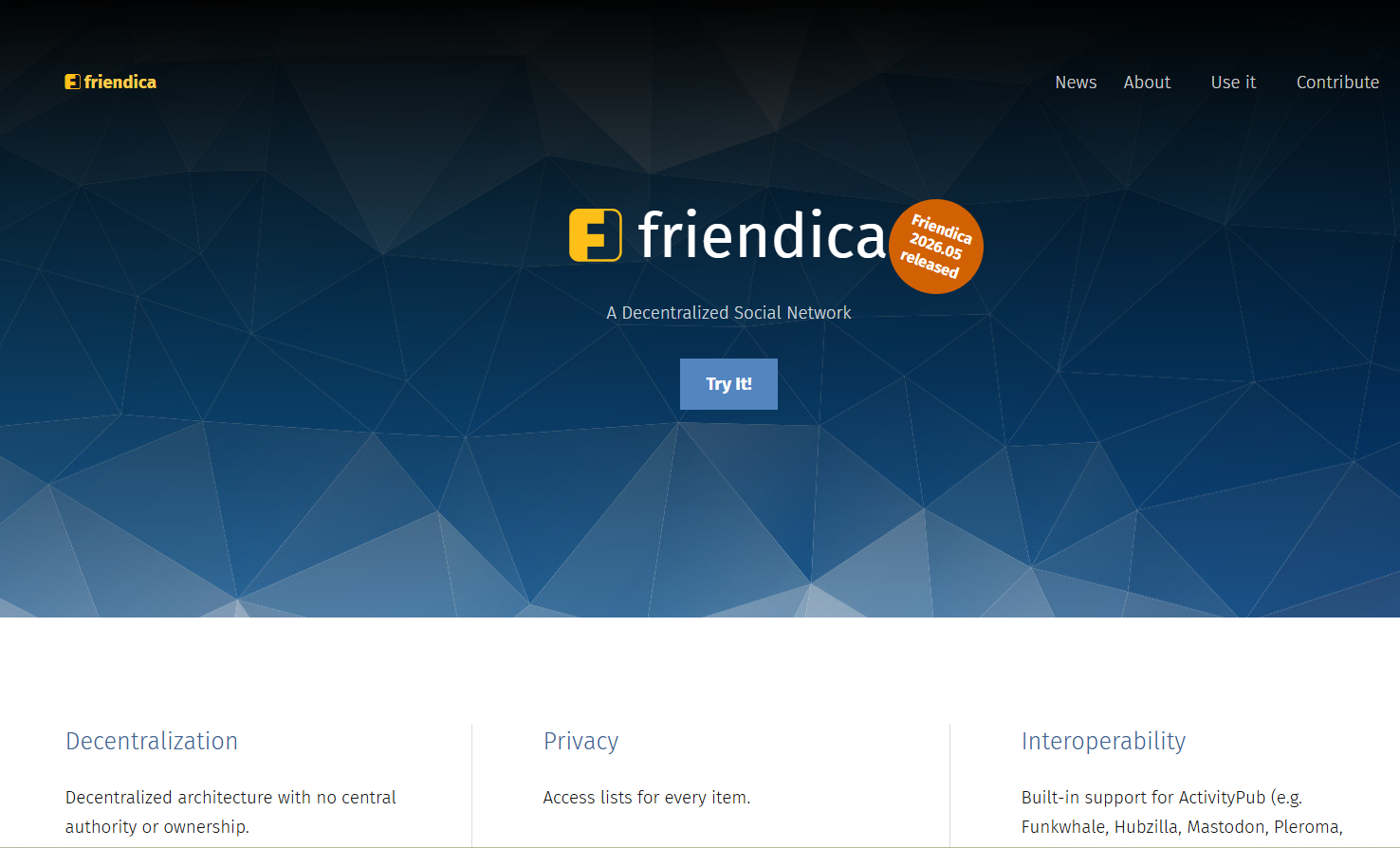
It is a decentralized social networking platform designed to connect different social networks and services.

Friendica is part of the broader Fediverse and supports communication through protocols including ActivityPub. It can interact with platforms such as Mastodon, Lemmy, Diaspora, Pixelfed, PeerTube and others.

The software is free and open source under the AGPLv3-or-later license and can be installed on your own server using PHP and MySQL.
Friendica

Key features

  • Decentralized architecture
  • ActivityPub support
  • User profiles
  • Posts and comments
  • Social connections
  • Privacy controls
  • Cross-platform communication
  • Fediverse integration
  • Self-hosting
  • Add-ons and extensions

One of the interesting things about Friendica is that you don’t have to think of your community as an isolated website. Its interoperability allows users to communicate across compatible networks.

Who should use Friendica?

Friendica may be suitable for:

  • Decentralized social networks
  • Privacy-focused communities
  • Fediverse projects
  • Self-hosted social platforms
  • Developers interested in interoperability

Website: friendi.ca


Open-Source Social Networking Software Comparison

SoftwareBest ForSelf-HostedDecentralizedExtensible
MastodonFederated social networkYesYesYes
HumHubPrivate communities & intranetYesNoYes
BuddyPressWordPress communitiesYesNoYes
ElggCustom social networksYesNoYes
FriendicaFederated social networkingYesYesYes

These platforms aren’t direct substitutes for one another. Their architectures and intended use cases are different. For example, Mastodon and Friendica focus heavily on decentralized communication, while HumHub and BuddyPress are more suited to controlled communities or organization-based networks.

How to Choose the Right Open-Source Social Network Software

Before installing any platform, think about what you actually want to build.

For a decentralized social network

Look at Mastodon or Friendica.

These are designed around federated communication and the broader Fediverse.

For a company or private community

HumHub is worth considering because it is designed for social intranets, organizations, schools, associations, and private communities.

For a WordPress website

BuddyPress is the natural option to investigate because it extends WordPress with social networking functionality.

For a highly customized platform

Elgg provides a developer-oriented framework with plugins, themes, APIs, and extension points.

Things to Consider Before Self-Hosting

Installing open-source software is only the beginning.

If you’re planning to operate a real social network, you should also think about:

Hosting

A small community may work on modest hosting, but a growing social network can require considerably more CPU, RAM, storage, and database resources.

Security

You are responsible for keeping the software, server, plugins, themes, and dependencies updated.

Backups

User-generated content can become extremely valuable. Maintain regular database and file backups.

Moderation

A public social network needs tools and policies for handling spam, abuse, illegal content, impersonation, and other moderation issues.

Email

Registration, password resets, notifications, and other features may require properly configured transactional email.

Scaling

If your community grows, you may eventually need caching, CDN services, optimized databases, background jobs, object storage, and additional servers.


Can You Build Your Own Facebook-Like Website With Open-Source Software?

Yes, but it is important to understand what that means.

Open-source social networking software can provide the foundation for your platform, but you should not expect to install one of these projects and instantly have a complete replacement for Facebook.

Your final website may require:

  • Custom branding
  • UI/UX changes
  • Plugins or modules
  • Custom development
  • Mobile applications
  • Payment integration
  • Moderation tools
  • Analytics
  • Search
  • Notifications
  • Server infrastructure
  • Security configuration

The advantage is that you start with an existing foundation instead of developing every social networking feature from zero.

Final Thoughts

Open-source social networking has changed considerably since the early days of Facebook-style clone scripts.

Projects such as Mastodon and Friendica demonstrate the growing importance of decentralized and federated social networks, while HumHub, BuddyPress, and Elgg continue to provide different approaches for building communities, intranets, and customized social platforms.

The right choice depends less on finding a single “best” platform and more on deciding what type of community you want to build.

If you’re starting a WordPress-based community, BuddyPress can be a straightforward direction.

If you’re building an organization or private community, HumHub may fit the use case.

If you’re interested in the decentralized web, Mastodon or Friendica can be explored.

And if you’re a developer looking for a customizable social networking framework, Elgg remains an active open-source option.

The good news is that you no longer need to start a social networking project completely from scratch.
Top 5 Best Free YouTube Channel Name Generators in 2026

thumbnail design for article Top 5 Best Free YouTube Channel Name Generators

Coming up with a good name for a YouTube channel sounds easy until you actually sit down to choose one.

You type a few ideas, check them on YouTube, find that somebody is already using something similar, try another name, and suddenly an hour has disappeared.

A YouTube channel name doesn’t have to be complicated, but it should be easy to remember, easy to spell and suitable for the kind of content you plan to publish.

The good news is that you don’t have to come up with every idea yourself. There are several free YouTube channel name generators that can give you a starting point in just a few seconds.

I’ve collected five worth trying in 2026. Some are designed specifically for YouTube, while others are general-purpose naming tools that are useful when you want something more brandable.

What is a YouTube channel name generator?

A YouTube channel name generator is a simple online tool that creates name ideas based on information such as your niche, keywords, channel type or preferred style.

For example, if you’re starting a channel about:

  • Gaming
  • Technology
  • Fitness
  • Cooking
  • Travel
  • Education
  • Personal finance
  • AI
  • Vlogging

you can enter a few relevant words and let the generator come up with different combinations.

Don’t expect the first name it gives you to be perfect. Think of these tools as brainstorming assistants. The useful part is often finding a word combination or naming style you hadn’t considered yourself.

What makes a good YouTube channel name?

Before getting into the tools, there are a few things worth keeping in mind.

A good channel name should ideally be:

Easy to remember – Someone should be able to recall it after watching one of your videos.

Easy to spell – If people can’t spell it, finding your channel again becomes harder.

Relevant to your content – A name can give viewers an immediate idea of what your channel is about.

Short enough to use everywhere – If possible, choose something that also works well as a social media username.

Flexible – Don’t make the name so specific that you’re stuck with one type of video forever.

And most importantly, check the name before you commit to it. A generator can suggest a name, but it cannot guarantee that the name is available or that nobody else is using a similar brand.

5 Best Free YouTube Channel Name Generators

1. Hootsuite YouTube Name Generator

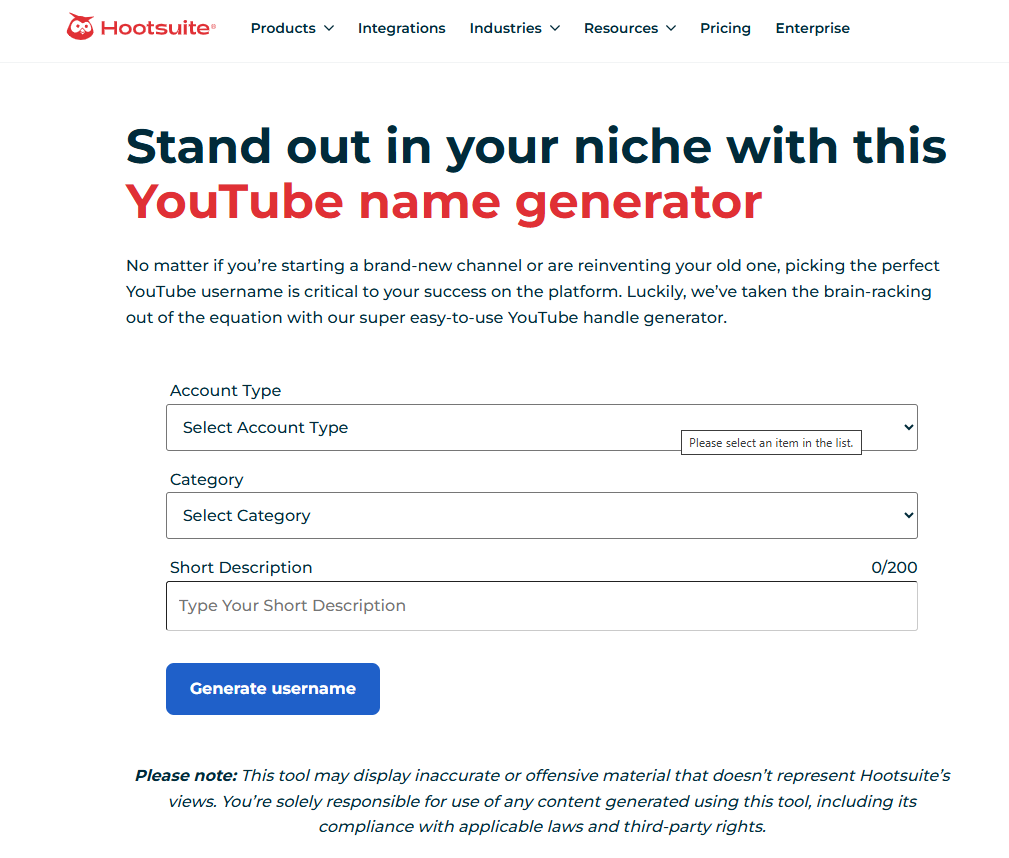
Hootsuite YouTube Name Generator

youtube name generator hootsuite

If you want a tool specifically built around YouTube usernames, Hootsuite’s generator is a good place to start.

Instead of simply throwing random words together, it asks for information such as your account type, category and a short description of your channel. It then generates username ideas based on what you provide.

I particularly like the fact that it encourages you to think about your niche before generating names. That’s useful because a name based on your actual content usually makes more sense than a completely random combination of words.

Good for:

  • New YouTube creators
  • Niche channels
  • Business channels
  • Personal brands
  • Quick username ideas

My tip

Don’t enter just one keyword such as “gaming.” Give the generator some context. Something like “mobile gaming reviews for casual players” gives you a much better starting point.


2. Namelix

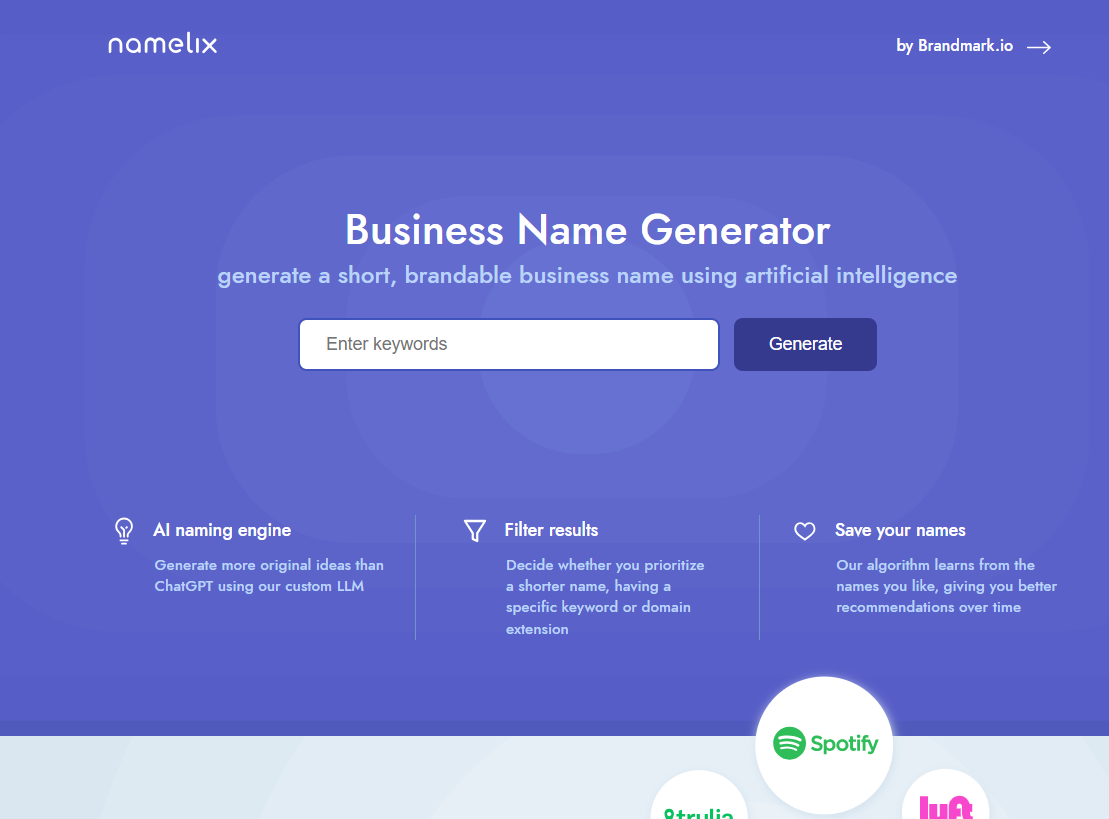
Namelix Business Name Generator

YouTube Channel Name Generators

Namelix isn’t exclusively a YouTube tool, but it’s one of the better options if you want a name that could eventually become a proper brand.

You enter keywords describing your idea and Namelix generates short, brandable names. You can also adjust preferences around things such as name length and keywords. The tool can learn from the names you save and use those preferences for later suggestions.

This makes it particularly interesting for creators who don’t want a name that sounds like a typical YouTube channel.

For example, instead of something like:

Best Tech Reviews 2026

you might want a shorter brand-style name that could later be used for a website, newsletter, social media account or even a product.

Good for:

  • Tech channels
  • Startups
  • Personal brands
  • Business channels
  • Creators planning to build a larger brand

My tip

If you think your YouTube channel could eventually become a website or business, try Namelix instead of limiting yourself to a purely descriptive YouTube name.


3. Shopify Business Name Generator

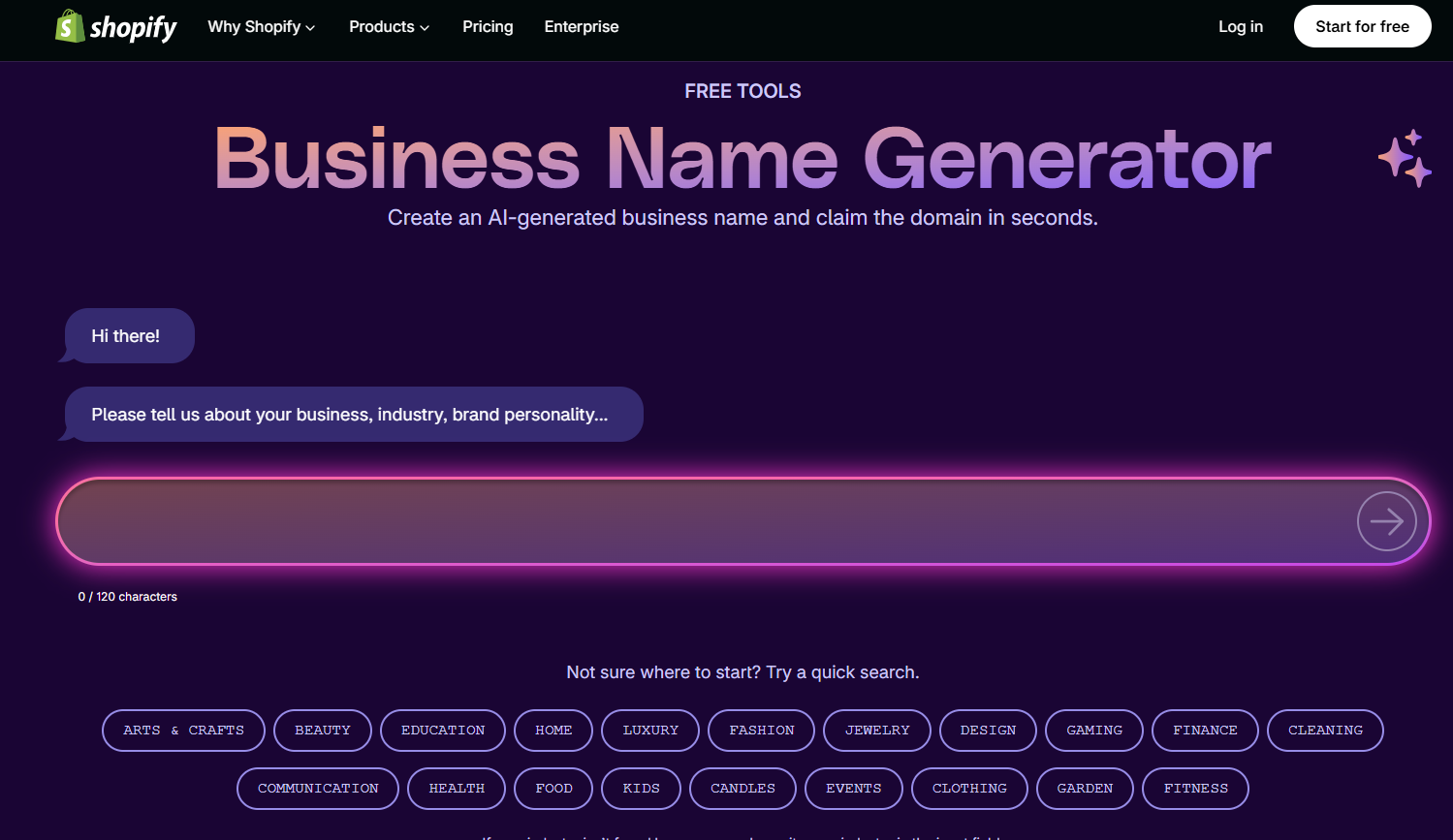
Shopify Business Name Generator

YouTube Channel Name Generators shopify

Here’s another tool that isn’t specifically made for YouTube, but it can be surprisingly useful.

Shopify’s free business name generator lets you describe your business or idea and generates potential brand names. It also focuses on domain availability as part of its naming workflow.

Why use a business name generator for YouTube?

Because sometimes you don’t actually want a “YouTube name.” You want a brand.

If you’re planning a channel around a business, product reviews, education, technology or entrepreneurship, thinking like a brand owner can produce better long-term options.

Good for:

  • Business YouTube channels
  • E-commerce creators
  • Entrepreneur channels
  • Educational brands
  • Channels that will also have a website

My tip

Try entering a short description of your channel rather than just a single keyword. Experiment with different descriptions and compare the results.


4. SoNuker YouTube Channel Name Generator

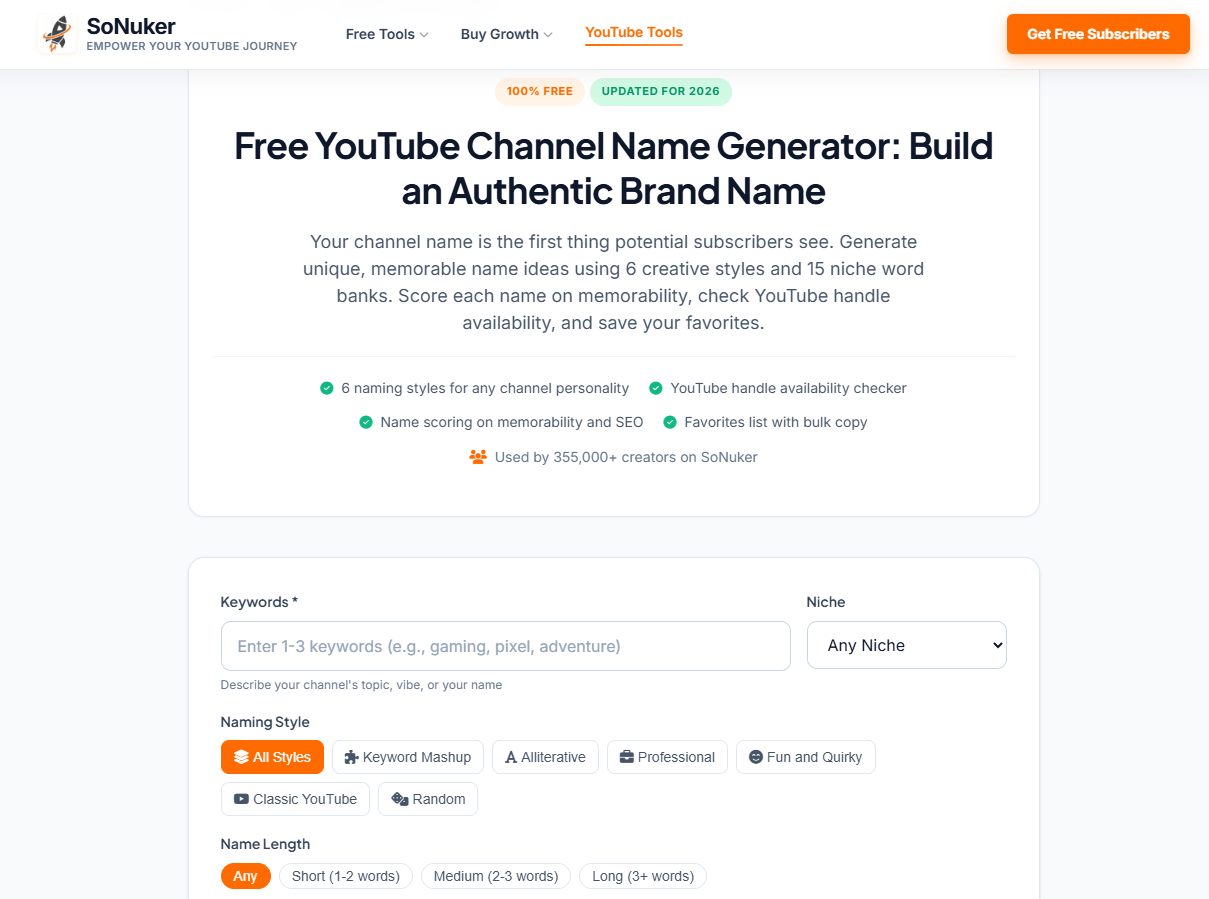
SoNuker YouTube Channel Name Generator

YouTube Channel Name Generators sonuker

SoNuker’s tool is more focused on YouTube naming and offers several options for shaping the results.

You can enter keywords, describe your channel, select a niche and choose different naming styles. The tool also provides options around name length and offers features such as name scoring and handle checking.

The style options are useful if you’re not sure what kind of personality your channel should have.

For example, a gaming channel and a professional finance channel probably shouldn’t sound the same.

Good for:

  • Gaming channels
  • Vlogs
  • Educational channels
  • Personal brands
  • Creators who want different naming styles

My tip

Generate several batches instead of choosing from the first list. Sometimes the better ideas appear after you’ve changed the naming style or keywords.


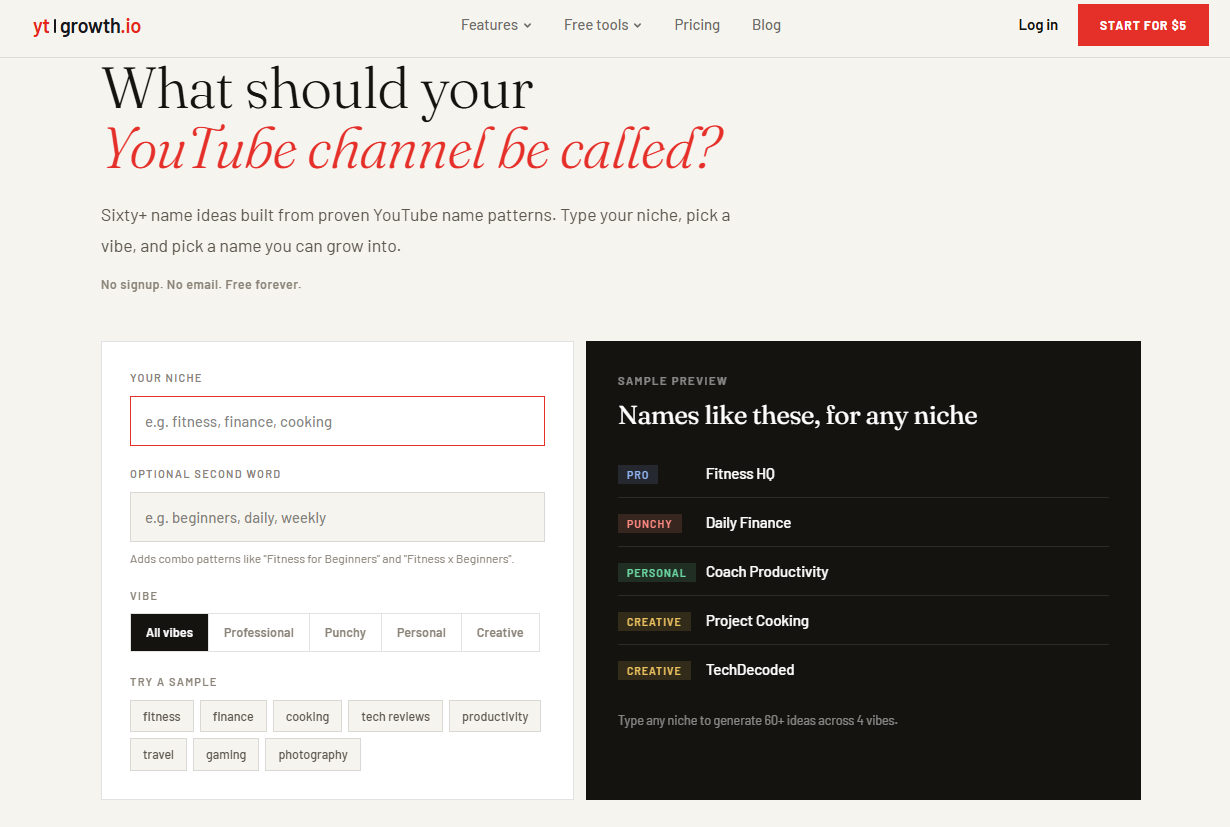
5. YouTube Name Generator by YTGrowth

YTGrowth YouTube Channel Name Generator

YouTube Channel Name Generators ytgrowth

YTGrowth takes a fairly straightforward approach.

You enter your niche, optionally add another keyword and choose the kind of personality you want for the name, such as professional, punchy, personal or creative. The tool then produces a larger set of ideas.

I like this type of generator when you’re still at the brainstorming stage and don’t have a particular name in mind.

For example, you could try: photography + travel then: photography + stories, and finally: photography + daily

You may end up with completely different naming directions from the same basic idea.

Good for:

  • Beginners
  • Vloggers
  • Niche channels
  • Personal channels
  • Brainstorming lots of ideas quickly

Quick Comparison

ToolBest ForYouTube FocusFree
HootsuiteYouTube usernamesHighYes
NamelixBrandable namesLowYes
ShopifyBusiness/brand namesLowYes
SoNukerYouTube creatorsHighYes
YTGrowthQuick brainstormingHighYes

The “best” tool really depends on what you’re trying to create. If you want a straightforward YouTube username, start with a YouTube-focused generator. If you’re building a brand that may eventually exist outside YouTube, a business or brand name generator can give you more interesting directions.

How to Choose the Right Name From the Suggestions

This is probably more important than the generator you use.

You might generate 50 or even 100 names and still not find one you love. That’s normal.

Once you have a list, narrow it down using these checks.

1. Say it out loud

Does it sound natural when you say:

“Welcome back to [Channel Name].”

If it feels awkward, remove it from the list.

2. Check the spelling

Ask a friend to write the name down after hearing it.

If they immediately spell it differently, that’s a warning sign.

3. Search YouTube

Search the exact name and a few close variations.

You don’t want to build a brand around a name that’s already strongly associated with another creator.

4. Check the @handle

Your channel name and YouTube handle aren’t exactly the same thing.

YouTube handles use the @ format and act as a unique identifier for channels, so check the handle before making a final decision.

Don’t assume that a generator saying a name looks available means you can definitely claim it. Confirm the final choice through YouTube.

5. Check social media

If you plan to promote your videos on Instagram, Facebook, X or other platforms, search for the same username there.

You don’t necessarily need the exact same username everywhere, but having a consistent brand makes life easier.

6. Think five years ahead

This is the check people often forget.

If you’re starting a gaming channel today, you might be tempted to choose something extremely specific to one game.

But what happens if you start making videos about other games next year?

A slightly broader name may give you more room to grow.

Should You Put Your Keyword in Your YouTube Channel Name?

Not necessarily.

A keyword can make it obvious what your channel is about, but you don’t need to force a keyword into the name just because you’re worried about SEO.

For example, a photography channel doesn’t necessarily need a name containing the word “photography.”

A memorable brand can work just as well in the long run.

The important thing is that your channel’s content, titles, descriptions and overall branding clearly communicate what you offer.

Don’t Let the Generator Make the Final Decision

This is probably the biggest thing I’d recommend.

A name generator is there to give you ideas. It doesn’t know your audience, your personality or what you eventually want to do with the channel.

So don’t simply copy the first result that sounds okay.

Generate a bunch of options, shortlist five or ten, search them, check the handles and then choose the one that feels natural to you.

Sometimes the best channel name isn’t the cleverest one. It’s simply the one you can imagine still using several years from now.

Final Thoughts

There are plenty of free YouTube channel name generators available in 2026, and they’re useful when you’re staring at a blank screen and can’t think of anything.

My approach would be simple: use one or two generators to get ideas, shortlist the names that actually sound good, and then do your own availability and brand checks before committing.

And don’t spend days trying to find a “perfect” name. Your videos, consistency and the audience you build will ultimately give the name its meaning.

Start with a good name. Then put your energy into making a channel people want to come back to.

Best Ways to Increase Website Traffic in 2026: 15 Proven Methods

 website traffic
Best Ways to Increase

Getting people to visit a new website is harder than simply publishing a few articles and waiting for Google to notice.

I’ve seen this happen quite often. A website can have a good design, useful information and dozens of published pages, yet the traffic stays surprisingly low. The problem usually isn’t the website itself. It’s that nobody has discovered it yet.

The good news is that there are still plenty of ways to get website traffic in 2026. The difference is that traffic now comes from many different places—not just Google.

Search engines, AI-powered search, YouTube, social networks, online communities, email, referrals and even old articles can all bring visitors to your site.

The trick is not to try everything at once.

Instead, pick a few channels that make sense for your audience, work on them consistently and pay attention to where your visitors actually come from.

Here are some of the methods I’d focus on.

1. Start With SEO

SEO is still one of the most useful long-term traffic sources for a website.

The basic idea hasn’t changed: create something useful, make sure search engines can understand it, and target topics that people are actually searching for.

But SEO in 2026 is much more than putting a keyword into an article ten times.

Before writing anything, ask:

  • What is the person actually trying to find?
  • Can I answer the question better than the existing results?
  • Can I provide an example, screenshot, comparison or experience that other pages don’t have?
  • Is this article genuinely useful if someone lands on it from Google?

For example, instead of writing an article called:

“Best Hosting Providers”

you could create something more useful:

“I Tested 5 Hosting Providers for WordPress: Which One Makes Sense for a Small Website?”

The second approach gives you room to share actual observations, screenshots, pricing, performance information and practical recommendations.

That’s the type of content people are more likely to read and remember.

2. Don’t Ignore AI Search

Search is changing.

People increasingly ask questions through AI-powered search experiences as well as traditional search engines. Google itself now provides guidance for websites appearing in AI Overviews and AI Mode.

That doesn’t mean you need some secret “AI SEO trick.”

In fact, the basics are still important.

Make your content easy to understand. Answer questions clearly. Use descriptive headings. Provide useful examples. Keep important information on the actual page rather than hiding everything behind unnecessary scripts or downloads.

Most importantly, give the reader something worth visiting your website for.

For example, if you’re writing about a software tool, don’t simply repeat the manufacturer’s feature list.

Show how you used it.

Explain what worked.

Mention limitations.

Add screenshots.

Compare it with alternatives.

That’s much more useful than another 1,500-word generic summary.

3. Write for Topics, Not Just Keywords

One of the biggest mistakes beginners make is creating one article for every slightly different keyword.

You don’t necessarily need:

  • Best SEO tools
  • Top SEO tools
  • SEO tools for beginners
  • Best tools for SEO
  • Free SEO tools
  • SEO tools online

as six completely separate articles.

Instead, you could create one genuinely useful guide covering the topic and its important subtopics.

Then create supporting articles when there is a good reason to do so.

For example:

Main guide:
Best SEO Tools for Small Websites

Supporting articles:

  • How to Find Long-Tail Keywords
  • How to Check Google Search Console Data
  • How to Find Broken Links
  • How to Track Organic Traffic

Link these pages together naturally.

This gives readers a path through your website instead of leaving every article as an isolated page.

4. Update Your Old Articles

This is one of the easiest traffic opportunities if your website already has an archive.

You don’t always need to publish another new article.

Look at your existing posts and find pages that:

  • used to receive traffic
  • have outdated information
  • rank on the second page of Google
  • have declining clicks
  • contain old screenshots
  • mention old software versions
  • have outdated statistics or examples

Then improve them.

Don’t just change the publication date.

Actually update the article.

Add new information, remove outdated sections, improve examples, add internal links and rewrite weak paragraphs.

For a site that has been publishing for years, this can be far more productive than constantly starting from zero.

5. Build Content Around Real Problems

Some of the best traffic opportunities come from questions people ask when something has gone wrong.

Think about the problems your audience faces.

For a WordPress audience, that could be:

  • WordPress website is slow
  • Images are too large
  • Contact form isn’t sending emails
  • Website shows a 500 error
  • Google isn’t indexing a page
  • SSL certificate isn’t working

For an Android developer:

  • app crashes on startup
  • Gradle build fails
  • Play Store rejects an update
  • Java version is incompatible
  • app takes too long to launch

These aren’t just keywords.

They’re problems.

If your article actually solves the problem, the visitor has a reason to stay.

6. Use YouTube and Short Videos

You don’t need to become a full-time YouTuber.

Even short videos can support your website.

Suppose you’ve written:

How to Set Up WordPress on a VPS

You could create a 5–10 minute video showing the process.

Then:

  • embed the video in the article
  • publish it on YouTube
  • create a short clip from it
  • share the clip on social media
  • link back to the detailed tutorial

One piece of work can become several pieces of content.

This works particularly well for tutorials because people often prefer seeing a process rather than reading every step.

7. Use Social Media as a Distribution Channel

Publishing an article doesn’t automatically mean people will see it.

After publishing, give it some distribution.

Depending on your audience, that might mean:

  • Facebook
  • Instagram
  • LinkedIn
  • X
  • Threads
  • Reddit
  • YouTube
  • relevant communities

But don’t simply post:

“New article published. Read here: [link]”

That rarely gives people a reason to click.

Instead, take one useful part of your article and turn it into a post.

For example:

5 things I learned after moving a WordPress site to a VPS

Then explain the five things.

At the end, mention that you’ve written a detailed guide for anyone who wants the complete process.

The social post becomes useful on its own.

8. Participate in Online Communities

Communities can send surprisingly good traffic when you actually participate instead of treating them like advertising platforms.

Find places where your target readers already ask questions.

That could be:

  • Reddit communities
  • Facebook groups
  • developer communities
  • niche forums
  • Discord communities
  • industry groups

Don’t join a community and immediately drop links to your website.

Answer questions.

Share your experience.

Help people.

If you have a detailed article that genuinely answers someone’s question, then link to it where appropriate.

A useful answer can continue sending visitors long after you post it.

9. Build an Email List

Don’t assume email is outdated.

A visitor who reads one article and disappears is difficult to reach again.

Someone who subscribes to your newsletter is different.

You have permission to contact them again.

Your newsletter doesn’t need to be complicated.

For a technology website, it could simply include:

This week’s useful reads

  • 3 interesting AI tools
  • 2 useful tutorials
  • 1 new software recommendation
  • 1 interesting technology story

The important part is consistency.

You don’t need to send an email every day.

Even once a week can be enough if the content is worth opening.

10. Use Internal Links Properly

Internal linking is one of the simplest things you can improve on an existing website.

When writing a new article, look for older articles that genuinely help explain the topic.

Then link to them.

For example:

If you’re writing about website traffic, you might naturally link to articles about:

  • SEO
  • keyword research
  • Google Search Console
  • content marketing
  • WordPress
  • website speed

Don’t add links just to increase the number of links.

Add them because the reader might want more information.

Good internal linking helps visitors discover more of your website and makes your older content useful again.

11. Get Traffic From Other Websites

Referral traffic is often overlooked.

Suppose another website publishes an article about starting a blog and links to your detailed WordPress tutorial.

Some of its readers may click that link and visit your site.

That is referral traffic.

You can earn these opportunities by:

  • creating genuinely useful resources
  • publishing original research
  • contributing expert comments
  • writing guest articles where appropriate
  • creating tools or calculators
  • publishing useful statistics
  • building relationships with people in your industry

Don’t chase hundreds of random backlinks.

One relevant link from a website whose readers actually care about your subject can be more useful than dozens of unrelated links.

12. Create Something People Can Actually Use

If you want your website to stand out, create resources rather than only articles.

For example:

  • calculators
  • checklists
  • templates
  • downloadable guides
  • comparison tables
  • prompt libraries
  • free tools
  • WordPress snippets
  • SEO checklists
  • useful spreadsheets

These pages can attract search traffic, social shares and natural links.

A useful tool can also become a reason for people to come back to your website.

13. Don’t Forget Pinterest, Images and Visual Search

Depending on your topic, images can be another source of visitors.

Create useful original graphics for:

  • tutorials
  • checklists
  • comparisons
  • how-to guides
  • statistics
  • infographics

Use descriptive filenames and alt text, but don’t stuff keywords into them.

A good image should help the reader—not simply exist because an SEO plugin says an image is required.

14. Try Paid Advertising When It Makes Financial Sense

Organic traffic takes time.

If you have a product, service, course or affiliate offer that converts well, paid advertising can be useful.

You could test:

  • Google Ads
  • Meta Ads
  • YouTube Ads
  • LinkedIn Ads
  • other niche advertising platforms

But don’t start spending money just because you want more visitors.

First work out what a visitor is worth.

For example, if you’re spending ₹10,000 on advertising and generating ₹4,000 in revenue, more traffic isn’t fixing the problem.

You need to improve the offer, landing page, conversion rate or targeting first.

15. Measure Where Your Visitors Are Actually Coming From

This is probably the most important part.

Don’t guess.

Use tools such as Google Search Console and Google Analytics to understand what’s happening.

Look at:

  • impressions
  • clicks
  • search queries
  • pages receiving traffic
  • countries
  • devices
  • referral sources
  • engagement
  • conversions

You may discover something interesting.

Perhaps you thought Google was your main traffic source, but YouTube is actually bringing visitors who spend much more time on your site.

Or perhaps one old article generates more traffic than 20 new posts combined.

Your analytics should influence what you work on next.

So, What Is the Best Way to Get Website Traffic?

There isn’t one magic traffic source.

For most websites, I’d think about traffic as a combination of several channels:

SEO → long-term organic traffic

Useful content → attracts people searching for answers

AI search visibility → another way people may discover your content

YouTube & social media → content distribution

Communities → targeted visitors and relationships

Email → repeat visitors

Referrals & backlinks → authority and new audiences

Paid advertising → faster testing and targeted acquisition

The right combination depends on your website and your audience.

If you’re starting from scratch, I wouldn’t try all 15 methods at the same time.

I’d start with three.

For example:

Month 1

Create useful content around problems your audience actually has.

Month 2

Improve SEO, internal linking and older articles.

Month 3

Start distributing your content through video, social media or communities.

Then look at the numbers and decide where to spend more time.

One Last Thing: Don’t Chase Traffic Just for the Numbers

A website getting 100,000 visitors isn’t necessarily more successful than one getting 10,000.

It depends on who those visitors are and what they do after arriving.

If 10,000 visitors are genuinely interested in your topic, they may be much more valuable than 100,000 people who clicked a misleading headline and immediately left.

So instead of asking:

“How can I get more website traffic?”

try asking:

“How can I get more of the right people to visit my website?”

That’s a much better question.

And in 2026, with search becoming more competitive and people discovering information through more platforms than ever, creating something genuinely useful is still one of the safest long-term traffic strategies you can build around.

10 Real SEO Tips to Increase Traffic Today in 2026

If you’ve spent any time reading beginner SEO advice lately, you’ve probably noticed a lot of it feels stuck in a time loop.

“Put your keyword in the title tag. Write a meta description under 160 characters. Submit your XML sitemap.”

Sure, those technical basics still matter—in the same way having wheels matters for a car. But they aren’t going to win you races anymore. Search engines don’t just count keyword frequency; they look for search intent, genuine human experience, topical depth, and brand credibility.

Whether you’re starting a new niche site or trying to revive a blog that stalled out, here are the 10 SEO fundamentals that actually move the needle right now.

1. Solve Intent, Don’t Just Match Words

A keyword isn’t a magic phrase; it’s an unsolved problem.

Before typing a single word, search your target phrase in incognito mode and study what Google is already ranking:

  • Are people looking for a quick definition?
  • Do they want a step-by-step tutorial?
  • Are they comparing tools before buying?

If someone searches “best running shoes for flat feet” and you spend 800 words explaining what a arch is, they will hit the back button in three seconds. When readers bounce immediately, search engines learn your post didn’t solve the problem. Give readers the answer first, then provide the context.

2. Double Down on Real Experience (Google’s E-E-A-T)

The web is flooded with generic, synthesized content. Search engines actively prioritize original insight, hands-on testing, and personal perspective (Experience, Expertise, Authoritativeness, and Trustworthiness).

Inject what generic copy can’t replicate:

  • Real screenshots or photos you took yourself.
  • Specific numbers, case studies, or anecdotes (“When I tested tool X, here’s what broke…”).
  • Clear author bios showing who wrote the piece and why they know what they’re talking about.

3. Build Topic Clusters Instead of Random One-Offs

Publishing ten unrelated blog posts across ten random topics won’t build authority. Search engines want to see that your site is a legitimate resource on a focused subject.

Organize your content using pillar and cluster models:

  • Pillar: An ultimate guide (e.g., The Complete Guide to Remote Freelancing).
  • Clusters: In-depth sub-articles (e.g., How to Invoice Clients, Best Time-Tracking Software, Setting Up a Home Office).
  • Interlinking: Link every cluster post back to the main pillar, and link related sub-articles together naturally.

4. Optimize for “Information Gain”

If your post just repeats the same five points as the top three results on Page 1, Google has zero reason to rank you above them.

Always ask yourself: What is the information gain of this post?

  • What did the top ranking pages miss?
  • What common myth can you debunk?
  • Can you add an original checklist, a helpful calculation, or a graphic that makes the concept clearer?

If you don’t add anything new to the web, you’re competing solely on domain age and backlinks—a battle small blogs rarely win.

5. Format for Humans Who Skim (And AI That Scrapes)

Most visitors scan before they read. If your post looks like an endless wall of text, they’ll leave.

Structure your articles so both humans and search engines can parse them effortlessly:

  • Use clear H2 and H3 tags that describe what follows.
  • Keep paragraphs to 2–3 sentences max.
  • Use bold text for key takeaways.
  • Include comparison tables and bulleted lists for structured data. Clear, concise summaries frequently get pulled into featured snippets and AI overviews.

6. Keep Internal Links Intentional and Contextual

Internal linking is one of the most underrated SEO levers because you have 100% control over it.

Don’t just stick links in the footer or sidebar. Link inside body paragraphs using descriptive anchor text. If you mention budgeting for a new dog, link directly to your puppy budget breakdown on those exact words. It passes page authority, keeps visitors on your site longer, and tells search crawlers how your topics connect.

7. Prioritize Core Web Vitals and Mobile Reality

More than 60% of search traffic is on mobile. If your site takes four seconds to load on a 4G connection or shifts around while loading ad banners, your rankings will suffer.

Keep performance clean:

  • Run your key pages through Google PageSpeed Insights.
  • Compress all images (convert PNGs/JPEGs to WebP).
  • Strip out unused plugins, bulky scripts, and pop-ups that block the viewport on mobile devices.

8. Optimize for Brand Mentions and Real Community Signals

Old-school link building—like posting links in blog comments or shady directory submissions—is dead and can actively trigger algorithmic penalties.

Modern link acquisition comes from visibility and genuine connection:

  • Share practical takeaways on LinkedIn, Reddit, or X where your target audience hangs out.
  • Collaborate with other creators in your niche (podcast guesting, co-marketing, quotes).
  • Publish original data or surveys that other writers naturally want to cite as a source.

9. Target Low-Competition, Long-Tail Queries First

If your blog is relatively new, trying to rank for “keto diet” or “best credit cards” is a recipe for burnout. The first page is dominated by multi-million-dollar media companies.

Instead, find long-tail questions with genuine buyer or search intent:

  • Instead of “best camera,” target “best budget video camera for cooking tutorials.”
  • Look at community forums like Reddit, Quora, and Google’s “People Also Ask” box to see how real people phrase their questions.

Once you build steady traffic and authority across dozens of specific posts, you can gradually tackle higher-competition keywords.

10. Audit and Refresh Your Content Regularly

SEO isn’t a “publish and forget” game. Over time, links break, stats become obsolete, and competitors write more comprehensive updates.

Every six months:

  • Check your analytics for posts that are losing traffic.
  • Update outdated tools, pricing, and years.
  • Add new sections addressing recently asked questions.
  • Prune or redirect thin posts that aren’t getting impressions.

Refreshing an existing post that already has some authority often yields results much faster than writing an article from scratch.

The Bottom Line

Search engines have gotten much smarter, but their ultimate goal hasn’t changed: reward the page that best satisfies the searcher. If you focus on creating genuine, fast, and structured answers that respect the reader’s time, you won’t need to chase every minor algorithm tweak.

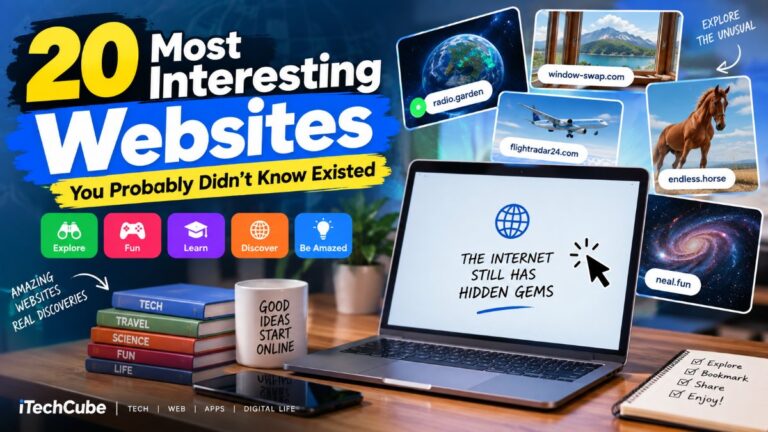
20 Most Interesting Websites You Probably Didn’t Know Existed- and Blow Your Mind

2

The internet is much bigger than Google, YouTube, Instagram, Facebook, and the websites we visit every day.

There are thousands of fascinating websites hidden across the web that can entertain you, teach you something new, help you discover interesting places, or simply make you wonder, “Why does this website even exist?”

Some are incredibly useful. Others are completely pointless—but strangely addictive.

So if you’re bored with the usual internet routine, here are 20 interesting websites you probably haven’t heard of. Open a few of them and you might discover a completely different side of the web.

Note: Websites can change, disappear, or become unavailable over time. Always use common sense when visiting unfamiliar websites, and don’t enter sensitive information unless you trust the service.

1. Neal.fun — A Playground of Weird and Wonderful Ideas

Website: https://neal.fun/

If you want to explore several unusual and highly interactive web experiences from one place, start with Neal.fun.

Created by developer Neal Agarwal, the site is packed with small experiments and interactive projects. You can explore the size of space, learn about the history of the internet, play strange games, experiment with simulations, and discover many other creative projects.

One particularly interesting project is Internet Artifacts, which takes you through important moments in early internet history, including the first website, early webcams, Usenet, the first spam email, and other milestones.

Why visit: It’s like an interactive museum mixed with a collection of browser experiments.


2. The Useless Web — One Button, Endless Randomness

Website: https://theuselessweb.com/

Sometimes you don’t want a useful website. You just want to waste five minutes.

That’s exactly what The Useless Web is for.

Click the button and you’ll be transported to a completely random website. You never know what you’ll get next.

You might encounter an absurd game, strange animation, pointless experiment, or a website that exists for absolutely no practical reason.

The fun is in the surprise.

Why visit: Perfect when you’re bored and have no idea what to do online.

Trivia Titans
Trivia Titans

3. Akinator — Can a Website Read Your Mind?

Website: https://en.akinator.com/

Think of a famous person, fictional character, animal, or other character.

Then let Akinator ask you a series of questions.

Based on your answers, it tries to figure out what you’re thinking about.

The surprising part isn’t that it can guess popular characters. It’s when you think of someone relatively obscure and Akinator still manages to figure it out.

The original iTechCube article also featured Akinator, but its concept remains one of the most entertaining examples of an interactive guessing game on the web.

Why visit: Try to defeat it by thinking of a character it doesn’t know.


4. Radio Garden — Explore Radio Stations Around the World

Website: https://radio.garden/

Imagine spinning a globe and listening to radio stations from wherever you point.

That’s essentially what Radio Garden lets you do.

The interactive globe allows you to explore radio stations from different cities and countries. Move around the world and you’ll suddenly find yourself listening to local broadcasts from places you’ve never visited.

It’s a surprisingly relaxing way to discover different cultures and music.

Why visit: Explore the world through live radio without leaving your desk.


5. WindowSwap — Look Outside Someone Else’s Window

Website: https://www.window-swap.com/

Ever wondered what the view looks like from someone’s home in another part of the world?

WindowSwap gives you that experience.

The concept is incredibly simple: open the site and see a video view from someone’s window somewhere around the world.

You could be looking at a quiet street, mountains, a city skyline, rain, trees, or an ordinary neighborhood.

There’s something strangely calming about it.

Why visit: A great website for relaxing when you need a break from social media.


6. Earth Nullschool — Watch the Planet Move

Website: https://earth.nullschool.net/

Earth Nullschool turns weather and atmospheric data into a beautiful interactive visualization of our planet.

You can watch wind patterns moving across the Earth and explore different atmospheric conditions.

It can look almost like a piece of digital artwork, but there’s real scientific data behind the visualization.

Why visit: It’s educational, beautiful, and surprisingly addictive.


7. Flightradar24 — See Aircraft Flying Around You

Website: https://www.flightradar24.com/

Have you ever looked up and wondered where a plane in the sky was going?

Flightradar24 lets you investigate.

The service provides an interactive map showing aircraft and flight information. You can search for flights, airports and aircraft and follow what’s happening in the skies. The current site requires a modern browser with WebGL2 support for its map experience.

It’s especially fascinating when you zoom into a busy airport and see how many aircraft are moving around simultaneously.

Why visit: Search for a flight you’re taking—or simply see what’s flying above your city.


8. MapCrunch — Take a Random Virtual Trip

Website: https://www.mapcrunch.com/

Want to travel somewhere random without buying a plane ticket?

MapCrunch drops you into random locations using street-level imagery.

One click can take you from a city in Europe to a quiet road somewhere in the United States or a remote-looking location on the other side of the world.

You never know where you’ll end up.

Why visit: It’s like taking a spontaneous road trip from your computer.


9. Pointer Pointer — Someone Will Point at Your Cursor

Website: https://pointerpointer.com/

This is one of those websites that sounds impossible until you try it.

Move your mouse pointer anywhere on the page.

The website finds a photograph of a person pointing toward approximately that location.

It’s completely unnecessary—and that’s exactly why it’s fun.

Why visit: Try moving your cursor around and see how quickly the website finds a matching image.


10. Endless Horse — The Horse That Never Ends

Website: https://endless.horse/

This website has one job.

Show you a horse.

The strange part?

The horse doesn’t seem to end.

Start scrolling downward and its legs just keep going.

And going.

And going.

It’s one of the simplest examples of an intentionally pointless website, yet you’ll probably scroll much farther than you expect.

Why visit: Because sometimes the internet doesn’t need to make sense.


11. Zoomquilt — An Infinite Zooming Artwork

Website: https://zoomquilt.org/

Zoomquilt creates the illusion that you’re continuously zooming into an enormous piece of artwork.

There appears to be no obvious beginning or end.

The images transition into one another, creating a dreamlike visual experience that can be surprisingly hypnotic.

Why visit: If you enjoy digital art, visual experiments, and unusual web experiences, this one is worth seeing.


12. 10 Minute Mail — A Temporary Email Address

Website: https://10minutemail.com/

Not every interesting website is designed just for entertainment.

Sometimes a strange-looking website turns out to be genuinely useful.

10 Minute Mail provides a temporary email address that can be used when you don’t want to give your primary email address to an unfamiliar website.

It’s useful for situations such as testing a service or avoiding unnecessary promotional emails.

However, don’t use temporary email for important accounts, banking, password recovery, or anything you need to retain long term.

Why visit: Handy when you need a temporary inbox for a low-risk signup.


13. Cloudhiker — Discover the Weird Side of the Web

Website: https://cloudhiker.net/

Cloudhiker is almost like a search engine for the stranger corners of the internet.

Instead of showing you the usual popular websites, it lets you discover unusual personal pages, experiments, archives, games, artistic projects, and other small websites.

The site currently describes its collection as containing tens of thousands of hand-curated websites across categories such as science, gaming, nature, and art.

Why visit: It’s a great way to rediscover the feeling of randomly discovering websites like people did in the early days of the web.


14. Same Energy — Search by Visual Style

Website: https://same.energy/

Sometimes you know exactly what you want a picture to look like—but you don’t know the right words to search for.

Same Energy takes a different approach.

Instead of relying only on keywords, you can use an image as a starting point and discover visually similar images.

It’s particularly interesting for designers, photographers, artists, and anyone building a mood board.

Why visit: Great for finding visual inspiration when ordinary image searches aren’t enough.


15. The Size of Space — Understand How Big the Universe Is

Website: https://neal.fun/size-of-space/

How big is the universe?

It’s difficult to understand because our everyday experience gives us almost no useful sense of cosmic scale.

Neal.fun’s The Size of Space creates an interactive journey through objects and distances in space, helping put astronomical scales into perspective.

You can move from relatively familiar objects toward increasingly enormous cosmic distances.

Why visit: It’s one of those websites that can make you stop and think about how tiny our everyday world really is.


16. The Size of Life — From Tiny Organisms to Huge Animals

Website: https://neal.fun/size-of-life/

If space is too big to understand, try going in the opposite direction.

The Size of Life explores the scale of living things.

The interactive experience lets you compare organisms and creatures across an enormous range of sizes.

It’s a simple idea, but seeing everything represented on the same scale makes it surprisingly fascinating.

Why visit: A fun combination of science, education, and interactive design.


17. I’m Not a Robot — The World’s Most Annoying CAPTCHA

Website: https://neal.fun/not-a-robot/

You’ve probably clicked “I’m not a robot” hundreds of times.

But what if the CAPTCHA kept getting harder?

That’s the idea behind this entertaining Neal.fun experiment.

It starts with a simple checkbox and progressively turns the concept of proving you’re human into a ridiculous challenge.

The creator even provides different CAPTCHA levels as an interactive experiment.

Why visit: Especially fun if you’ve ever been frustrated by a real CAPTCHA.


18. Zombo.com — You Can Do Anything

Website: https://zombo.com/

Zombo.com is a legendary example of a website that takes a ridiculously simple concept and commits to it completely.

The site repeatedly tells visitors that they can do anything.

There isn’t much to accomplish.

There doesn’t need to be.

It’s part internet history, part absurd comedy, and part reminder that websites don’t always need a practical purpose.

Why visit: Visit it for the experience—and then try explaining it to someone else.


19. Neal.fun’s Universe Forecast — Travel Into the Far Future

Website: https://neal.fun/universe-forecast/

What will happen to the universe in thousands, millions, or even unimaginably longer periods of time?

This interactive experience presents a timeline of possible cosmic events, from the return of Halley’s Comet to events taking place unimaginably far into the future.

It’s a fascinating way to visualize time scales that are almost impossible for humans to comprehend.

Why visit: If you enjoy astronomy, science, or thinking about the future, don’t skip this one.


20. The Internet Archive — Explore the Web’s Past

Website: https://archive.org/

Not every fascinating website has to be strange.

The Internet Archive is one of the most interesting places on the web because it preserves enormous amounts of digital history.

You can find archived websites, books, software, audio, video, images, and other digital material.

It’s especially fascinating when you want to see what the web looked like years or decades ago.

For anyone interested in technology and internet history, it can turn into a serious rabbit hole.

Why visit: Because the internet has a history—and much of it is worth exploring.


Why Are These Websites So Interesting?

The most interesting websites aren’t necessarily the biggest websites.

Many of them do just one thing.

Some are useful. Some are educational. Some are beautiful. Some are completely ridiculous.

But they all have something in common: they give you an experience rather than simply showing you another page of content.

The modern internet is dominated by a relatively small number of giant platforms. That’s convenient, but it can also make the web feel repetitive.

Websites like these remind us that the internet can still be weird, creative, experimental, and unpredictable.

Final Thoughts

The internet is full of hidden gems.

You don’t always need another social media app, another streaming service, or another news website. Sometimes the best online experience is discovering a tiny website created by someone simply because they had a strange idea.

From interactive science experiments and virtual travel to useless games and bizarre internet art, these websites prove that there is still plenty to discover online.

So bookmark this page, send it to a friend, and pick a few websites to explore.

And if you discover another interesting website that deserves to be on this list, let us know in the comments.

You might even find yourself spending the next few hours exploring places on the internet you never knew existed.

Trivia Titans- Quiz & Earn: Test Your Knowledge, Compete and Win Real Money

0

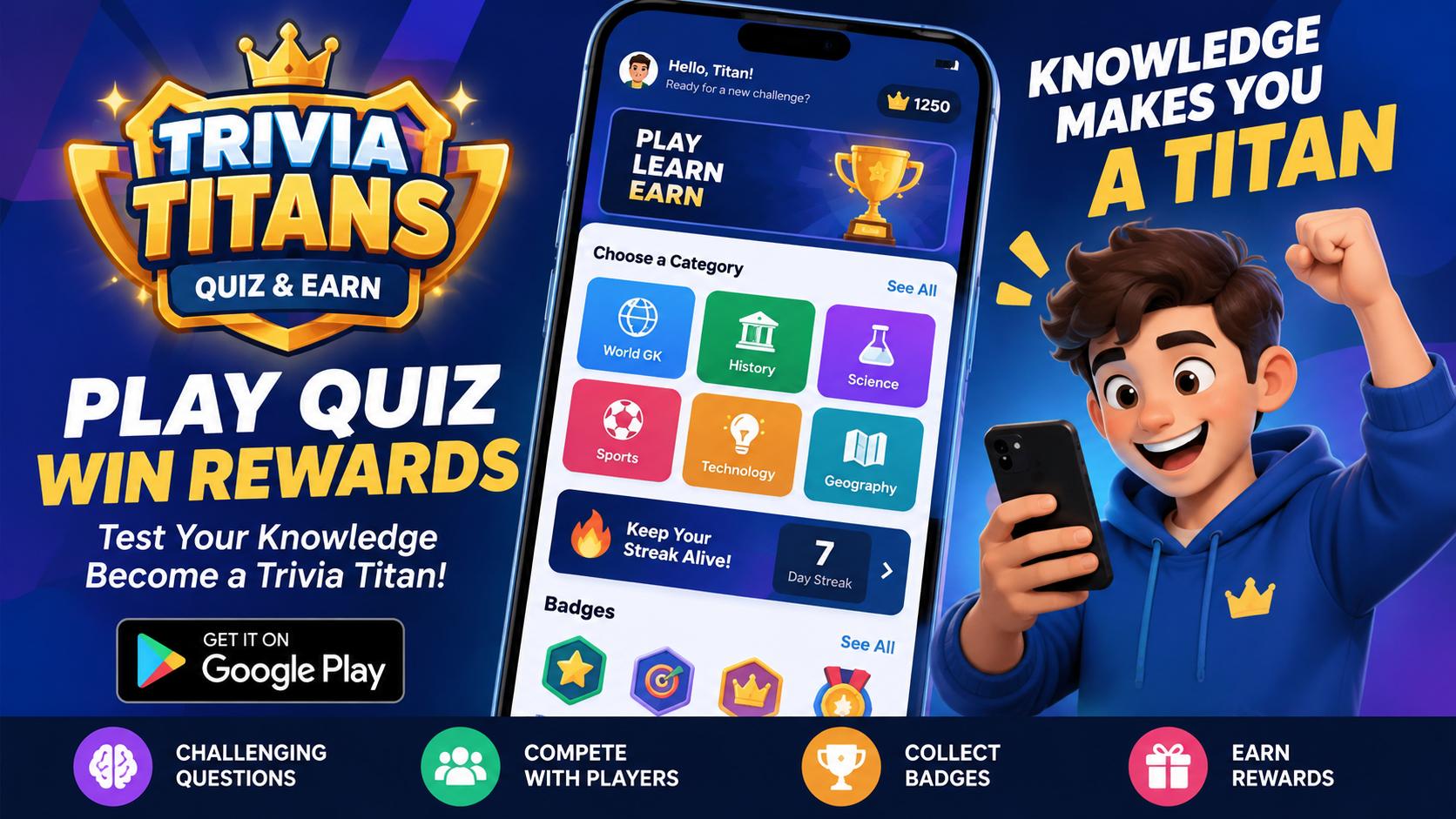
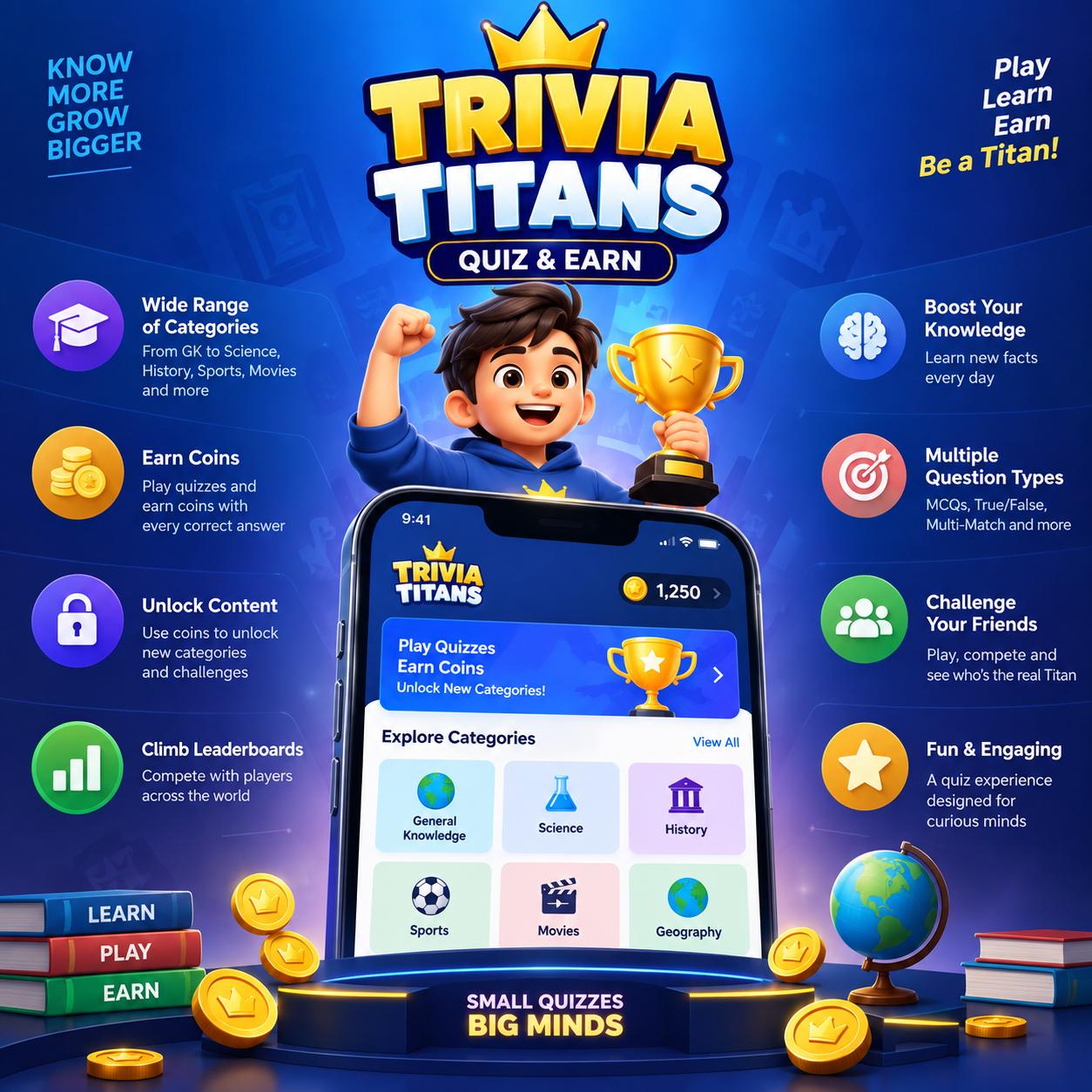
If you enjoy testing your general knowledge, solving challenging questions, and competing with other quiz lovers, there is a new quiz app worth checking out: Trivia Titans – Quiz & Earn.

Designed for users who enjoy trivia, general knowledge, competitive quizzes, and brain-teasing challenges, Trivia Titans combines traditional quiz gameplay with competitive features, multiple question formats, streaks, badges, and reward-oriented gameplay. It is a Fully Featured Money Earning App.

Whether you are interested in General Knowledge, World GK, Aptitude, Current Affairs, Sports, Science, History, Geography, or simply want to challenge yourself with interesting questions, Trivia Titans offers a simple way to turn spare time into a knowledge-testing experience.

What Is Trivia Titans – Quiz & Earn?

Trivia Titans – Quiz & Earn is a mobile quiz and trivia application designed around knowledge-based challenges.

Instead of simply answering questions one after another, the app introduces different gameplay formats that can make quizzes more engaging. Players can test their knowledge, improve their scores, maintain winning streaks, collect badges, and participate in competitive quiz experiences.

The app is particularly suitable for people who enjoy:

  • General knowledge quizzes
  • GK questions and answers
  • Brain games
  • Trivia challenges
  • Competitive quizzes
  • Multiple-answer questions
  • Aptitude questions
  • Knowledge-based rewards
  • Daily quiz challenges

The goal is simple: answer questions, improve your knowledge, compete better, and become a Trivia Titan.

Trivia Titans

Key Features of Trivia Titans

1. General Knowledge Quizzes

General Knowledge is one of the most popular quiz categories, and Trivia Titans brings a wide variety of questions for users who want to challenge what they know.

Questions can cover topics such as:

  • World GK
  • India GK
  • History
  • Geography
  • Science
  • Sports
  • Technology
  • Entertainment
  • Famous personalities
  • Countries and capitals
  • Space and discoveries

The variety makes the app useful not only for entertainment but also for users who simply enjoy learning new facts.

2. Multi-Match Questions

One of the interesting features of Trivia Titans is its Multi-Match quiz format.

Unlike a traditional multiple-choice question where you normally select one answer, Multi-Match questions can require users to select multiple correct answers.

For example, a question might ask:

Which of the following are planets in our Solar System?

The user may need to select several correct options rather than choosing just one.

This adds another layer of difficulty because knowing one correct answer isn’t always enough. Players need to identify all the relevant answers.

3. Sequence and Ordering Challenges

Some quiz questions can also challenge users to arrange answers in the correct sequence.

For example, players could be asked to arrange historical events, planets, discoveries, or other items in the correct order.

This type of question tests both knowledge and logical thinking.

4. Competitive Quiz Gameplay

Trivia becomes more exciting when there is competition.

Trivia Titans is designed around competitive gameplay where users can challenge their knowledge and aim for higher scores.

The competitive nature of quizzes can encourage players to improve their accuracy, answer questions faster, and learn from mistakes.

For people who find ordinary quiz apps repetitive, competitive elements can make the experience more engaging.

Battle Streak – Keep Your Winning Run Alive

Consistency is an important part of quiz games.

Trivia Titans includes Battle Streak-style achievement mechanics that encourage users to continue performing well.

Maintaining a streak can give players another reason to return to the app and try to beat their previous performance.

Instead of treating every quiz as an isolated game, streak-based mechanics can turn multiple sessions into one continuous challenge.

Collect Badges and Achievements

Trivia Titans also uses badges to recognize different player achievements.

Badges can represent milestones, skills, or accomplishments earned while using the app.

For example, a player might unlock badges for:

  • Starting their quiz journey
  • Maintaining a battle streak
  • Achieving high scores
  • Completing challenges
  • Demonstrating strong quiz performance

These visual achievements can make the profile experience more rewarding and give players goals beyond simply answering questions.

Quiz and Earn Concept

The “Quiz & Earn” concept adds another dimension to the application.

Instead of using quizzes only as a casual entertainment activity, Trivia Titans is designed around a reward-oriented experience where users can participate in eligible quiz activities and potentially earn rewards according to the app’s applicable rules and conditions.

Users should always check the specific reward requirements, eligibility criteria, and terms inside the app before participating.

The combination of knowledge + competition + rewards can make quiz gameplay more motivating for users.

Who Should Try Trivia Titans?

Trivia Titans can appeal to a wide range of users.

Students

Students can use quiz apps to revise general knowledge, practice aptitude questions, and improve their ability to recall information.

Competitive Exam Aspirants

People preparing for competitive examinations often spend time practicing GK, reasoning, aptitude, history, geography, and science questions.

A quiz-based format can provide an additional way to practice these topics.

Trivia Enthusiasts

If you simply enjoy answering random questions and discovering interesting facts, Trivia Titans can be a fun addition to your collection of mobile games.

Casual Gamers

You don’t necessarily need to be a quiz expert. The app can also be used for short gaming sessions when you have a few minutes of free time.

Why Quiz Apps Are Becoming More Interesting

Traditional quiz applications usually follow a simple pattern:

Question → Answer → Score → Next Question

Modern quiz apps are increasingly adding game mechanics to make the experience more engaging.

Features such as:

  • Streaks
  • Badges
  • Leaderboards
  • Battles
  • Multiple-answer questions
  • Timed challenges
  • Rewards
  • Different categories

can transform a basic question-and-answer application into a more complete gaming experience.

Trivia Titans follows this broader approach by combining knowledge testing with competitive and achievement-oriented features.

Trivia Titans vs. Traditional Quiz Apps

A major difference is the variety of gameplay mechanics.

FeatureTraditional QuizTrivia Titans
General Knowledge
Multiple-choice questions
Multiple correct answersLimited
Sequence-based questionsLimited
Competitive gameplayLimited
Streak mechanicsSometimes
Achievement badgesSometimes
Reward-oriented gameplayLimited

The exact availability of individual features and rewards can depend on the current version of the app.

How to Get Started

Getting started with Trivia Titans is straightforward.

Step 1: Download the App

Search for Trivia Titans – Quiz & Earn on the Google Play Store or Directly Click Here to Download and install the application.

Step 2: Create or Access Your Account

Follow the registration or login process provided by the app.

Step 3: Choose a Quiz

Select an available quiz or category and start answering questions.

Step 4: Improve Your Score

Pay attention to accuracy and learn from questions you get wrong.

Step 5: Build Your Achievements

Continue playing to work toward streaks, badges, and other available achievements.

Tips to Become a Better Trivia Player

Want to improve your performance? Here are a few simple tips.

Read Every Question Carefully

Don’t rush through a question simply because you recognize the topic. Pay attention to words such as “all,” “except,” “first,” “latest,” and “correct answers.”

This becomes especially important in Multi-Match questions.

Learn From Incorrect Answers

Getting an answer wrong doesn’t necessarily mean the session was wasted. Treat incorrect answers as opportunities to learn something new.

Practice Different Categories

Don’t limit yourself to one subject. Try science, history, geography, sports, technology, and other categories.

A broader knowledge base can help you perform better in mixed quizzes.

Maintain Your Streak

If the app provides streak-based achievements, consistency can help you progress toward those milestones.

Don’t Guess Recklessly

In questions with multiple correct answers, selecting extra options randomly can hurt your performance. Consider every option carefully before submitting.

Final Verdict

Trivia Titans – Quiz & Earn brings together several elements that can make mobile quiz gaming more engaging: trivia, general knowledge, multiple-answer challenges, competitive gameplay, streaks, badges, and rewards.

For users who enjoy testing their knowledge, it provides an alternative to conventional mobile games where the objective is simply to reach the next level.

Whether you’re a student looking to practice GK, a trivia enthusiast who enjoys challenging questions, or a casual gamer searching for something different, Trivia Titans is worth exploring.

The most interesting part is that the experience isn’t limited to conventional one-answer multiple-choice questions. Features such as Multi-Match and sequence-based challenges can require users to think more carefully and demonstrate a deeper understanding of the question.

If you enjoy quizzes and want to turn your knowledge into a competitive gaming experience, Trivia Titans – Quiz & Earn could be an app worth adding to your phone.

Frequently Asked Questions

What is Trivia Titans?

Trivia Titans – Quiz & Earn is a mobile trivia and quiz application where users can test their knowledge through different quiz formats and participate in competitive, achievement, and reward-oriented gameplay.

Is Trivia Titans a GK quiz app?

Yes. General Knowledge is an important part of the quiz experience, with questions covering multiple subjects and areas of knowledge.

What are Multi-Match questions?

Multi-Match questions can have multiple correct answers. Instead of selecting only one option, users may need to identify two or more correct options.

Does Trivia Titans have badges?

Yes. The app uses achievement badges to recognize different player milestones and accomplishments.

Can I earn rewards from Trivia Titans?

The app uses a quiz-and-earn concept with reward-oriented gameplay. Reward availability, eligibility, and requirements may vary, so users should check the current terms and conditions within the app.