Home Blog Page 2

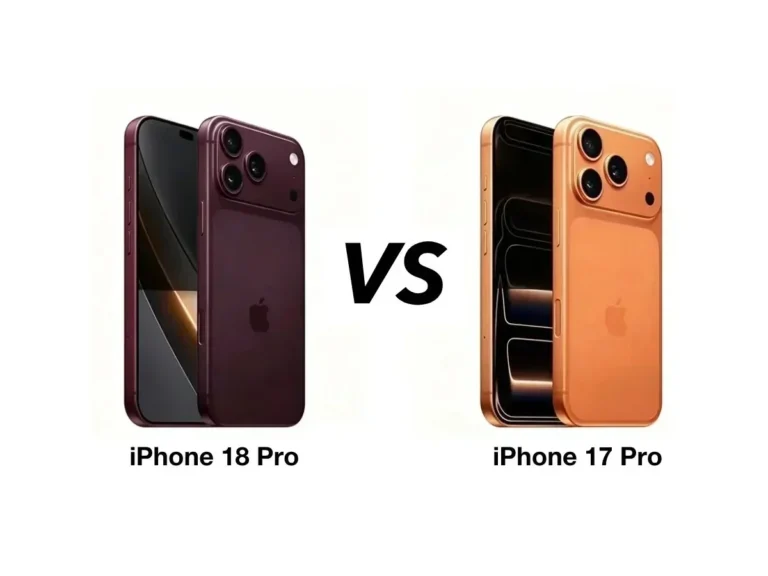
iPhone 17 vs iPhone 18: What’s New and Should You Upgrade?

0

Apple has officially launched its new iPhone 18 Pro and iPhone 18 Pro Max, giving iPhone users a new reason to consider upgrading from the previous-generation iPhone 17 Pro lineup.

The new iPhone 18 Pro brings Apple’s latest A20 Pro chip, variable-aperture 48MP Fusion Main camera, improved battery life, smaller Dynamic Island and new AI capabilities.

But does the iPhone 18 Pro actually offer enough improvements over the iPhone 17 Pro to justify an upgrade?

That’s the big question.

In this iPhone 17 vs iPhone 18 comparison, we compare the design, display, performance, cameras, battery, AI features, storage, price and other important differences to help you decide which iPhone is right for you.

Important: Apple launched the iPhone 18 Pro and iPhone 18 Pro Max in 9 September 2026. The regular iPhone 18 was not part of this launch, so this comparison focuses on the iPhone 17 Pro vs iPhone 18 Pro and iPhone 17 Pro Max vs iPhone 18 Pro Max.

iPhone 17 Pro vs iPhone 18 Pro: Quick Comparison

FeatureiPhone 17 ProiPhone 18 Pro
ProcessorA19 ProA20 Pro
Display6.3-inch OLED6.3-inch OLED
Refresh RateUp to 120HzUp to 120Hz
Main Camera48MP Fusion48MP Fusion with variable aperture
Ultra Wide48MP48MP
Telephoto48MP48MP
Front Camera18MP Center Stage18MP
Dynamic IslandYesSmaller
ModemPrevious generationC2
StorageUp to 1TBUp to 2TB
Starting Price in India₹1,34,900₹1,64,900
BatteryUp to 31 hours videoImproved
Operating SystemiOS 26iOS 27

Apple’s official specifications confirm that the iPhone 17 Pro uses the A19 Pro chip and supports 256GB, 512GB and 1TB storage, while the iPhone 18 Pro moves to the A20 Pro and offers up to 2TB.

iPhone 17 vs iPhone 18 Price in India

Price is one of the biggest differences between the two generations.

The iPhone 17 Pro originally launched in India at ₹1,34,900, while the newly launched iPhone 18 Pro starts at ₹1,64,900.

ModelStarting Price in India
iPhone 17 Pro₹1,34,900
iPhone 18 Pro₹1,64,900
Difference₹30,000

Apple currently lists the iPhone 17 Pro from ₹1,34,900, while the iPhone 18 Pro starts from ₹1,64,900.

However, the iPhone 17 Pro is now an older generation, so buyers may find discounts and offers from retailers that make the actual street price difference much smaller.

This is important: if you can find the iPhone 17 Pro at a significant discount, it could become a much better value proposition.

Design: iPhone 17 Pro vs iPhone 18 Pro

At first glance, the two generations don’t look dramatically different.

Both use an aluminium unibody design and Ceramic Shield protection.

The iPhone 17 Pro comes in:

  • Silver
  • Cosmic Orange
  • Deep Blue

The iPhone 18 Pro introduces a new set of finishes:

  • Black
  • Silver
  • Glacier
  • Burgundy

Apple has also made an important change to the front of the device by reducing the size of the Dynamic Island.

iPhone 18 Pro Gets a Smaller Dynamic Island

The smaller Dynamic Island isn’t a complete redesign, but it gives Apple more room to work with on the display.

For everyday users, the difference may not be immediately noticeable. However, it represents another step toward Apple reducing the visual footprint of the front-facing hardware.

Winner: iPhone 18 Pro

The design difference isn’t huge, but the newer model gets the edge because of the smaller Dynamic Island and new finishes.

Display: Is iPhone 18 Pro Better?

The display sizes remain essentially the same.

The iPhone 17 Pro features a 6.3-inch Super Retina XDR OLED display, while the iPhone 18 Pro also has a 6.3-inch Super Retina XDR display.

Both generations support:

  • 120Hz ProMotion
  • Always-On display
  • Dynamic Island
  • HDR
  • True Tone
  • Wide colour
  • High outdoor brightness

So if you are upgrading purely for display quality, the iPhone 18 Pro may not feel like a massive leap.

Winner: iPhone 18 Pro, but only slightly

The newer model gets improvements around the Dynamic Island, but the basic display experience remains very similar.

Performance: A19 Pro vs A20 Pro

This is where the iPhone 18 Pro starts to separate itself from its predecessor.

The iPhone 17 Pro is powered by Apple’s A19 Pro chip, while the iPhone 18 Pro introduces the A20 Pro.

The iPhone 17 Pro already delivers extremely high performance. Apple designed its A19 Pro chip with a six-core CPU, six-core GPU with Neural Accelerators and a 16-core Neural Engine.

The A20 Pro takes the next step with improved performance and efficiency.

The newer chip is particularly interesting for:

  • AI workloads
  • Gaming
  • Video editing
  • 3D applications
  • Multitasking
  • On-device processing

For normal activities such as WhatsApp, Instagram, YouTube, Chrome and email, however, most users probably won’t notice a huge difference.

Who benefits most from A20 Pro?

If you are a:

  • Gamer
  • Video editor
  • Developer
  • Content creator
  • Photographer
  • Heavy multitasker

then the additional performance of the iPhone 18 Pro becomes more useful.

Winner: iPhone 18 Pro

Camera: iPhone 17 Pro vs iPhone 18 Pro

The camera is arguably the most interesting reason to consider the iPhone 18 Pro.

The iPhone 17 Pro already features a 48MP Pro Fusion camera system with:

  • 48MP Fusion Main
  • 48MP Fusion Ultra Wide
  • 48MP Fusion Telephoto

It also supports up to 8x optical-quality zoom and up to 40x digital zoom.

The iPhone 18 Pro continues with a 48MP camera system but introduces an important change to the main camera.

Variable Aperture

The iPhone 18 Pro’s 48MP Fusion Main camera now features variable aperture.

This allows the camera to adjust how much light enters the lens.

That can be particularly useful for:

  • Low-light photography
  • Portrait photography
  • Depth-of-field control
  • Video recording
  • More natural-looking images

Apple says the new camera improves low-light photos and video while providing greater control over depth of field.

For photographers and creators, this could be one of the most meaningful upgrades between the two generations.

Winner: iPhone 18 Pro

Front Camera

Both generations use an 18MP Center Stage front camera.

The camera supports features such as:

  • Center Stage
  • Auto framing
  • Dual Capture
  • Video calls
  • 4K video recording

This means users upgrading from an iPhone 17 Pro shouldn’t expect a dramatic difference in selfie image quality.

Winner: Tie / iPhone 18 Pro software advantage

The hardware remains very similar, although Apple’s newer processing and software can improve the overall experience.

Battery Life: iPhone 17 Pro vs iPhone 18 Pro

Battery life is another area where Apple has focused on improvements.

The iPhone 17 Pro offers up to 31 hours of video playback, while the iPhone 17 Pro Max reaches up to 37 hours.

Apple says the iPhone 18 Pro Max can deliver up to 43 hours of video playback, making it Apple’s longest-lasting iPhone yet.

That’s a substantial improvement for heavy users.

If you spend a lot of time:

  • Travelling
  • Gaming
  • Watching videos
  • Using 5G
  • Recording video
  • Working from your phone

then battery improvements can make a real difference.

Winner: iPhone 18 Pro

Storage: iPhone 17 Pro vs iPhone 18 Pro

Storage is another significant difference.

The iPhone 17 Pro is available in:

  • 256GB
  • 512GB
  • 1TB

The iPhone 18 Pro increases the maximum storage to 2TB.

This is particularly useful for people who shoot a lot of high-resolution video.

A 2TB iPhone can also be attractive to professional photographers, filmmakers and content creators who want to keep large media libraries on their device.

Winner: iPhone 18 Pro

AI and Software

The iPhone 17 Pro launched with iOS 26 and Apple Intelligence features.

The iPhone 18 Pro comes with the newer iOS 27 and Apple’s latest generation of AI capabilities.

The hardware upgrade is important here because Apple’s newer A20 Pro chip is designed to handle increasingly demanding on-device AI workloads.

For users who don’t regularly use AI features, the difference may not be a major reason to upgrade.

But AI is becoming an increasingly important part of Apple’s iPhone strategy.

Winner: iPhone 18 Pro

Connectivity and Modem

The iPhone 18 Pro also introduces Apple’s newer C2 modem.

This continues Apple’s move toward developing more of the critical technology inside the iPhone itself.

The iPhone 17 Pro already supports modern 5G connectivity, Wi-Fi 7 and Bluetooth 6.

For everyday users, connectivity performance will depend heavily on the carrier and network in their location.

Winner: iPhone 18 Pro

iPhone 17 Pro vs iPhone 18 Pro: Which Has the Better Camera?

If photography is your priority, the iPhone 18 Pro is the better option.

The key difference isn’t simply the megapixel count.

Both generations use 48MP Pro Fusion camera systems, but the variable aperture on the iPhone 18 Pro’s main camera gives users greater control over light and depth of field.

For casual photography, however, the iPhone 17 Pro remains an excellent camera phone.

So:

Professional photographer: iPhone 18 Pro

Content creator: iPhone 18 Pro

Casual photographer: iPhone 17 Pro is still more than enough

iPhone 17 Pro vs iPhone 18 Pro: Which Is Better for Gaming?

Both phones are extremely powerful.

The A19 Pro in the iPhone 17 Pro already includes hardware-accelerated ray tracing and Neural Accelerators.

The A20 Pro in the iPhone 18 Pro takes performance further.

If you play demanding games for long periods, the newer chip and thermal improvements could make the iPhone 18 Pro a better choice.

But if you mostly play casual games, there is little reason to upgrade just for gaming.

Winner: iPhone 18 Pro

iPhone 17 Pro Max vs iPhone 18 Pro Max

The same story applies to the larger Pro Max models.

The iPhone 18 Pro Max keeps the familiar 6.9-inch display, but introduces the newer A20 Pro chip, improved camera technology and longer battery life.

FeatureiPhone 17 Pro MaxiPhone 18 Pro Max
Display6.9-inch6.9-inch
ProcessorA19 ProA20 Pro
Main Camera48MP48MP variable aperture
Front Camera18MP18MP
Maximum Storage2TB2TB
BatteryUp to 37 hours videoUp to 43 hours video
Dynamic IslandYesSmaller
Starting Price₹1,49,900₹1,79,900

The iPhone 18 Pro Max is clearly the more advanced phone, but the iPhone 17 Pro Max could become much more attractive if retailers offer significant discounts.

iPhone 17 vs iPhone 18: Which One Should You Buy?

The answer depends on your current phone.

If You Already Own an iPhone 17 Pro

You probably don’t need to upgrade immediately.

The iPhone 17 Pro remains extremely powerful.

Upgrade to the iPhone 18 Pro if you specifically want:

  • Variable-aperture camera
  • A20 Pro performance
  • Better battery life
  • Smaller Dynamic Island
  • 2TB storage
  • New AI capabilities
  • The latest iPhone technology

Otherwise, keeping your iPhone 17 Pro for another year could make more financial sense.

If You Own an iPhone 16 Pro or Older

The iPhone 18 Pro becomes much more interesting.

You get several generations of improvements in:

  • Performance
  • Cameras
  • Battery
  • AI
  • Display technology
  • Connectivity

For an iPhone 15 Pro or older user, the upgrade can be significantly more noticeable.

If You Are Buying Your First Pro iPhone

The iPhone 18 Pro is the obvious choice if your budget allows it.

It is Apple’s latest flagship and gives you the longest expected software-support window from the date of purchase.

iPhone 17 Pro vs iPhone 18 Pro: Which Is Better Value?

This is where things become interesting.

The iPhone 18 Pro is technically the better phone.

But better phone doesn’t always mean better value.

The iPhone 17 Pro launched at ₹1,34,900, while the iPhone 18 Pro starts at ₹1,64,900.

That’s a ₹30,000 difference before considering discounts.

If the iPhone 17 Pro becomes available at a substantial discount, it could be one of the best-value premium iPhones for buyers who don’t need the newest camera and processor.

Buy iPhone 18 Pro if:

  • Budget isn’t your biggest concern
  • You want the latest technology
  • You are a photographer or creator
  • You want maximum battery life
  • You plan to keep the phone for 4–5 years
  • You want 2TB storage

Buy iPhone 17 Pro if:

  • You find a good discount
  • You want flagship performance at a lower price
  • You don’t need variable aperture
  • You don’t care about the latest AI features
  • You already have access to a discounted 17 Pro

iPhone 17 vs iPhone 18: Upgrade Verdict

After comparing the two generations, the iPhone 18 Pro is the clear winner in terms of hardware and features.

But the upgrade isn’t equally valuable for everyone.

CategoryWinner
DesigniPhone 18 Pro
DisplayiPhone 18 Pro
PerformanceiPhone 18 Pro
CameraiPhone 18 Pro
BatteryiPhone 18 Pro
AIiPhone 18 Pro
StorageiPhone 18 Pro
Value for MoneyiPhone 17 Pro
OveralliPhone 18 Pro

Our Verdict

iPhone 18 Pro is the better phone.

But iPhone 17 Pro may be the better deal if you can find it at a substantial discount.

For an iPhone 17 Pro owner, upgrading isn’t essential unless you specifically want the new camera system, improved battery life or latest-generation performance.

For someone buying a new premium iPhone in 2026, however, the iPhone 18 Pro makes more sense if the higher price fits the budget.

Frequently Asked Questions

Is iPhone 18 better than iPhone 17?

Yes. The iPhone 18 Pro offers a newer A20 Pro processor, improved battery life, a variable-aperture 48MP main camera, smaller Dynamic Island and up to 2TB storage.

Is it worth upgrading from iPhone 17 Pro to iPhone 18 Pro?

It depends. If you already own an iPhone 17 Pro, the upgrade is most worthwhile if you care about camera improvements, battery life, AI and the latest processor.

Is iPhone 18 Pro more expensive than iPhone 17 Pro?

Yes. The iPhone 18 Pro starts at ₹1,64,900 in India, compared with the iPhone 17 Pro’s original starting price of ₹1,34,900.

Which has a better camera, iPhone 17 Pro or iPhone 18 Pro?

The iPhone 18 Pro has the more advanced camera system, particularly because its 48MP Fusion Main camera introduces variable aperture.

Which has better battery life?

The iPhone 18 Pro generation has better battery performance. Apple rates the iPhone 18 Pro Max for up to 43 hours of video playback, compared with up to 37 hours for the iPhone 17 Pro Max.

Should I buy iPhone 17 Pro or wait for iPhone 18 Pro?

You don’t need to wait—the iPhone 18 Pro has already been launched. If you can afford the higher price and want the latest features, choose the iPhone 18 Pro. If you find the iPhone 17 Pro at a large discount, it can offer better value.

Final Thoughts

The iPhone 18 Pro is an evolutionary upgrade rather than a complete reinvention.

Apple has kept the core iPhone experience familiar while improving the areas that matter most: performance, cameras, battery life and AI.

The biggest hardware highlights are the A20 Pro chip and variable-aperture 48MP Fusion Main camera, while the longer battery life of the Pro Max could be a major advantage for power users.

However, the iPhone 17 Pro shouldn’t be ignored.

Its A19 Pro chip, 48MP Pro Fusion camera system, 120Hz ProMotion display and strong battery life still make it a premium smartphone.

If the iPhone 17 Pro receives significant discounts, it could become the smarter purchase for budget-conscious buyers.

But if you want the latest Apple technology in 2026, the iPhone 18 Pro is the clear choice.
Apple iPhone 18 Launched, Price, Features and Everything You Need to Know

0

Apple has officially launched its latest flagship smartphones, the iPhone 18 Pro and iPhone 18 Pro Max, at its September 9, 2026 event.

The new iPhone 18 Pro lineup brings major upgrades in camera technology, performance, battery life and AI features. Apple has introduced its new A20 Pro chip, a 48MP main camera with variable aperture, a smaller Dynamic Island and improved Apple Intelligence capabilities.

For Indian buyers, the iPhone 18 Pro starts at ₹1,64,900, while the iPhone 18 Pro Max starts at ₹1,79,900. Pre-orders in India begin on September 12, with both models going on sale from September 18.

But there is an important detail about the iPhone 18 launch this year: Apple did not launch the regular iPhone 18 alongside the Pro models.

Let’s take a detailed look at everything Apple announced.

Apple iPhone 18 Pro Launched

Apple unveiled the iPhone 18 Pro and iPhone 18 Pro Max on September 9, 2026.

The company is positioning the new Pro models around four major areas:

  • Faster performance
  • Professional-grade camera improvements
  • Longer battery life
  • Advanced AI features

Both phones are powered by Apple’s new A20 Pro chipset and run iOS 27. Apple has also introduced a next-generation vapor-chamber cooling system designed to provide better sustained performance.

iPhone 18 Pro Price in India

The iPhone 18 Pro starts at ₹1,64,900 in India, while the iPhone 18 Pro Max starts at ₹1,79,900.

The phones are offered in multiple storage configurations, including 256GB, 512GB, 1TB and 2TB.

iPhone 18 Pro Price

StoragePrice in India
256GB₹1,64,900
512GB₹1,89,900
1TB₹2,14,900
2TB₹2,64,900

iPhone 18 Pro Max Price

StoragePrice in India
256GB₹1,79,900
512GB₹2,04,900
1TB₹2,54,900
2TB₹3,29,900

Apple’s online store confirms the iPhone 18 Pro Max 256GB starts at ₹1,79,900, while the 2TB model reaches ₹3,29,900.

iPhone 18 Pro Release Date in India

Although Apple announced the iPhone 18 Pro series on September 9, the phones are not immediately available for purchase.

The India launch schedule is:

  • Announcement: September 9, 2026
  • Pre-orders: September 12, 2026, from 5:30 PM IST
  • Available in stores: September 18, 2026

Apple’s official India website confirms the September 12 pre-order date and September 18 availability.

This means Indian customers will be among the first group of buyers to get the new iPhone 18 Pro models.

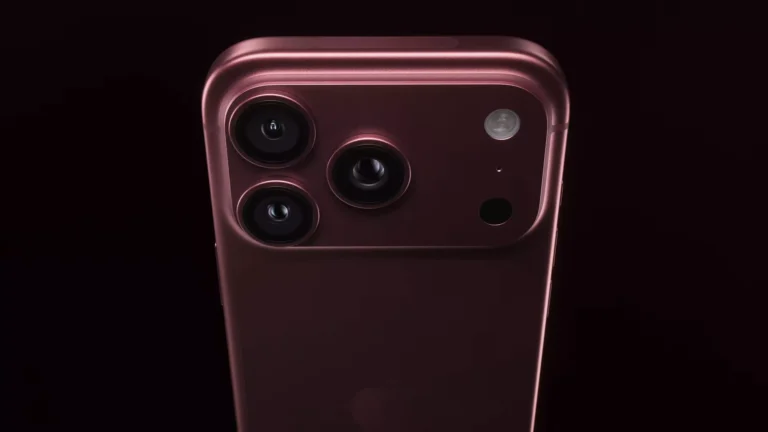
iPhone 18 Pro Design

Apple has kept the familiar premium iPhone design while making several changes to the front and internal hardware.

One of the most noticeable changes is the smaller Dynamic Island.

The new Dynamic Island takes up less space while continuing to provide notifications, Live Activities and other interactive information.

Apple says the new design makes the Dynamic Island more useful while giving users more usable display area.

The iPhone 18 Pro and Pro Max are available in four finishes:

  • Black
  • Silver
  • Glacier
  • Burgundy

The new Burgundy finish is likely to become one of the most recognizable colours of this year’s Pro lineup.

A20 Pro Chip: Apple’s New Performance Engine

One of the biggest upgrades in the iPhone 18 Pro is the new A20 Pro chip.

Apple has designed the chip to deliver higher performance while improving power efficiency.

The A20 Pro is paired with a new-generation vapor chamber that helps the phone manage heat during demanding workloads.

This should be particularly useful for people who use their iPhone for:

  • Gaming
  • 4K video editing
  • Photography
  • AI applications
  • Video recording
  • Multitasking
  • Professional workloads

Apple describes the combination of the A20 Pro and new cooling architecture as delivering the highest sustained performance in an iPhone to date.

iPhone 18 Pro Camera

The camera system is arguably the biggest upgrade in the iPhone 18 Pro.

Apple has introduced a new 48MP Fusion Main camera with variable aperture.

Unlike a fixed-aperture camera, the new system can adjust the aperture depending on lighting and shooting conditions.

This can provide better control over:

  • Low-light photography
  • Exposure
  • Depth of field
  • Portrait-style images
  • Video recording

Apple has also introduced new Pro controls in the Camera app, giving photographers and content creators more control over how they capture photos and videos.

48MP Camera System

The iPhone 18 Pro Max features a triple rear-camera system consisting of:

  • 48MP primary camera
  • 48MP telephoto camera
  • 48MP ultra-wide camera

The front camera is an 18MP sensor.

For creators who use their smartphone as their primary camera, the variable-aperture system could be one of the most useful upgrades of the new generation.

Better Battery Life

Battery life is another major focus of the iPhone 18 Pro generation.

Apple says the iPhone 18 Pro Max delivers the largest increase in battery life ever seen on an iPhone.

The larger Pro Max model can provide up to 43 hours of video playback, according to Apple’s India specifications.

The combination of the more efficient A20 Pro chip, improved internal design and larger battery helps the Pro Max target users who need their phone to last throughout long working days.

iOS 27 and Apple Intelligence

The iPhone 18 Pro series runs iOS 27, bringing Apple’s latest software experience to the new hardware.

AI is an increasingly important part of Apple’s iPhone strategy, and the iPhone 18 Pro lineup pushes Apple Intelligence further.

Apple’s updated AI experience includes a more capable Siri and greater integration with applications.

The company says Siri AI can work with more than 300,000 apps, allowing users to perform actions across Apple and third-party applications.

Apple is also emphasizing privacy by using on-device processing whenever possible, while more demanding AI workloads can use Apple’s Private Cloud Compute infrastructure.

iPhone 18 Pro Modem

The new iPhone 18 Pro lineup also features Apple’s C2 modem.

This represents another step toward Apple’s increasing control over the core technologies inside its devices.

The combination of Apple’s own silicon, modem technology and software allows the company to optimize the entire experience around the iPhone.

iPhone 18 Pro Specifications

Here is a quick overview of the major specifications:

FeatureiPhone 18 ProiPhone 18 Pro Max
ProcessorA20 ProA20 Pro
Operating SystemiOS 27iOS 27
Main Camera48MP Fusion48MP Fusion
Camera FeatureVariable apertureVariable aperture
Telephoto48MP48MP
Ultra-wide48MP48MP
Front Camera18MP18MP
Dynamic IslandSmallerSmaller
ModemC2C2
StorageUp to 2TBUp to 2TB
ColoursBlack, Silver, Glacier, BurgundyBlack, Silver, Glacier, Burgundy
Starting Price₹1,64,900₹1,79,900

What Happened to the Regular iPhone 18?

This is where Apple’s 2026 launch becomes particularly interesting.

The regular iPhone 18 was not launched at the September 9 event.

Instead, Apple focused its September launch on the premium Pro models and its first foldable iPhone.

Reports indicate that Apple could launch the standard iPhone 18 in spring 2027, potentially alongside other more affordable models.

So, if you were expecting to buy the standard iPhone 18 immediately after Apple’s September event, you may have to wait.

iPhone 18 Launch Strategy

Apple’s new strategy could look something like this:

September 2026

  • iPhone 18 Pro
  • iPhone 18 Pro Max
  • iPhone Duo

2027

  • iPhone 18
  • Potential iPhone 18e
  • Potential next-generation iPhone Air

The exact launch date and specifications of the regular iPhone 18 have not yet been officially announced.

Apple Also Launched Its First Foldable iPhone

The iPhone 18 Pro wasn’t the only major announcement from Apple’s September event.

Apple also introduced its first foldable smartphone, the iPhone Duo.

The device features a foldable design with a large internal display and an external screen. It uses the A20 Pro chip and supports Apple Pencil.

The iPhone Duo starts at $1,999 in the US, while Apple’s India store lists it from ₹2,99,900. Pre-orders in India begin October 16.

This makes the 2026 iPhone event one of Apple’s biggest hardware launches in recent years.

iPhone 18 Pro vs iPhone 17 Pro

So, is the iPhone 18 Pro a significant upgrade over the iPhone 17 Pro?

For many users, yes.

The major improvements include:

A20 Pro chip: Faster and more efficient performance.

Variable-aperture camera: More control over photography and improved low-light capabilities.

Longer battery life: Particularly significant on the iPhone 18 Pro Max.

Smaller Dynamic Island: More usable display area.

Improved AI: More capable Siri and Apple Intelligence features.

C2 modem: Apple’s next-generation in-house modem technology.

For someone already using an iPhone 17 Pro, the upgrade may make more sense for photographers, creators, gamers and users who heavily rely on AI features.

For owners of older iPhones, however, the upgrade could be considerably more noticeable.

Is the iPhone 18 Pro Worth Buying?

At ₹1,64,900, the iPhone 18 Pro is certainly not an affordable smartphone.

But it is aimed at buyers who want Apple’s latest technology rather than simply looking for a good-value phone.

The iPhone 18 Pro makes sense if you:

  • Want the latest iPhone technology.
  • Take lots of photos and videos.
  • Need powerful performance.
  • Play graphics-intensive games.
  • Use AI features frequently.
  • Want maximum battery life.
  • Plan to keep your phone for several years.

You may want to wait if you:

  • Already own an iPhone 17 Pro.
  • Don’t need better camera controls.
  • Don’t use demanding apps or games.
  • Are looking for a cheaper iPhone.
  • Specifically want the standard iPhone 18.

Final Verdict

The Apple iPhone 18 Pro and iPhone 18 Pro Max have officially arrived, bringing some of Apple’s most significant iPhone upgrades in several areas.

The new A20 Pro chip, variable-aperture 48MP camera, improved battery life, smaller Dynamic Island, C2 modem and enhanced Apple Intelligence make the new Pro models powerful upgrades for Apple’s premium smartphone lineup.

In India, the iPhone 18 Pro starts at ₹1,64,900, while the iPhone 18 Pro Max starts at ₹1,79,900. Pre-orders begin September 12 and sales start September 18.

However, there’s an important point for anyone searching specifically for the iPhone 18: the standard model wasn’t launched on September 9. Apple appears to be changing its traditional iPhone launch schedule, with the regular iPhone 18 expected at a later date.

For now, the iPhone 18 Pro and iPhone 18 Pro Max are Apple’s flagship iPhones for 2026, while the standard iPhone 18 story is still waiting for its next chapter.

Frequently Asked Questions

When was the iPhone 18 launched?

Apple launched the iPhone 18 Pro and iPhone 18 Pro Max on September 9, 2026. The regular iPhone 18 was not launched at the event.

What is the iPhone 18 Pro price in India?

The iPhone 18 Pro starts at ₹1,64,900 in India.

What is the iPhone 18 Pro Max price in India?

The iPhone 18 Pro Max starts at ₹1,79,900 in India.

When can I buy the iPhone 18 Pro in India?

Pre-orders begin on September 12, 2026, and the iPhone 18 Pro becomes available from September 18, 2026.

What processor does the iPhone 18 Pro use?

The iPhone 18 Pro and Pro Max are powered by Apple’s A20 Pro chip.

Does the iPhone 18 Pro have a better camera?

Yes. The new Pro models feature a 48MP Fusion Main camera with variable aperture, along with upgraded camera controls.

Top 12 Best Free Online Icon Generator & Maker Tools (2026)

Icons are everywhere—from Android and iPhone apps to Windows software, websites, desktop shortcuts, browser favicons, and social media profiles. A well-designed icon improves brand recognition and gives your project a professional appearance.

The good news is that you no longer need expensive graphic design software to create beautiful icons. Today, many online icon makers allow you to design app icons, generate favicons, convert PNG images into ICO files, and even create AI-powered icons within minutes.

In this article, we’ve handpicked the 12 best free online icon generator and maker tools that are easy to use and suitable for developers, designers, bloggers, startups, and business owners.


Best Free Online Icon Generator Tools

1. Canva Icon Maker

Best For: Social media icons, business logos, app icons

Canva has evolved into one of the most popular online design platforms. It includes thousands of icon templates, drag-and-drop editing, AI-powered design suggestions, and instant export options.

Features

  • Thousands of free icon templates
  • AI-assisted design
  • Transparent PNG export
  • Brand color support
  • Works directly in your browser

Pros

  • Beginner friendly
  • Huge template library
  • Excellent free version

Cons

  • Some premium assets require Canva Pro

2. Figma

Best For: UI designers and app developers

Figma is widely used for UI/UX design and makes creating professional icons incredibly easy. You can export icons in SVG, PNG, PDF, and multiple resolutions.

Features

  • Vector editing
  • Team collaboration
  • SVG export
  • Plugin ecosystem
  • Cloud-based

Pros

  • Industry standard
  • Great for mobile apps

Cons

  • Slight learning curve

3. IconsFlow

IconsFlow remains one of the best dedicated online icon creators. It offers hundreds of icon shapes, customizable colors, shadows, gradients, and export options.

Features

  • Flat icon creator
  • Thousands of symbols
  • Custom colors
  • Background effects
  • PNG export

Best For: Website icons and software icons


4. X-Icon Editor

X-Icon Editor is still one of the easiest ways to create browser favicons and Windows icons directly from your browser.

Features

  • HTML5 editor
  • Draw icons manually
  • Import PNG images
  • Export ICO files
  • Multiple icon sizes

Best For: Website favicon creation


5. ICO Convert

ICO Convert is one of the fastest online PNG-to-ICO converters. Simply upload your image, crop it if needed, and download a Windows-compatible icon.

Features

  • PNG to ICO
  • JPG to ICO
  • Crop and resize
  • Multiple icon resolutions
  • Free to use

Best For: Windows desktop icons


6. ConvertICO

ConvertICO is a lightweight online converter that quickly converts PNG images into ICO format without installing software.

Features

  • PNG to ICO
  • Fast conversion
  • No registration
  • Browser based
  • Multiple icon sizes

7. MakeAppIcon

MakeAppIcon is specifically designed for Android and iOS developers.

Instead of manually resizing icons for every device, it automatically generates every required app icon size.

Features

  • Android launcher icons
  • iOS App Store icons
  • Adaptive icon sizes
  • ZIP download
  • High-resolution export

Best For: Mobile app developers


8. Favicon.io

If your goal is creating website favicons, Favicon.io is one of the simplest tools available.

It lets you generate favicons from:

  • Text
  • Emojis
  • Images
  • Logos

Features

  • Instant favicon generator
  • Emoji favicon creator
  • PNG to favicon
  • Multiple file sizes

9. Recraft AI

Artificial Intelligence has changed icon design completely.

Recraft AI lets users generate custom icons simply by describing what they need.

Example:”Modern blue finance app icon”

The AI creates several unique icon concepts within seconds.

Features

  • AI-generated icons
  • SVG export
  • Editable vector graphics
  • Multiple design styles

10. Adobe Express

Adobe Express provides an easy icon creation experience with professional templates, typography, and Adobe’s design tools.

Features

  • Professional templates
  • Background removal
  • Transparent PNG
  • Branding tools

11. SVG Repo Editor

SVG Repo offers millions of free SVG icons that can be edited online before downloading.

Features

  • Huge icon library
  • SVG editing
  • Color customization
  • Free commercial use

12. iConvert Icons

iConvert Icons continues to be a useful converter for multiple operating systems.

It supports conversion between:

  • PNG
  • ICO
  • ICNS
  • Android icons
  • macOS icons

Features

  • Cross-platform support
  • Multiple export formats
  • Simple interface
  • Free online conversion

How to Choose the Best Online Icon Generator

Before selecting an icon maker, consider the following factors:

  • Support for SVG, PNG, and ICO formats
  • Android and iOS compatibility
  • Transparent background export
  • High-resolution output
  • AI-powered design features
  • Free commercial usage
  • Ease of customization

Frequently Asked Questions

What is an online icon generator?

An online icon generator is a web-based tool that lets you create custom icons for websites, applications, software, and branding without installing desktop software.

Which is the best free icon maker?

For beginners, Canva is one of the easiest options. Developers often prefer Figma and MakeAppIcon, while website owners can use Favicon.io or X-Icon Editor.

Can I create Android app icons online?

Yes. Tools like MakeAppIcon, Figma, Canva, and Recraft AI allow you to create and export Android app icons in the required sizes.

Which tool creates website favicons?

Favicon.io, X-Icon Editor, ICO Convert, and ConvertICO are among the best options for generating website favicons.

Final Thoughts

Modern icon generators are far more capable than they were a few years ago. Whether you’re creating icons for an Android app, Windows software, a website favicon, or a startup logo, these free online tools make the process fast and accessible.

If you’re looking for the best all-around option, Canva and Figma are excellent choices for design flexibility. Developers building mobile apps will appreciate MakeAppIcon, while website owners can quickly generate favicons using Favicon.io or X-Icon Editor.

Top 7 Free Offline Image Watermark Software for Windows & Mac (2026)

If you’re a photographer, blogger, designer, content creator, or business owner, protecting your images from unauthorized use is more important than ever. With AI-generated content and image theft becoming increasingly common, adding a watermark to your photos is one of the easiest ways to protect your work and build your brand.

While many online watermark tools exist, they require uploading your images to a server. If you value privacy, speed, and offline editing, desktop watermark software is a much better option.

In this article, we’ve compiled the best free offline image watermark software for Windows and Mac that lets you add text, logo, QR code, copyright information, and batch watermarks without an internet connection.

Why Use Offline Watermark Software?

Offline watermark applications offer several advantages over online tools:

  • No internet connection required
  • Better privacy since images never leave your computer
  • Faster batch processing
  • Supports high-resolution images
  • Add text, logo, QR code, or copyright information
  • Perfect for photographers, businesses, bloggers, and eCommerce sellers

Best Free Offline Image Watermark Software

1. BatchPhoto Watermark Software

BatchPhoto is one of the most powerful desktop photo editors for batch image processing. Besides watermarking, it allows you to resize, rotate, convert image formats, rename files, and apply filters to thousands of photos simultaneously.

Key Features

  • Batch watermark thousands of images
  • Text and logo watermark
  • Resize and convert images
  • Date & timestamp support
  • Supports RAW images
  • Available for Windows & macOS

Best For: Professional photographers and agencies handling large image collections.

2. uMark Watermark Software

uMark is a lightweight watermark application that makes protecting digital images simple. It supports both text and image watermarks and allows batch processing with customizable transparency, rotation, and positioning.

Features

  • Batch watermarking
  • Text & logo watermark
  • QR code support
  • Transparency controls
  • Multiple fonts and styles
  • Windows & Mac compatible

The Lite version is free for personal use, while the Pro version unlocks additional customization options.

Best For: Bloggers, YouTubers, and social media creators.

3. Watermark Software

Watermark Software is a dedicated desktop application focused on protecting digital photos with both visible and invisible watermarks.

Features

  • Text watermark
  • Image watermark
  • Invisible EXIF watermark
  • Batch processing
  • Copyright metadata support
  • Drag-and-drop interface

This software is suitable for users who want to protect copyright information without affecting image quality.

Best For: Graphic designers and photographers.

4. TSR Watermark Image Software

TSR Watermark is one of the oldest and most reliable watermark utilities for Windows. It offers advanced watermark positioning, transparency controls, and batch processing.

Features

  • Batch watermark images
  • Logo watermark
  • Text watermark
  • Transparency adjustment
  • Custom fonts
  • Image resizing

The free version includes a trial watermark on exported images, making the paid version a better option for professional work.

Best For: Businesses processing hundreds of images daily.

5. Star Watermark

Star Watermark is a popular cross-platform watermark software available for both Windows and macOS. It allows users to add professional text or logo watermarks with just a few clicks.

Features

  • Batch watermarking
  • Text watermark
  • Logo watermark
  • PDF watermark support
  • Digital signature
  • Adjustable opacity
  • Multiple watermark templates

Best For: Small businesses, artists, and online sellers.

6. Visual Watermark

Visual Watermark remains one of the most popular watermarking applications because of its simple interface and fast processing speed.

Features

  • Batch processing
  • Text & logo watermark
  • Resize images
  • Rename files
  • Drag-and-drop support
  • Windows & Mac

The software includes many ready-made watermark templates and allows complete customization.

Best For: Bloggers, influencers, and eCommerce businesses.

7. PhotoMarks

PhotoMarks is a modern desktop watermark tool designed specifically for photographers and businesses that need quick batch processing.

Features

  • Batch image processing
  • Text watermark
  • Logo watermark
  • Frame effects
  • Resize and rotate
  • High-quality export

Its clean interface makes it beginner-friendly while still offering powerful batch editing tools.

Best For: Professional photographers and freelancers.

Comparison Table

SoftwareWindowsMacBatch WatermarkLogoTextFree Version
BatchPhotoLimited
uMarkLite Version
Watermark SoftwarePartialLimited
TSR WatermarkTrial
Star WatermarkYes
Visual WatermarkLimited
PhotoMarksTrial

How to Choose the Best Watermark Software

When selecting watermark software, consider the following:

  • Batch image processing capability
  • Logo and text watermark support
  • High-resolution image export
  • Ease of use
  • Cross-platform compatibility
  • Metadata protection
  • QR code support (if required)

If you’re managing thousands of images, batch processing should be your top priority.

Frequently Asked Questions (FAQs)

Is there any completely free watermark software?

Yes. Star Watermark and uMark Lite offer free versions with useful watermarking features for personal use.

Which watermark software is best for photographers?

BatchPhoto, PhotoMarks, and Visual Watermark are excellent choices for photographers because they support batch processing and high-resolution exports.

Can I watermark images without an internet connection?

Yes. All the software listed above works offline after installation, making them ideal for privacy-conscious users.

Which watermark software supports batch processing?

Almost all the tools in this list support batch watermarking, including BatchPhoto, Visual Watermark, Star Watermark, and TSR Watermark.

Can I add my company logo as a watermark?

Yes. Most desktop watermark software allows you to use PNG logos with transparency for professional branding.

Final Thoughts

Adding a watermark is one of the simplest ways to protect your images, strengthen your brand identity, and discourage unauthorized use. Whether you’re a photographer, blogger, eCommerce seller, or digital creator, using reliable offline watermark software ensures your images remain secure without uploading them to third-party servers.

If you’re looking for the best overall solution, BatchPhoto and Visual Watermark offer excellent batch-processing capabilities. For beginners, Star Watermark and uMark Lite are easy to use and provide all the essential watermarking features.

Google AdSense Account Approval in 2026: 15 Proven Tips to Get Approved Faster

Getting your website approved by Google AdSense has become more challenging than ever. Google now focuses much more on content quality, user experience, trustworthiness, and website performance instead of simply counting the number of articles on your site.

Many website owners ask:

“My website has good content. Why is Google AdSense rejecting it?”

The answer is simple: Google wants to display advertisements only on websites that provide genuine value to visitors and follow its publisher policies.

If your website is well-structured, contains original content, and offers a great user experience, getting AdSense approval becomes much easier.

Here are the latest requirements you should follow before applying.

1. Use a Custom Domain

Although AdSense supports Blogger (Blogspot) websites, having your own domain name creates a more professional impression.

Examples:

  • yourwebsite.com
  • yourwebsite.in
  • yourwebsite.org

Avoid using free third-party subdomains for long-term blogging.

2. Publish Original, Helpful Content

This is the biggest factor for approval.

Google values content that:

  • Solves real problems
  • Is written for humans
  • Includes personal experience or expertise
  • Is updated regularly
  • Is not copied from other websites

Instead of publishing many short articles, focus on creating 20–30 high-quality articles that thoroughly answer users’ questions.

Aim for articles between 800 and 2,000 words, depending on the topic.

3. Follow Google’s EEAT Guidelines

Google evaluates websites based on EEAT:

  • Experience
  • Expertise
  • Authoritativeness
  • Trustworthiness

To improve EEAT:

  • Add an author profile.
  • Include your real business details.
  • Keep content accurate and updated.
  • Cite reliable sources when necessary.

4. Make Sure Google Can Index Your Website

Before applying for AdSense:

You can verify indexing by searching:

site:yourdomain.com

If your pages are not indexed, work on fixing indexing issues before applying.

5. Create Essential Pages

Every professional website should include:

  • About Us
  • Contact Us
  • Privacy Policy
  • Disclaimer
  • Terms & Conditions

These pages help build trust with both visitors and Google.

6. Improve Website Navigation

Your visitors should be able to find information easily.

Use:

  • Clear menus
  • Categories
  • Internal links
  • Breadcrumbs
  • Search option (optional)

Avoid broken links and empty pages.

7. Optimize Website Speed

Slow websites often perform poorly.

Improve your Core Web Vitals by:

  • Compressing images
  • Using caching
  • Choosing fast hosting
  • Using a CDN
  • Removing unnecessary plugins

A faster website provides a better user experience and increases the chances of approval.

8. Ensure Mobile Friendliness

More than half of internet users browse on mobile devices.

Your website should:

  • Load correctly on phones
  • Have readable fonts
  • Avoid horizontal scrolling
  • Be responsive on all screen sizes

9. Avoid Copyright Violations

Never copy:

  • Articles
  • Images
  • Videos
  • Graphics

Use your own content or licensed resources.

Google can reject websites containing copied or copyrighted material.

10. Avoid Prohibited Content

AdSense does not allow websites promoting:

  • Adult content
  • Gambling
  • Pirated software
  • Hacking
  • Illegal activities
  • Hate speech
  • Violent or harmful content

Always review Google’s latest Publisher Policies before applying.

11. Remove Low-Quality AI Content

Using AI tools is acceptable, but publishing low-quality AI-generated articles without editing can hurt your approval chances.

Always:

  • Fact-check information
  • Add personal insights
  • Improve readability
  • Remove repetitive content

AI should assist your writing—not replace it.

12. Add Important Trust Signals

Google prefers websites that appear trustworthy.

Consider adding:

  • Author bio
  • Business email
  • Social media profiles
  • Company information
  • HTTPS (SSL certificate)

These signals improve credibility.

13. Avoid Excessive Ads Before Approval

If your website already contains many ads from other networks, pop-ups, or intrusive banners, consider removing them before applying.

A clean website offers a better user experience.

14. Fix Technical Issues

Before applying:

  • No 404 pages
  • No broken images
  • No duplicate content
  • No indexing errors
  • No spam pages

Regularly audit your website using Google Search Console.

15. Be Patient Before Reapplying

If your application is rejected:

  • Read the rejection reason carefully.
  • Improve your website.
  • Publish more quality content.
  • Wait for a few weeks before applying again.

Repeatedly applying without making improvements rarely helps.

Common Reasons AdSense Rejects Websites

  • Thin or low-quality content
  • Insufficient original articles
  • Poor navigation
  • Lack of trust pages
  • Website not indexed
  • Copyright violations
  • AI-generated spam
  • Policy violations
  • Slow loading speed
  • Empty or incomplete website

Frequently Asked Questions

How many posts are required for AdSense approval?

There is no fixed number. A website with around 20–30 well-written, original articles is generally in a strong position, but quality matters far more than quantity.

Can AI-generated content get AdSense approval?

Yes, if it is original, helpful, accurate, and edited by a human. Low-quality or mass-produced AI content that adds little value may lead to rejection.

Does website traffic matter?

There is no official minimum traffic requirement. However, having consistent organic traffic and indexed content demonstrates that your website provides value to users.

Final Thoughts

Google AdSense approval in 2026 is less about checking boxes and more about building a trustworthy, user-focused website. Focus on publishing original content, improving your site’s performance, following Google’s publisher policies, and creating a positive experience for visitors. If you consistently provide value, AdSense approval is much more likely.

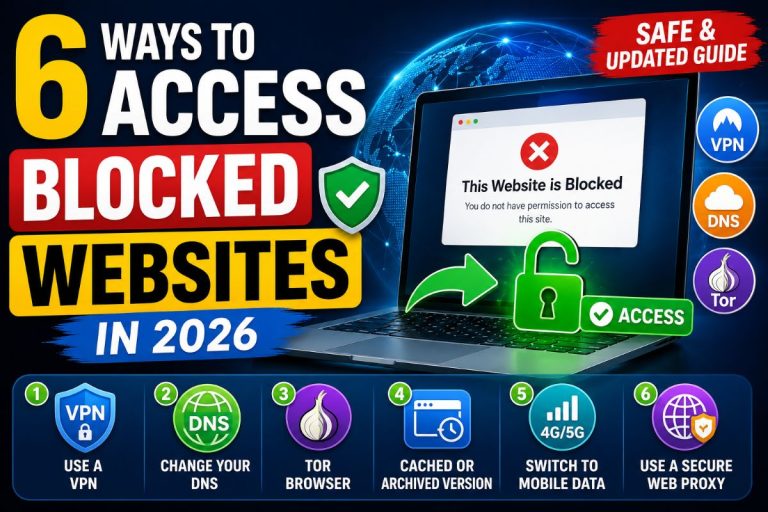
6 Safe Ways to Access Blocked Websites in 2026

Sometimes you may find that a website works perfectly for others but refuses to open on your device or network. This usually happens because the website has been blocked by your school, office, Internet Service Provider (ISP), or regional government regulations.

Fortunately, there are several legitimate ways to access blocked websites depending on why the site is unavailable. This guide explains the safest and most effective methods that still work.

Disclaimer: Always respect your country’s laws and your organization’s policies. This article is intended for educational and legitimate privacy purposes only.

Why Are Websites Blocked?

A website may become inaccessible for several reasons:

  • Government restrictions
  • School or college network policies
  • Office firewall rules
  • ISP-level DNS blocking
  • Regional licensing restrictions
  • Temporary server outages
  • Incorrect DNS configuration
  • Geographic content limitations

Before trying any solution, make sure the website isn’t simply down for everyone by checking an online website status checker.

6 Safe Ways to Access Blocked Websites

1. Use a Trusted VPN Service

A Virtual Private Network (VPN) encrypts your internet traffic and routes it through a secure server in another location. This is the most reliable method for accessing websites blocked by local network restrictions.

Benefits

  • Encrypts your internet connection
  • Protects your privacy on public Wi-Fi
  • Bypasses many network restrictions
  • Hides your IP address

Popular VPN Providers

  • Proton VPN
  • Mullvad
  • NordVPN
  • Surfshark
  • ExpressVPN

Avoid unknown free VPN apps, as many collect browsing data or inject advertisements.

2. Change Your DNS Server

Sometimes your ISP blocks websites only through DNS filtering. Switching to a secure public DNS service can solve the problem.

Popular DNS providers include:

Google DNS

  • 8.8.8.8
  • 8.8.4.4

Cloudflare DNS

  • 1.1.1.1
  • 1.0.0.1

Quad9

  • 9.9.9.9

Many operating systems now also support DNS over HTTPS (DoH) and DNS over TLS (DoT), which encrypt DNS requests for additional privacy.

3. Try Tor Browser

Tor Browser routes your connection through multiple encrypted relays, making it much harder to track your browsing activity.

It is useful when:

  • Privacy is important
  • A website is blocked on your network
  • You need anonymous browsing

Keep in mind that Tor may be slower than a normal internet connection because traffic passes through multiple volunteer-operated servers.

4. Use the Website’s Cached or Archived Version

If a website is temporarily unavailable or blocked, you may still be able to read its content through cached or archived copies.

Useful options include:

  • Search engine cached pages
  • Internet Archive (Wayback Machine)

This method is ideal when you only need to read information rather than interact with the website.

5. Switch to Mobile Data

Sometimes only your current Wi-Fi network blocks access.

Try:

  • Mobile hotspot
  • 4G or 5G connection
  • Another Wi-Fi network

If the website opens on mobile data but not on your office or school network, the restriction is likely network-specific.

6. Use a Secure Web Proxy (When Appropriate)

Web proxies load websites through another server. They can help bypass basic restrictions without installing software.

However:

  • Many free proxies are unreliable.
  • Some inject ads or track users.
  • They usually provide less security than a VPN.

Only use trusted proxy services and avoid entering passwords or financial information while connected through an unknown proxy.

What Doesn’t Work as Well Anymore?

Several older techniques are no longer reliable because websites and browsers have become more secure.

These include:

  • Using only an IP address instead of a domain name
  • Google Translate proxy tricks
  • Browser cache hacks
  • Public anonymous proxy lists
  • HTTP-only proxy websites

Modern websites rely on HTTPS, making many of these older methods ineffective.

Tips to Stay Safe

Whenever you’re trying to access a blocked website:

  • Keep your browser updated.
  • Enable HTTPS whenever possible.
  • Use a trusted VPN instead of random proxy websites.
  • Avoid downloading unknown software.
  • Never enter passwords on suspicious websites.
  • Use antivirus protection and two-factor authentication.

Frequently Asked Questions

Is using a VPN legal?

In many countries, VPNs are completely legal. However, laws vary by region, so check your local regulations before using one.

Can changing DNS unblock every website?

No. DNS changes only help when the restriction is DNS-based. If the website is blocked through a firewall or deep packet inspection (DPI), a VPN may be required.

Is Tor better than a VPN?

Tor offers stronger anonymity, while VPNs generally provide better speed and usability. The right choice depends on your needs.

Are free proxies safe?

Most free proxy websites are not recommended because they may log browsing activity or inject advertisements. Trusted VPN services usually offer much better security.

Final Thoughts

Website restrictions are becoming more sophisticated in 2026, but legitimate privacy tools continue to evolve as well. For most users, using a reputable VPN, switching to a secure DNS provider, or trying a different network are the safest and most effective solutions.

Always choose legal and secure methods, protect your personal information, and avoid untrusted proxy services.