Home Blog Page 51

DreamHost Discount Coupon: $30 Off

DreamHost – World’s best and most popular Web Hosting Company.There services are Web Hosting Service, Cloud Computing Service, Cloud Storage Service, Domain Name Registrar, VPS Services, Dedicated Services.

Dreamhost coupon
Dreamhost Hosting Since 1997. Dreamhost Offers many Services in their hosting plans.  Shared hosting is an ideal solution for bloggers and small businesses. You will get $30 Discount with our coupon code and also you get free domain registration.
SignUp Today and Get $30 Off Use Coupon: THDREAM30
Why we recommend Dreamhost?:
Unlimited hosting and Unlimited storage from Dreamhost
Unlimited Bandwidth
Unlimited MySql databases
Unlimited email accounts
Free Domain Registration
Unlimited domains and subdomains
SSH access
Discount coupons
If You want to purchase hosting from Dreamhost. Then its a best deal for you. You can get $30 discount on their Hosting Plan. Yes we give you a coupon code. Bellow is the DreamHost Coupon Code. Click on Coupon to copy and open link.
[drpcoupon name=”DreamHost $30″ exclude=”name,expiration,description,rss”]
You need to use this Coupon code on Dreamhost to get $30 Off.
Hostgator Discount Coupon
 How To Use DreamHost Coupon and Get $30 Off:
Go to Official Dreamhost Website.
Just Click On SignUp Button.


See bellow in screenshot.dreamhost1
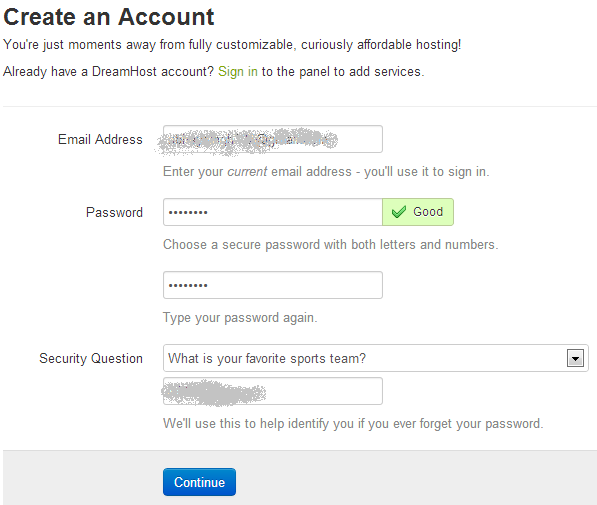
After Filling all the information. Click on Continue Button. You will redirect to Configure a domain name page.

Here you can register your domain for free of cost with your hosting price. Do not need to pay for domain name.
After selecting Domain Simply Click on Continue.
In Next Step you need to choose hosting plans. Choose hosting plan and continue.
Now you are in the last step Review and Finalize. Here fill All the information.
Here you see an Option Special Offers. In Promo Code Simply Enter THDREAM30.
Now fill payment details and complete your Order.
Thats It.
Top 5 Best Free Online Photo Editing Tools

In internet lot of photo editing software are available and lot of online photo editing services also available.But which one is best and which one is free?
To edit images offline we have some popular software like adobe Photoshop,Gimp and paint.net etc.In these some are commercial and some of them are available for free.If you are not willing to buy these paid versions you can try online photo editing websites with full of features. Here I’m going to show you top 5 best photo editing online tools.

Also Read: 5 Best Free Audio Editor Tools

1). Pixlr

Pixlr is the most popular image editing service in the internet and it gives wide range of features.It is available in 3 different formats.

  • Pixlr Express
  • Pixlr Editor
  • Pixlr-o-maticpixlr editor

Each service have its own functions and different from one another. Pixlr express gives some basic functions like image borders,overlay effects and some other cool functions.Pixlr editor is the full functional service which allows you to edit your images with several effects and it supports layers like adobe Photoshop and other standalone image editors.Pixlr-o-matic is different from other 2 services,it gives two choices to upload image and after that it applies several effects to your image.

2). Picmonkey

Picmonkey is an online image editing service which allows you to edit your images with some cool effects.This web service is simple and metro user interface,all options are placed on the home page. Simple and easy to use interface. It offers wide range options like textures,themes,overlay effects etc. It also gives lot of beautiful backgrounds to apply as background for your image.

picmonkey thumb%25255B1%25255D

3.) Pixenate

Pixenate is a simple tool with a certain features and all are available at the left side pane on the homepage. The process of image uploading and editing is very simple with all automated tools. You can save the image after applying all effects.

Features:

  1. It gives all common and basic features Some fun effects are available along with normal tools.
  2. You can apply some funny effects on your friends images with bunny ear effects.
  3. Red eye removal and image enhancement tools are available.
  4. Fill light option is useful to give some more brightness to images.

4.) Ipiccy

Ipiccy is the popular image editing service which requires no registration and it gives high end features to edit your image.

Features:

  1. It gives lot of image editing options which are not available in most of the image editing services.
  2. Each option has several in built options and all are available for free.
  3. You can upload your image in several ways like direct image upload,upload using webcam and import from image sharing websites.
  4. It offers basic sketches to soften images and inbuilt image editor is looks like standalone application.
  5. You can apply borders and textures to the images and finally save the image in two formats.These all for free and requires no registration. ipiccy%252520image%252520editor thumb%25255B1%25255D

2). Fotoflexer

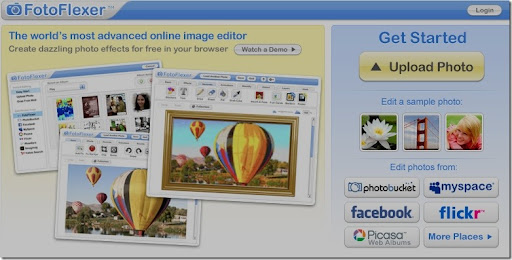
Fotoflexer is the powerful online image editing service with its automated features and easy to use navigation while editing the image.There is no other service can give these type of features and functions.

Features:

  1. Resize images using smart resize option Image morphing option is also available
  2. No of animations,special effects,stickers are available You can flip image in several directions and red eye removal tool is exists in the tool set.
  3. This service is highly integrated with several image uploading services like photobucket,Flickr etc.So you can import and export your pictures easily. After adding all effects you can download the picture by clicking on save button. 

Top 5 Best VPN Softwares to Securely Browse Internet

0

VPN (virtual private network) is a private network that uses a public network (usually the Internet) to connect remote sites or users together. The VPN uses “virtual” connections routed through the Internet from the business’s private network to the remote site or employee. By using a VPN, businesses ensure security anyone intercepting the encrypted data can’t read it.VPN services are now widely used to bypass Internet censorship. Using a VPN you can get access to location-restricted websites like thepiratebay. Below is the list of some Best Free VPN Software To Securely Browse Internet

1). proXPN

proxpn

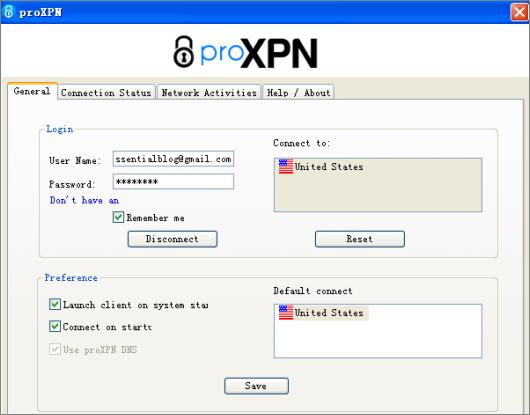
The VPN software ProXPN is workable for Windows and Mac computers. proXPN is a personal VPN that provides you safety and privacy while using the Internet. Free proXPN VPN accounts comes with the some restrictions. Free VPN accounts bandwidth speeds are limited to 100 Kbps and all ports except standard web browsing is restricted. This VPN service is particularly useful for casual browsing in Wi-Fi hotspots and other untrusted locations. If you need more, you can obviously upgrade to their premium VPN services.

2). SecurityKiss

Read How to change IP with SecurityKiss Tunnel Step by Step guide

3).  HideIP

HideIPVPN provides an encrypted tunnel between your computer and our servers across the United States, Canada and Europe. As you probably know by now, “Your IP is Your ID”.

With our Premium VPN your IP address is hidden and your data is safe. The only IP addresses seen by the outside world while browsing with HideIPVPN are those of our servers. This also allows you to view websites you otherwise can’t, such as Facebook, Youtube, Pandora, Skype, Hulu, and the BBC Player.With HideIPVPN your ISP is not able to monitor and control your online communications and browsing activity.

All traffic is encrypted and no website URLs, videos, e-mails or downloads are seen by your ISP.To sum up, a Premium VPN (HideIPVPN) is capable of protecting you while browsing the Internet and also allows you to unblock geo-restricted websites.

4). ExpatShieldExpat-Shield

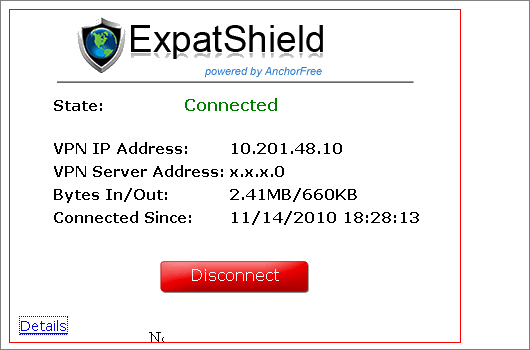
Like Hotspot Shield, ExpatShield is also a free VPN software offers unlimited bandwidth with ads and supports multiple languages.

But ExpatShield is only workable for Windows computer system.

5). LogMeIn Hamachi

logmein logo

LogMeIn Hamachi rank second in our list of Best Free VPN Software To Securely Browse Internet. It is a hosted VPN service that securely connects devices and networks, extending LAN-like network connectivity to mobile users, distributed teams and business applications. You can easily create secure virtual networks on demand, across public and private networks.

Hamachi is managed and maintained from anywhere via the web, securely.

Disadvantages of Free Web Hosting

0
free hosting

Many people are wondering paid web hosting even exists when there is a free one.

Who would buy it, if you just can get a free one with a few clicks of your mouse? The answer of this question has much in common with the saying there is now free lunch. If we have to put this in other words, paying for a certain service guarantees you that you get high quality. This is exactly why you can expect some problems when using free web hosting for your website.

Also Read: How to Choose the Best Web Hosting?

Here is a list with the main disadvantages of free web hosting:

Speed:

If you want your website to have a better speed, then you must pay for it. When your hosting provider has a lot of customers, they share the resources of the server – they share computational time, disk space and speed of data delivery that has once been calculated.

The more customers a hosting provider has, the fewer resources remain for each one of them. Of course, a bigger part of the resources is intended for the customers why pay for the web hosting, which makes things worse for the ones who have chosen the free service.

Support, reliability and access speed:

This is something extremely important. A website that constantly has some problems and does not work properly repel many of your customers and users. Once someone finds your website through a certain search engine and tries to enter it, but sees that the website is not working properly, they will proceed to the next one. In addition, slow access speed can be pretty annoying for users.

If a certain problem occurs with the service, the aid that you can expect from the company that provides the free hosting service tends to zero. Of course, that is not always true, but you must be prepared for such situations.

Unfortunately, free web hosting does not guarantee any uptime (the time during which your website will be accessible to the world). How would you feel if one day your website just disappear? You can not take the backup of your data, the website is simply not there, and the maintenance is not responding – this may happen any time if you have chosen free web hosting service. And the worst part is that you can’t know when your website may disappear due to malfunction of the hosting.

Advertising:

Most free web hosting providers make the advertising in your website mandatory. Of course, this is done in order help them cover their costs for free hard disk space and the other services they provide you with. That is the reason why some free web hosting providers require you to place banner ads on the pages of your website.

Others put some pop-up ads that appear each time you load a page, and third require you to put a framed ad on a certain place of your website pages. So, whichever method you use, make sure that you agree with it.

The amount of free space:

Do you have enough free space for your needs? If you want to expand your website later, then it is better to take care of such a future expansion. Most websites use less than 5MB of Internet space. Remember that your needs will vary depending on how many photos and other media you are planning to upload on the web pages.

Limit of file types and their size:

You need to be careful when choosing your free web hosting service, because some hosting providers have a maximum size of files that you are upload. On the other hand, there are others, who put some limitations on the file types that you can upload. So, if you need to upload a specific type of file on your website, you will probably have to look for another hosting provider.

How to check and Block Low RPM Ad Networks in Adsense

    1

    Google Adsense is one of the populer advertising network for monetizing blog content. Every type of bloggers use adsense. and Adsense is the single monetizing solution for some newbie bloggers. Many adsense publishers don’t know about this trick. So If you feel AdSense RPM (Revenue per thousand impressions) for your blog is not as good as before, Don’t sad. AdSense has allowed other ad networks to bid for ad inventories, specially interest based ads, so many of them run their ads on your blog even you have not signed up for them. You will find over 1000 certified ad networks, Google automatically allows all of them to advertise on your site .

    I don’t recommend to block all certified ad networks, but you should check which have low RPM and you can block them.

    Also Read: How to display more than 3 AdSense ad in Single page

    adsense low rpm

    How to Find Low RPM networks?

    (1) Login to Google AdSense
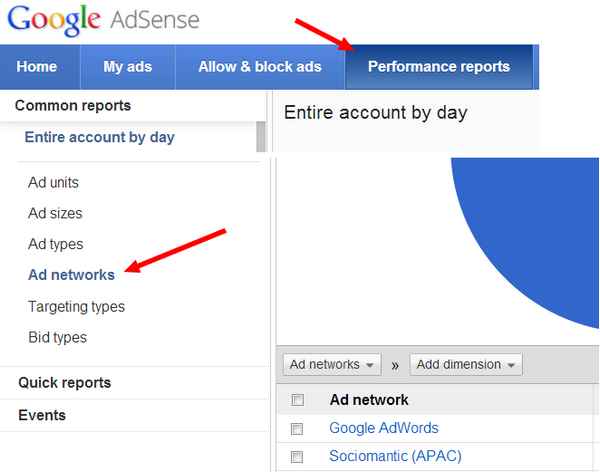
    (2) Click on Performance reports, at last in top navigation menu.
    (3) In left navigation menu Common Reports section has three sub sections, in third section Click on Ad Networks.

    In this area you will find all the ad networks and their RPM rate, this area also has other information as CPC, CTR, Ad requests, Clicks and estimated earnings.
    Here you have to find out and note down them all, their RPM can be as low as 0.04 or 0.06.

    How to block Low RPM Ad networks?

    You already have a list, So you just have to block them.
    (1) Go to Allow & Block Ads, just before Performance Reports on top menu.
    (2) This section has another navigation below the top navigation, here click on Ad Networks.
    (3) Look for search box in right side of the area. Now search for a low RPM ad network and block it by clicking on allowed.
    (4) You have to repeat the third step for each ad low RPM ad network.

    That’s It. Share your views.