Home Blog Page 22

17 Proven Ways to Make Money with WordPress

5

As WordPress is the most popular CMS in the market, there are lots of opportunities to make money with it.

Obviously, you can make money by offering WordPress development services to the needy but they are not the only ways to make money.
In fact, you don’t necessarily need to be a WordPress developer in order to make a living with it.

In this post, I’ll share 17 different ways to make money with WordPress both as a developer and non-developer. Along with the tips, I’ll also include some real examples of making money with WordPress, so you can learn from them and get inspired from them.
So if you’re eager to make money with WordPress, let’s get started without any delay.

#1. Become an affiliate marketer

Selling WordPress products as an affiliate can be a great strategy to make money online if you’ve got a blog or an email list with a massive audience. The main benefit is that unlike creating products you don’t actually need to put a lot of efforts in it in order to start making affiliate sales.
For example, Abhay writes reviews of WordPress products in this blog. It is one of the best examples of making money through affiliate marketing.

#2. Sell plugins

If you’re a WordPress plugin developer, you can start making money by selling your plugins on marketplaces such as CodeCanyon.net. You can try to solve your own WordPress issues by creating a plugin. Chances are there will be lots of others facing the same problem as of yours. You can start selling it to them, so the whole WordPress community can also make use of your plugin.pippins
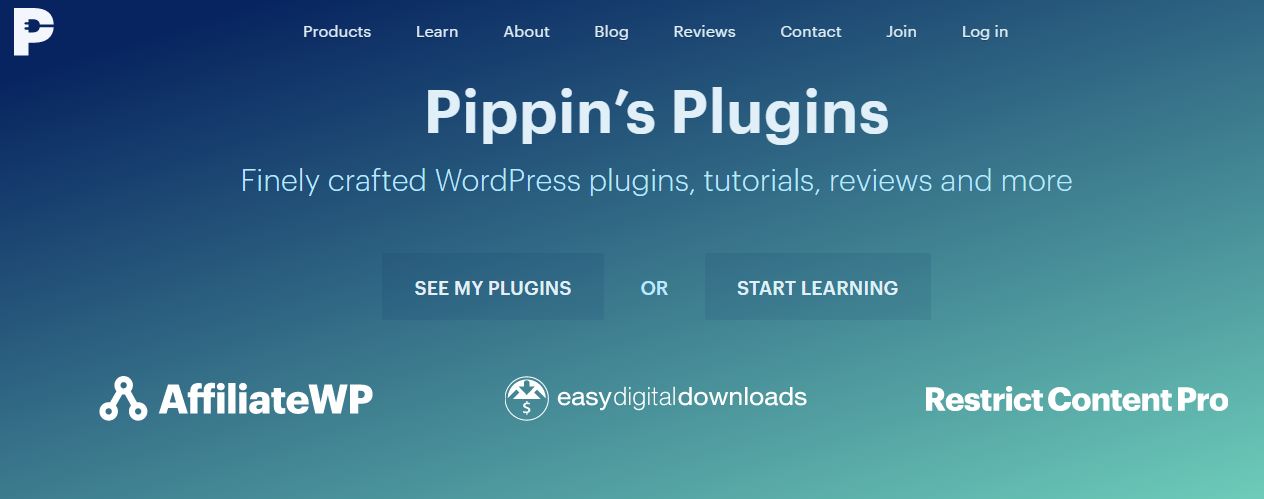
Pippinsplugin is a great example of self hosted selling of plugins if you’re looking for inspiration. In fact, he is also one amongst the official WordPress plugin review themes and the author of well-known plugins like Easy Digital Downloads and Restrict Content Pro.

#3. Sell themes

If you’re a WordPress theme developer, one of the best ways to make money online is by selling premium WordPress themes. Unlike offering a service, selling themes help you make a steady passive online income. You can either sell it on marketplaces such as Themeforest.net or on your own website.
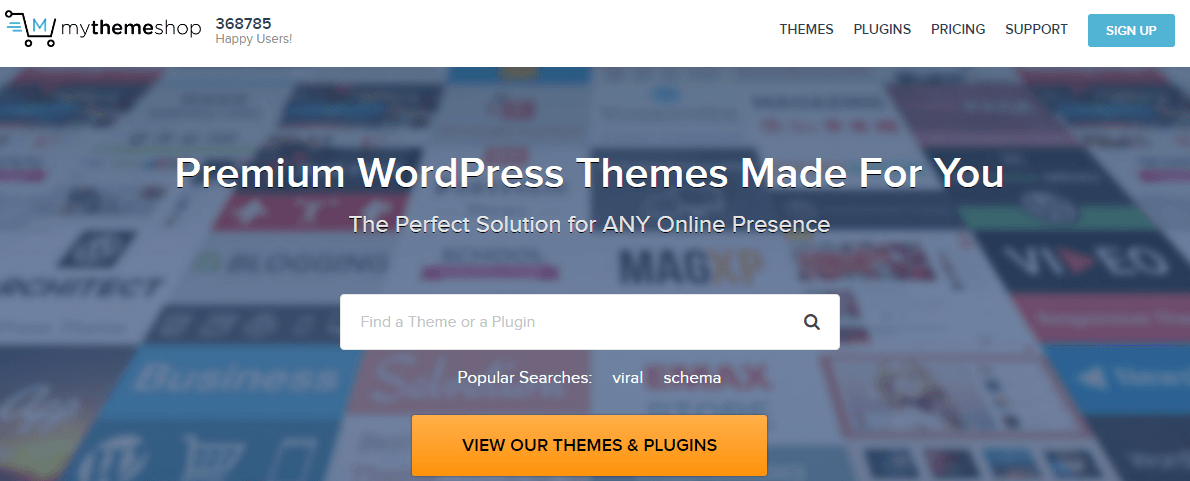
mythemeshop

If you’re looking for inspiration, here is an example of self hosted selling of WordPress themes.

#4. Accept donation

You don’t necessarily need to produce a premium product in order to make money. If you’re giving away free WordPress theme or plugin from your website, you can start making money by accepting donations from the free users.

If you’re on WordPress, you can find lots of WordPress plugins that accept donations. All you need to do is to install one of them on your blog and start accepting donations.

#5. Write a sponsored review for WordPress products

johnchow

If you have got a WordPress blog with a significantly good amount of audience, you can start accepting sponsored review on your blog. You can invite WordPress theme or plugin developers, which can be a win-win situation for both you and the developers. You are making money by writing a review and the developers gain exposure and increase brand awareness for their products from your review.

#6. Review a WordPress product honestly
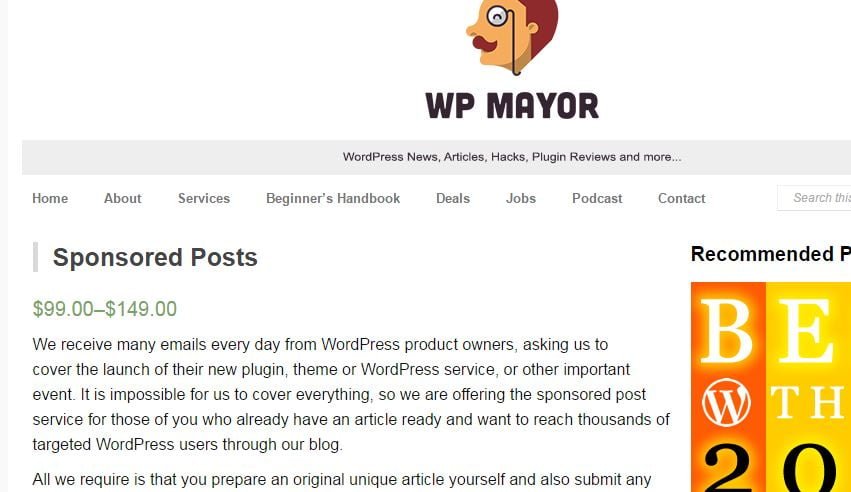
wpmayor

WP Mayor’s product analysis is one of the best examples of earning money by reviewing a product. As they’re WordPress experts, they give an honest opinion about a product by reviewing it. If you’re a WordPress developer, offering an honest review can help you to make you some extra bucks.

#7. WordPress website Migration services

Offering WordPress migration service to your clients is another great strategy to make money online. Best of all, you don’t need to become a developer to start migrating a website. You can help your clients to move their site from free WordPress.com site to self hosted WordPress or from Blogger to WordPress, etc.

#8. Become a WordPress intern

Automattic, the company behind WordPress.com occasionally accepts internship applications. If you would like to become an intern on Automattic, make sure to check their internship page.

#9. WordPress coaching

Offering WordPress coaching is another way to make a decent income with WordPress. For example, Kathy Drewien makes a full-time income by offering WordPress coaching to her students.

#10. Seed funding

Do you have an idea for ‘the next big thing’ in the WordPress industry? Then, why not to accept seed funding for developing your groundbreaking product?
If you’re new to the term seed fund, it is the earliest round of capital for a startup company. A few months ago VersionPress, a premium plugin company has raised $400k in seed funding.

#11. Offer free WordPress service for an affiliate sale
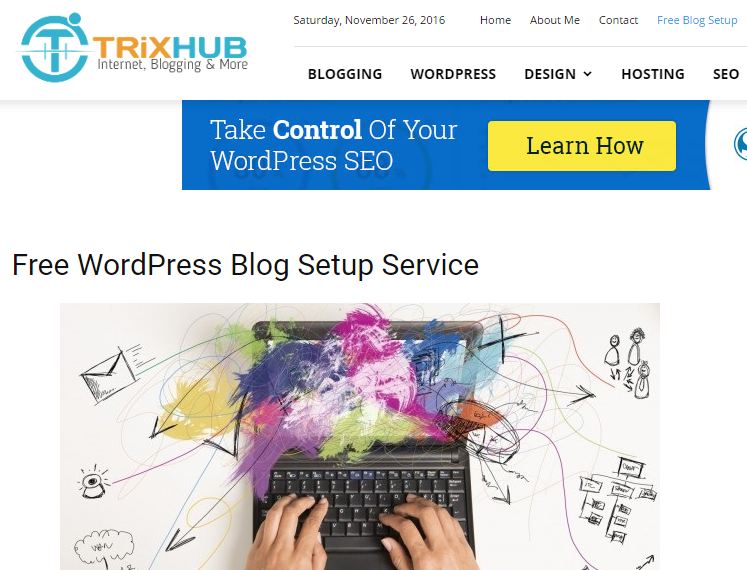
trixhub

Many websites are offering free WordPress service to their visitors if they make an affiliate sale on their website. For instance, at TrixHub, Abhay offers free WordPress blog setup if users purchase a WordPress hosting using his affiliate link.

#12. Offer your service on OptimizePress.com

OptimizePress is one of the best landing page plugins out there. Although it helps you to easily build a landing page without having any designing skills, many bloggers and businesses are still seeking experts’ assistance to create a landing page using the plugin. If you’re good at using OptimizePress, you can become an official vendor on OptimizePress.com and start offering your services.

#13. Sell OptimizePress templates

OptimizePress.com also encourages you to create a premium landing page template and sell it on their marketplace. You can sell templates, icon sets, photography& images, and plugins& add-ons on OptimizePress marketplace.

#14. Become a WordPress based freelancer

If you’re a developer or a designer, you can start offering your services on various freelancing sites such as Upwork.com or Freelancer.com. Alternatively, you can list your WordPress services on service marketplaces like Fiverr.com or Enavto Studio

#15. Write premium WordPress tutorials on Tuts+

If you’re a WordPress expert, you can share your expertise with the world and make money from it. If you can write some valuable WordPress tutorials you would like to share, you can become a premium author on Tuts+ website. You can apply to create a premium WordPress tutorial here.

#16. Make money using WordAds

If you’re a blogger on the free WordPress.com platform, you can monetize your site by selling ads. WordAds is a program for WordPress.com based blogs. A few months ago, they start accepting self-hosted WordPress websites as well to their network. If you’ve never heard of monetizing WordAds, it’s worth a look.

#17. Upsell your WordPress services or add-ons

Upselling is one of my favorite tactics to earn extra money. If you’re hired to create a WordPress theme for a client, you can encourage them to buy a WordPress hosting using your affiliate link, which will bring in some extra money to your table. Aside from making affiliate sales, you can even sell your own services through upselling. For example, if you design logos as well, you can convince your client to hire you for designing it as well.


Over to you

Do you make money with WordPress? Did you know any other ways to make extra income with WordPress? Which one is your favorite money making tactic from the list?
Share your thoughts and experiences with us in the comments section below.

About the author: Shahzad Saeed is a freelance blogger for hire. He writes on WordPress and marketing topics. Follow him on Twitter @shahzadsaeed

7 Benefits Of WordPress Web Development That You Cannot Ignore

2

Before developing a website, choosing the perfect platform to start the development with is the first crucial step for stepping into the online world. There are many advantages of a responsive WordPress websites like rapid development of websites, reaching a larger audience, the SEO functionality, keep the pulse on the latest trends in web development.

Whether you have a small scale business or a bigger organization or a webmaster looking for the perfect way to kick start your online venture and considering of ways to keep your website and business at the top expanding your span of clientele and increasing the conversion rates, then WordPress Web Development should be your priority.

Why should you consider having a WordPress website?

Developing a WordPress site is quite easy and feasible. If you are not familiar with the technical jargon of don’t belong a technical background, even then you can easily operate WordPress and come up with a site on your own. And not that only, you can easily setup, manage, modify and manage your site without any external support.

Let’s look at some of the facts about WordPress:

  • WordPress almost powers 43% of the entire websites
  • 75 million sites depend on it
  • There are more than 100,000 plugins
  • There are 37 million searches for keywords per month.

A reliable WordPress website provides some rich functionality for the users enhancing the user experience and extending your services and products to users. Web Development includes the outlook of the site, its design, functionality, application programming interface (APIs) and UI/UX. WordPress site has an edge over others as its application can be easily integrated with social media and can be extended through the APIs. It’s simplicity and usability are what make it the most popular Content Management System (CMS). It is free and open source plus has larger communities of developers. WordPress web development is the ideal choice for starting the development because of its flexibility, customizable themes, plugins and cross-platform compatibility.

Benefits Of WordPress Web Development

1. Massive community: WordPress has larger communities of developers that share their codes, thoughts with each other. Millions of people use this platform and if you stumbled upon any difficulty or problem, you can easily turn to these communities. WordPress is continuously improving as these groups include administrators, developers, users and individuals who add something to the table and you can easily approach them for doubts, queries, design and support. You can easily share with other users around the world.

2. Simple to use: It is highly scalable and easy to use. You can easily modify your site like adding removing web pages, customizing themes, add unlimited images, blog posts etc. There are tools for customizing themes. For changing the color and theme you don’t have to ask for any external assistance as you can easily change the website’s look within a short span of time.

3. No FTP/HTML editing: WordPress is quite easy to use as you need to have the basic understanding of programming languages like HTML, PHP and CSS. Even if you don’t know you will be able to use it. It is self-contained and doesn’t need HTML or CSS or editing softwares like Dreamweaver. You can easily upload and edit blog posts, images, themes, texts etc.

4. Plugins for additional features: plugins enhances the performance of your site without writing a single line of code. You can have all the functionality of a conventional HTML site. You can have social media feed, analysis of your site, SEO of the site. All these plugins are free or available at a nominal price.

5. Search engine-friendly: WordPress sites are search engine friendly because the code is simple and can easily be indexed by search engine crawlers making them readable. The moment you post anything new on your WordPress site, it instantly generates it very own URL. You can customize these URLs and can use your own keywords making your site to rank better among other websites. Thereby, users will easily access your site.

6. Multiple Users: With WordPress, it is possible to have multiple access to the website i.e. you can set up multiple users for the website and administrator. You can also assign the different levels of access and authority for the multiple users.

7. Built-in features: It started as a blogging platform but soon became popular because of its rich functionality and advanced capabilities. All the functions of WordPress can easily be integrated with browsers and frameworks accordingly. You can enable or disable comments section in your site and can set up email subscriptions for your content. All the things are very simple to set up. This will be very beneficial to your business as you can easily reach to maximum users, hence, it is the ideal solution for making your site more interactive, efficient and robust.

Concluding note:

You can have your in-house web development team or can outsource it to a WordPress web development company. Either way, you have to develop a website for your website to be at the top and to withstand the competitive market.


Author Name – Jessica Alba

Author Bio: – Jessica Alba is an ed-tech enthusiast and has been associated with CWS Technology as a writer for more than 5 Years. CWS is the leading web development company that also provides android, iPhone, WordPress Development services and other IT solutions. Jessica has a passion for writing on emerging technologies like application management outsourcing, consulting, system integration etc.

How to Build a SEO Friendly Website For Great Result

What is SEO:

Search engine optimization (SEO) is the process of affecting the visibility of a website or a web page in a web search engine’s unpaid results—often referred to as “natural”, “organic”, or “earned” results. In general, the earlier (or higher ranked on the search results page), and more frequently a site appears in the search results list, the more visitors it will receive from the search engine’s users, and these visitors can be converted into customers.

SEO may target different kinds of search, including image search, local search, video search, academic search, news search and industry-specific vertical search engines.

As an Internet marketing strategy, SEO considers how search engines work, what people search for, the actual search terms or keywords typed into search engines and which search engines are preferred by their targeted audience. Optimizing a website may involve editing its content, HTML and associated coding to both increase its relevance to specific keywords and to remove barriers to the indexing activities of search engines. Promoting a site to increase the number of backlinks, or inbound links, is another SEO tactic. As of May 2015, mobile search has finally surpassed desktop search. Google is developing and pushing mobile search as the future in all of its products and many brands are beginning to take a different approach to their internet strategies

Why you need SEO:

Building a strong site architecture and providing clear navigation will help search engines index your site quickly and easily. This will also, more importantly, provide visitors with a good experience of using your site and encourage repeat visits.

It’s worth considering that Google is increasingly paying attention to user experience.

When it comes to how much traffic is driven by search engines to your website, the percentage is substantial, and perhaps the clearest indicator of the importance of SEO

How to Build a SEO Friendly Website

One of the most critical errors businesses make is ignoring SEO in the initial web design process.

Here I will tell you how you build a SEO Friendly Website.

Step 1: Domain Registration

Ideally, a good domain name will be short, and contain some relevant keywords for your business. At this late stage in the domain registration game, if you aren’t willing to pony up a good amount of cash for a domain name, this is unlikely.

Step 2: Website Planning

And next comes an important part of the implementation process – the website planning itself. From top to bottom, SEO must be kept in mind, or the website will face some long term problems that may be difficult to repair.

Step 3: Website Rollout

There’s more to the initial design process than just the on-page design. How you roll out your SEO campaign can be a strong impact on how quickly you rank in the SERPs, and a mismanaged implementation can mean a four or five month process of getting your site seen as trusted in the search engines.

[Infographic] WordPress.Org Vs WordPress.com Differences Explained

0

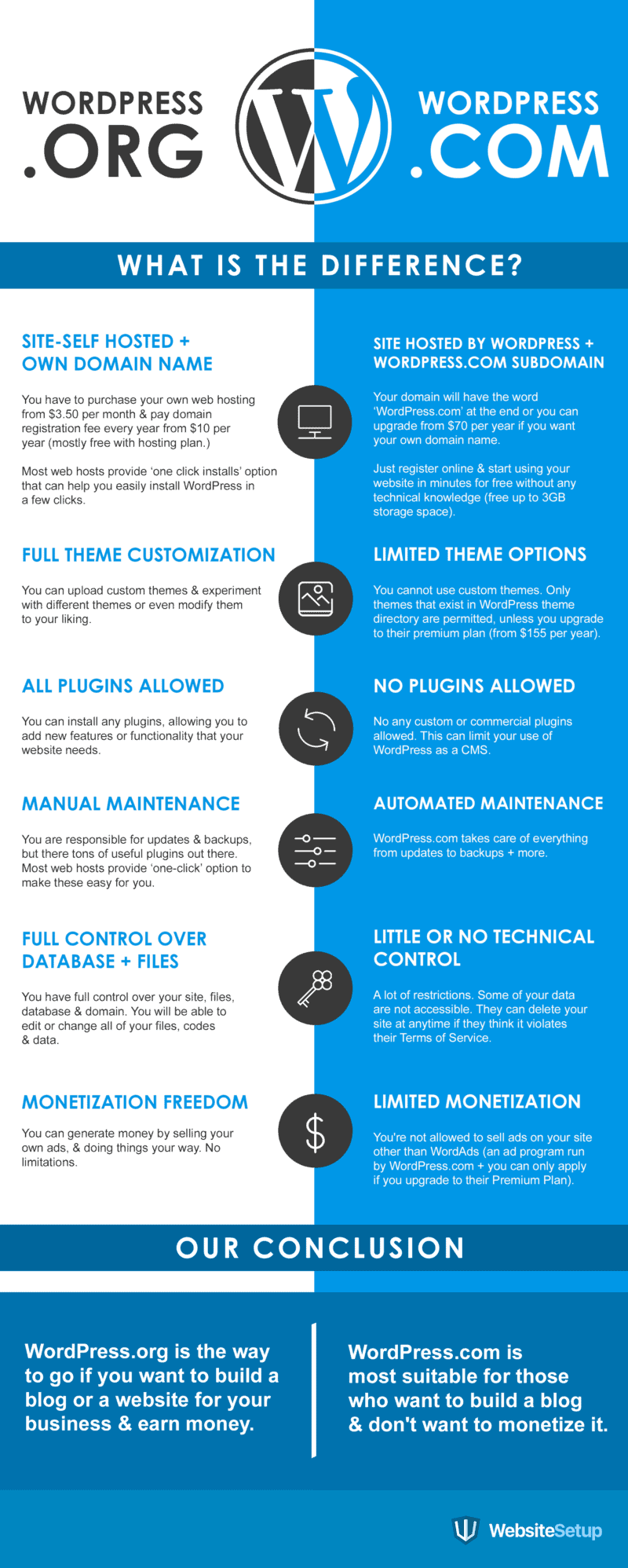
Planning to put together a WordPress website for your new venture is one but what’s even important is to make a wise and well informed decision.

Sure you know your business limitations and how smartly can you classify budget allocation. Also the manpower you hold or wish to engage; however choosing between WordPress.com and WordPress.org can certainly be challenging.

Are you ready for that self hosting or wish things to be done for you? Are you really finicky about accessorizing your website all the time by adding plugins and creative themes?

Do you love playing with servers and sites or need a dedicated site administrator with all the expertise?

Consider these aspects well before you decide to go with one.

The following infographic would make your life a little easier by highlighting some of the key differences between the two –

WordPressCom vs WordPressOrg

Author:

This WordPress.Org Vs WordPress.com Infographic explained by Peggy Morgan. He is a WordPress Expert and running websitesetup.

org

iPhone 7 Launched: All the Features, Specifications, Technical Things & Price

0

Hello guys, Today o 7th September 2016 much awaited iPhone 7 and iPhone 7 plus Revealed in San Francisco. thereby making all the geeks super-happy. Having a sleek and jet black stainless steel body, this iPhone is sure to enhance the style statement.

This time I’m also going for iPhone 7 Plus, Waiting for launch in India. We will publish review of iPhone 7 here once iPhone come into my hand. So wait guys. And here read all the details about Apple iPhone 7 and 7 plus.

Design and Colors:

The latest iPhone models comes with a new design, doing away with the antenna lines at the back, and they will be available in two new colours: (matte) black, jet (glossy) black, in addition to gold, silver, and rose gold, seen earlier. The iPhone 7 and iPhone 7 Plus also feature a redesigned home button which is now solid-state and force-sensitive. It uses Taptic vibrations instead of a physical click, just like the trackpad on the latest MacBook and MacBook Pro models. Apple has also added IP67 water and dust resistance, a first for the iPhone series.

Memory:

There have always been loads of complaints from users that 16 GB capacity is not enough. Well, Apple has taken care of this complaint and has increased its base storage to 32 GB. Apple has also doubled the storage variant on other models, with 128GB and 256GB models now rounding up the lineup.

Camera:

There are camera improvements, with the iPhone 7 also getting optical image stabilisation (OIS). There’s a new 6-element f/1.8 aperture lens with 12-megapixel sensor and quad-LED with True Tone Flash. A new 7-megapixel front camera is included as well. The newest iPhone models come with a new image processing engine, which, Apple claims, delivers better, faster pictures.

Display & Processor:

The new iPhone models comes with a 25 percent brighter display with a wider colour gamut and improved colour management. The iPhone 7 and iPhone 7 Plus are powered by a new A10 Fusion 64-bit quad core chip, which is 40 percent faster than the A9, and more power efficient, which means the new models have the “best battery life ever” on an iPhone.

No Headphone Jack:

Yes in iPhone 7, Apple eliminated headphone jack, but don’t worry Apple also introduced new AirPods for wireless audio experience, which will not be bundled with the iPhone models. They pair easily with your Apple devices, thanks to the W1 chip inside new Apple devices that’s used for wireless communication.

iphone-7-airpods

Price:

In the US, the iPhone 7 starts at $649 (approximately 43,000 INR) for the new 32GB entry-level variant, doing away with the 16GB model, while the iPhone 7 Plus start at $769 (approximately 51,000 INR) for same 32GB storage.

iPhone 7 Order:

Pre-orders open this Friday in select countries shown in the image below and the new iPhone models will ship in these regions on September 13.

iphone-shipment-countries

More Details available on Official Apple site, You can directly Go from Here