Home Blog Page 48

12 Things To Do Before Starting A New Blog

3

Are you Thinking to start a new blog. Without proper preparation it’s hard to perform well whether it’s exam or building an online business like blogging. So if you have decided to enter into this online world of blogging and decided to run your own blog then there are several thing which you should take proper care. So here in this post we’re going to discuss about some tips which will help any newbie to start their blogging carrier.starting a new blog

Read 12 Things To Do Before Starting A New Blog

1. Niche:

This is the first thing you need to choose, you should choose such a niche for which you are passionate and you are well familiar with. If you’re getting confused among two or three niche and can’t decide which one to go with then we would recommend you that niche which is more popular, have large number of audience and quite profitable too, such as technology,blogging,health,fashion,sports,celebrity news,review etc.

Also Read: Few Basic Tips for Newbie Bloggers: Must Read

2. Platform:

Next thing is to choose the platform you want to use for blogging purpose. We recommend you to use Self Hosted WordPress. We are also offering Free Blog Setup Service for Newbies. if you do want to blog with free platform then blogger is better for you. Here You can see 20 Best Professional Blogger Templates. There are also some other blogging platform out there like Ghost, Joomla, drupal,webs etc.

3. Domain Name:

Getting a good domain name is not an easy task. You need to invest time to find good domain name that suit your niche. We suggest you to use domain name suggestion tools. Good domain name with a top level extension like .com,.net or .org according to your niche will help your blog to boost visibility in the eyes of search engines.

4. Hosting:

If you choose self hosted wordpress blog then there are various hosting services out there, like Hostgator, Bluehost, You can also check Top 5 Best Web Hosting in 2014 (Cheapest and Reliable) but when it comes to blogger you don’t need to have any host cause blogger doesn’t permit you to hot your blog yourself.

5. Theme:

Next Thing is to choose theme for your blog. Choosing Theme is not easy task. I think After choosing domain name, Theme selection is the 2nd dificult task. You need to remeber multiples of thing while choosing theme like seo optimized, responsive, well coded, low loading time etc. You can download free wordpress themes from theme directory but we recommend you to use premium wordpress theme. Check Out Best Places to Buy Premium WordPress Themes. Blogger doesn’t provide so large ranges of templates like them but you can get templates for blogger in various sites. Here are some Best Professional Blogger Templates.

6. Tagline:

A tag line is really important for any blog as it represents the blog niche. Tag line not only helps you create a slogan but also helps you represent your blog in online sphere with more confidence too.

 You should turn your readership into leads and your leads into customers creating an effective tagline for your blog.

7. Plugin:

If you’ve decided to build your blog on WordPress then you should take advantages of some plugins. WordPress is more popular because of its millions of plugins. There are multiples of free and premium plugins are available in the internet. You need to install some must have plugins for your blog. Some such plugins are Akismet, Broken Link Checker, SEO by Yoast etc.

8. Content Strategy:

Without a content strategy, you cannot run your blog successfully. Before publishing a blog, you should come up with a solid content strategy. You should know what kind of information you will be sharing on your blog. If you are going to cover different topics on your blog, it is recommended to divide those topics in different days.

Many newbie bloggers post multiples of different post in same blog. Like jobs, health, tech, fashion articles in same blog. We recommend to separate all of them.

9. Link Building:

Before get started with your blog you should start link building with your fellow blogger by joining various social networking site community or by joining forum discussions.

10. Target Your Audience:

It is always important to target your audience before start your blog. That way this would be easy for you to serve post to your reader. Create Fanpages in Facebook and Google plus, And increase fan following.

11. Time:

Timing is also an important factor to start your blog. As we all know at the beginning of any blog we need to spend much more time to make it stand, so wait for proper time when you’re free to work onto your blog and then start your blog.

12. Store Well Amount Of Post:

Write and store well amount of post for your new blog so that when you start your blog you can regularly update your blog and get notice both by search engines as well as your blog readers.

So these are the some factor you need to concentrate while starting you new blog. If you do believe we missed any factor that you think should be added into this list,then feel free to mention in comment.

Did you know you are not allowed to disclose your Google AdSense earnings report?

    2

    Did you know that you are not allowed to share the AdSense income report, as per Google terms and conditions?

     Read this article to learn more about the AdSense policies regarding sharing your AdSense earnings and report.

    You may have seen several bloggers and webmasters proudly sharing their AdSense performance reports and statistics through social media and their websites.

    But as per their terms and conditions, AdSense publishers are not allowed to disclose click-through-rates and performance related statistics to others.

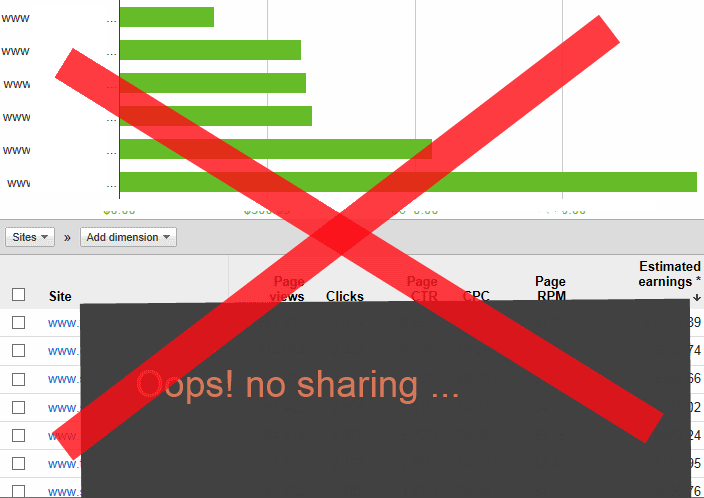
    It is a common misunderstanding among many bloggers that sharing AdSense earnings report in the form of screenshots are allowed by Google. Some publishers usually strike out or fade only the CTR and publish the remaining information. However, if you read the AdSense terms and conditions carefully, you will see that Google allows you to share only the “gross payments to you” and not the earnings/performance reports.

    no adsense report

    AdSense terms and policies regarding disclosure of earnings data

    Here is the relevant extract from the localized terms and conditions:

    9. Confidentiality
    You agree not to disclose Google Confidential Information without our prior written consent. “Google Confidential Information” includes: (a) all Google software, technology and documentation relating to the Services; (b) click-through rates or other statistics relating to Property performance as pertaining to the Services;
    …
    Notwithstanding this Section 9, you may accurately disclose the amount of Google’s gross payments resulting from your use of the Services. 

    AdSense terms and conditions explicitly states that click-through rates are considered to be confidential information and probably that is the reason many publishers fade out only that while sharing AdSense earnings data. However, it has to be noticed that “other statistics relating to Property performance” are also considered to be confidential and not to be disclosed, as per the policies. While a special emphasis is given for the CTR, the general statement “other statistics relating to Property performance” means anything under the “Performance Reports” in AdSense dashboard comes under confidential information. This means, you cannot disclose or share your estimated daily earnings, AdSense page views, clicks, CTR, CPC, RPM etc.

    It is better not to publish screenshots of your AdSense reports in any case. In case you really need to make such screenshots, make sure you do not include your AdSense login id, pub id, site names, urls or any other identifying information from it.

    However, since Google allows you to share the gross payments, it is perfectly okay to share screenshots of the payment cheques you receive from Google, even though I personally do not prefer doing that just because of privacy and security issues.

    Can Google disable your AdSense account for sharing your earnings

    Of course they can. If you violate any of the AdSense policies (and for many other reasons), Google can disable your AdSense account.

    However, I haven’t heard of any cases where Google warned or disabled any publishers for sharing their earnings data. However, if you depend on the AdSense income for living, it is a good idea to stay safe and avoid any violations of AdSense policies so that you can continue to enjoy your online income.

    Source: Techulator

    How to Make money From Freelancer.com

    If you have knowledge of anything like web designing,development, Logo designing, Internet marketing, SEO, Photo editing, writing, or anything else. You can start your work as a freelancer. If you don’t know about freelancer Then read What is Freelancing: Definition and Full Information.

    freelancer money

    About Freelancer.com

    Freelancer.com is one of the world’s largest freelancing site. They connect around 9,500,000 empployers and freelancers from over 247 countries. Through their marketplace people can hire freelancers who can complete their tasks. With Freelancer, users can make money online without paying any kind of registration fee or joining charges.

    How to Make Money from Freelancer.com ??

    2. Edit your profile, add your address, contact numbers and a real profile picture ( This is an important step as people will hire you only if your profile looks Great)
    3. Now time to edit your skills. You can add upto  20 skills and you can change 5 skills only in a month, so add and edit your skill carefully.
    For those who dont have any professional skills or those who wants to earn money fast select the following skills . 
     
    • From Writing & Content Tab select Editing, PDF, PowerPoint
    • From Data Entry & Admin Tab Excel, Data entry, Web search, Data Processing

    When you done adding your skills then you can receive projects in your mail related to your skills. Or you can also search projects on freelancer website.

    How It works ?

    People Post projects to get completed and freelancers(Means People like You) bid on the projects. The customer then selects a bid which he thinks is perfect for his project and hires the Freelancer.

    [box type=”shadow” align=”aligncenter” ]So You can stat bidding on projects. If the buyer likes your bid he will contact you via Freelancer chat and then Hire you. Always try to post great and unique message to buyer. So buyer accept your bid and hire you as a freelancer.[/box]
    SOME IMPORTANT TIPS 

    1. You get 1 bid every 24 hours, So use it carefully.
    2. Always bid the lowest amount ( example if the range of a project is 30$-250$, Bid 30$ )
    3. Always select minimum Milestone request.
    4. You cannot bid on some projects due to restrictions set up by the buyer/customer.

    Check Out Top 10 Most Popular Freelancing Websites

    3 Modern SEO Tricks to Get High Rank in Google

    Effective Search Engine Optimisation (SEO) can help your website appear at the top of a Search Engine Results Page (SERP). Appearing on the first page is key to drawing more organic traffic to your site, as you’ll be visible to more and more people this way. However, the specific SEO techniques that your business can use to rank high in search engine results are constantly changing. That’s why it’s key to stay abreast of the latest techniques to help you – and your business – keep ahead of the pack. If you’re serious about your SEO (and you should be) take note of the following 3 modern SEO tricks that can help your website soar to the top of the Google search results.

    SEO Perfect Company

    3 Modern SEO Techniques:

    1). Google Places.

    If your business is targeted towards local customers, then it pays to sign up to Google Places. After verifying that you’re the actual owner of your business, Google Places can do wonders for your SEO. Melbourne based companies, for example, can list their business with Google Places and have it rank higher on a SERP when someone in Melbourne searches for a product or service that your company offers. Indeed, there are many ways to improve your SEO, and contacting SEO experts Optimising can really fast-track your business to success. But if you have a brick-and-mortar-business, taking advantage of the power of Google Places is something anyone can do today to get more traffic to their website.

    2). Optimise for mobile devices.

    A lot of content these days is consumed on mobile devices such as the iPhone, Android-operated smartphones and the iPad. And so if your website is not optimised to be viewed on such devices, then it’s unlikely it will rank in mobile search results. Mobile users simply won’t be able to find your content. So make sure your website is responsive, and is readable no matter what device is used to visit your site. It’s likely that the use of smartphones and tablets to consume online content will increase in the coming years. And so it’s important that your website is ready for these types of visitors. Relating this back to the above, Google has found that 40 per cent of mobile searches have local intent. So users will be looking for your business on their phones, and it’s important that you allow them to do this with relative ease.

    3). Google+

    Unlike some other social media channels, Google+ posts have undeniable SEO benefits, and can influence search engine results in powerful ways. Studies have found a positive correlation between posts that appear on Google+ and your page rank in Google. This means that having a presence on Google+ (which is a relative newcomer to the social media world) can do wonders for your SEO. Remember: links to your website are great for your SEO. When people post your URL on Google+,Google treats this as valid link. How good is that? So if you want to increase your URL’s page rank and thus bring more traffic to your website, then create a Google+ account (if you haven’t already) and start posting quality content on it today.
    There are a couple of constants when it comes to getting more organic traffic to your website. For example, great quality content, and links from authoritative websites will always help your businessgrow online. However, the nature of SEO is always in a state of flux, and staying abreast of the latest techniques (like the ones mentioned above) will give your website the best chances of being found online.
    Source: latesttutorial

    Top 100+ Useful RUN Commands For Windows !

    Using Run Commands make your work faster, Here we Added 100+ useful Commands, you can use and improve your work performance.

    1. Accessibility Controls – access.cpl
    2. Accessibility Wizard – accwiz
    3. Add Hardware Wizard – hdwwiz.cpl
    4. Add/Remove Programs – appwiz.cpl
    5. Administrative Tools – control admintools
    6. Automatic Updates – wuaucpl.cpl
    7. Bluetooth Transfer Wizard – fsquirt
    8. Calculator – calc
    9. Certificate Manager – certmgr.msc
    10. Character Map – charmap
    11. Check Disk Utility – chkdsk
    12. Clipboard Viewer – clipbrd
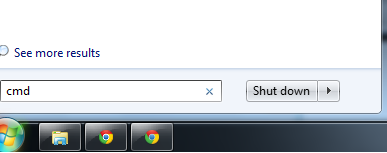
    13. Command Prompt – cmd
    14. Component Services – dcomcnfg
    15. Computer Management – compmgmt.msc
    16. Control Panel – control
    17. Date and Time Properties – timedate.cpl
    18. DDE Shares – ddeshare
    19. Device Manager – devmgmt.msc
    20. Direct X Troubleshooter – dxdiag
    21. Disk Cleanup Utility – cleanmgr
    22. Disk Defragment – dfrg.msc
    23. Disk Management – diskmgmt.msc
    24. Disk Partition Manager – diskpart
    25. Display Properties – control desktop
    26. Display Properties – desk.cpl
    27. Dr. Watson System Troubleshooting­ Utility – drwtsn32
    28. Driver Verifier Utility – verifier
    29. Event Viewer – eventvwr.msc
    30. Files and Settings Transfer Tool – migwiz
    31. File Signature Verification Tool – sigverif
    32. Findfast – findfast.cpl
    33. Firefox – firefox
    34. Folders Properties – control folders
    35. Fonts – control fonts
    36. Fonts Folder – fonts
    37. Free Cell Card Game – freecell
    38. Game Controllers – joy.cpl
    39. Group Policy Editor (for xp professional) – gpedit.msc
    40. Hearts Card Game – mshearts
    41. Help and Support – helpctr
    42. HyperTerminal – hypertrm
    43. Iexpress Wizard – iexpress
    44. Indexing Service – ciadv.msc
    45. Internet Connection Wizard – icwconn1
    46. Internet Explorer – iexplore
    47. Internet Properties – inetcpl.cpl
    48. Keyboard Properties – control keyboard
    49. Local Security Settings – secpol.msc
    50. Local Users and Groups – lusrmgr.msc
    51. Logs You Out Of Windows – logoff
    52. Malicious Software Removal Tool – mrt
    53. Microsoft Chat – winchat
    54. Microsoft Movie Maker – moviemk
    55. Microsoft Paint – mspaint
    56. Microsoft Syncronization Tool – mobsync
    57. Minesweeper Game – winmine
    58. Mouse Properties – control mouse
    59. Mouse Properties – main.cpl
    60. Netmeeting – conf
    61. Network Connections – control netconnections
    62. Network Connections – ncpa.cpl
    63. Network Setup Wizard – netsetup.cpl
    64. Notepad – notepad
    65. Object Packager – packager
    66. ODBC Data Source Administrator – odbccp32.cpl
    67. On Screen Keyboard – osk
    68. Outlook Express – msimn
    69. Paint – pbrush
    70. Password Properties – password.cpl
    71. Performance Monitor – perfmon.msc
    72. Performance Monitor – perfmon
    73. Phone and Modem Options – telephon.cpl
    74. Phone Dialer – dialer
    75. Pinball Game – pinball
    76. Power Configuration – powercfg.cpl
    77. Printers and Faxes – control printers
    78. Printers Folder – printers
    79. Regional Settings – intl.cpl
    80. Registry Editor – regedit
    81. Registry Editor – regedit32
    82. Remote Access Phonebook – rasphone
    83. Remote Desktop – mstsc
    84. Removable Storage – ntmsmgr.msc
    85. Removable Storage Operator Requests – ntmsoprq.msc
    86. Resultant Set of Policy (for xp professional) – rsop.msc
    87. Scanners and Cameras – sticpl.cpl
    88. Scheduled Tasks – control schedtasks
    89. Security Center – wscui.cpl
    90. Services – services.msc
    91. Shared Folders – fsmgmt.msc
    92. Shuts Down Windows – shutdown
    93. Sounds and Audio – mmsys.cpl
    94. Spider Solitare Card Game – spider
    95. SQL Client Configuration – cliconfg
    96. System Configuration Editor – sysedit
    97. System Configuration Utility – msconfig
    98. System Information – msinfo32
    99. System Properties – sysdm.cpl
    100. Task Manager – taskmgr
    101. TCP Tester – tcptest
    102. Telnet Client – telnet
    103. User Account Management – nusrmgr.cpl
    104. Utility Manager – utilman
    105. Windows Address Book – wab
    106. Windows Address Book Import Utility – wabmig
    107. Windows Explorer – explorer
    108. Windows Firewall – firewall.cpl
    109. Windows Magnifier – magnify
    110. Windows Management Infrastructure – wmimgmt.msc
    111. Windows Media Player – wmplayer
    112. Windows Messenger – msmsgs
    113. Windows System Security Tool – syskey
    114. Windows Update Launches – wupdmgr
    115. Windows Version – winver
    116. Wordpad – write

    Why? Guest Blogging is Helpful

    0

    What is Guest Blogging?

    In simple words, Guest Blogging is when you write a post for any other blog. On behalf of that post other blogger give Back-links to our Blogs. These Back-links help us to grow our Blog fastly & Introduce our blog to new Audience. Today, I will tell you the most important advantage of Guest Blogging.

    Also Read: How To Analyze Your Competitor Blog Without Any Tool

    guest blogging

    Why we should Write Guest Post ?

    Here we have listed  few but the most helpful points to understand why we write Guest Post. How guest post help us to improve our Blog.

    • Guest Blogging is helpful for your blog promotion and increase traffic to your blog.
    • Guest Blogging is the single most important strategy for growing your blog readership and platform.
    • Guest Blogging helps bloggers to help each other.
    • Guest Blogging also builds your relationships with other bloggers.
    • Guest Blogging is great for search engines.
    • Guest Blogging introduces you to new communities.
    • When it comes to SEO, guest-Blogging on other blogs is five times as valuable as creating new content on your own Blog.
    • Guest Blogging also increase the Author Rank.
    • The last but the most important is “This will increase our Google Page Rank also”.

    Also Read: Few Basic Tips for Newbie Bloggers: Must Read

    Things to remember when you are going to write a Guest Post

    • Guest Blogging is not an easy task. Always keep in mind that writes a unique post that is not published elsewhere.
    • Always make a best & effective post because it is your chance to promote your blog to another Blog’s. If it is not so effective no visitor will come to your blog or the post may not be accepted.
    • After going your guest post live. Respond to (almost) everyone in the comment section.

    These are the basic tips before You are going to start Guest-Blogging.