Home Blog Page 40

Self Hosted WordPress.org VS Free WordPress.com: Which One Better

Hello Guys, Today we are going to talk about self hosted wordpress.org and Free wordpress.com pros and cons. If you are going to start a new blog, then first question comes in our mind. Which one is better? Self Hosted WordPress.org, or Free WordPress.com.

In this article, we provide you solution to choose best selection for your wordpress blog.

WordPress.org V/S WordPress.com

Lets talk about pros and cons of self hosted wordpress and free wordpress.com blog.

Self Hosted WordPress.org Pros & Cons

Self Hosted WordPress.org Pros

  • It’s free and super easy to use.
  • You own your data. You are in full control. Your site will NOT be turned off because someone decides that it is against their terms of service (as long as you are not doing something illegal). You are in control.
  • You can use plugins. Plugins make your blog very powerful.
  • You can upload custom themes. Modify theme files, if needed.
  • You can make money from it by using your own ads, and doing things your way.
  • Custom Analytics and Tracking.

Self Hosted WordPress.org Cons

  • To use Self Hosted WordPress.org, you need a good web hosting. This bits cost you money somewhere from around $2 – $7 per month. For Self Hosted WordPress Blogs, BlueHost is highly Recommended Host.
  • You are responsible for updates.
  • You are responsible for backups, But there are lots of backup plugins available.
  • You are responsible to prevent SPAM, but there are many plugins available to prevent spam. check here Top 7 Anti SPAM WordPress Plugins

Free WordPress.com Pros & Cons

Free WordPress.com Pros

  • It’s free for upto 3GB of space. After that you will have to pay for space ($19.95 per year for 5GB) or ($289.97 per year for 100GB).
  • They make regular backups of your site.

Free WordPress.com Cons

  • They place ads on all free websites. Did you really think it was free without a catch? If you don’t want your users to see ads, then you can pay them $29.97 per year to keep your site ad-free.
  • You are NOT allowed to sell ads on your site unless you receive 25,000 page views per month. In this case, you have to apply to try their feature called Ad control. The approval process doesn’t cost you any money, but you have to split your revenues 50/50 with them.
  • You cannot use plugins. WordPress is very popular because of its plugins. WordPress.com does not allow you to use plugins! If you want to use plugins, then you have to move to their VIP program which starts at $3750 per month.
  • You cannot use custom themes. You have to be stuck with their choice of themes which is being used on hundreds of millions of sites. They do offer a “design upgrade” which should really be called CSS upgrade for $30 per year. Meaning, you can change the color of your site. But if you want to add something really custom, you cannot.
  • You are restricted to their analytics. You cannot use custom analytics software because you cannot add custom codes.
  • They can delete your site at anytime if they think it violates their Terms of Service.
  • They will change your theme without your permission.
  • Even if you pay for their upgrades, you still have to tell others that your site is powered on WordPress.com

Which one Best For You?

If you are a personal blogger who do not care about making money online from their blogs, then go with WordPress.com. But if you want to make blogging into career and make money online then you go to self hosted WordPress.org. Many Beginners blogger thinks, self-hosted WordPress cost money. But who want to actually make money from starting then its good and cheaper.

Think If you use WordPress.com, so you have to buy their custom domain ($18 per year for .com), pay for ad-free option ($29.97 per year), and get custom design upgrade ($30 per year). That total is $76.97, and you are still not in full control.

For WordPress.org, you can use BlueHost which costs $6.95 per month but You can get $3.95 per Month with using Our Coupon Code. and it includes a free domain name. If you go with other web hosting companies, then you will pay a similar price, but you won’t get a domain. However, you can get a domain name from Godaddy. Your total cost in under $60 per year Only. And You will have full control over everything with self hosted wordpress. You also get full support from hosting company.

Recommended Guide to Choose Best Web Hosting Provider?

We always recommend everyone to use Self Hosted WordPress.org, so you are in full control of your site. The final choice is always yours.

Tags: Setting Up My Own Blog, Self-Hosted Blog, Set Up a Blog Site, Set Up WordPress Blog

How to Remove URL / Website Field from WordPress Comment Form

2

WordPress website field in comment form is a way to submit url to others website to gain backlinks and traffic. But Today’s many spammers are using it to drop shady links, and many bloggers approve their comments. Sites related to entertainment, recipes, health etc types website receive multiples of spammy links daily. You can also use anti spam wordpress plugin to protect your site from spam.

But you can also try to remove website field in wordpress comment form, So chances are you will not receive spam comments.

After removing website field from comment box in wordpress, users can only enter name, email and a message. So if you think to remove website field from comment section then follow the guide.

Remove Website Field From WordPress Comment Section: Step by Step Guide

Follow Step by Step Guide to remove Website Field from WordPress Comment Form.

  • First Login to your wordpress dashboard.
  • Go to Appearance>Editor https://yoursite.com/wp-admin/theme-editor.php
  • Find Theme Functions File (functions.php) and Open.
  • Add Following Code at the end of the file. Just Above ?>
add_filter('comment_form_default_fields', 'url_filtered');
function url_filtered($fields)
{
  if(isset($fields['url']))
   unset($fields['url']);
  return $fields;
}
  • Save File, and you are done.

Now Open your blog post and see your blog URL Field in comment form magically removed.

(Aside: if the changes don’t appear right away, make sure you’re not running a caching plugin, and if you are, be sure to flush the cache!)

Hope You like this easy trick to remove URL field from WordPress Comment Form.

Tags: WordPress Spam Comment Blocker, Anti Spam Plugin, WordPress Customize Comment Form, WordPress Edit Comment Form

Get Bank Balance SMS Anytime (Missed Call Balance Inquiry No.)

0

Here in this post, We are going to publish all Banks Official Missed call balance enquiry number to get bank balance sms instantly. You just have to call on your bank number through registered mobile number and after one ring phone will disconnect automatically. and after few seconds you will receive your bank balance report.

All Banks Official Missed call balance enquiry numbers

#1 AXIS BANK

Axis Bank Balance Enquiry number is- 09225892258

#2 ANDHRA BANK

Andhra Bank Missed Call Balance enquiry number is- 09223011300

#3 ALLAHABAD BANK

The number is- 09224150150

#4 BANK OF BARODA

The number is- 09223011311

#5 BHARATIYA MAHILA BANK

The number is- 09212438888

#6 DHANLAXMI BANK

The number is- 08067747700

#7 IDBI BANK

The number is- 09212993399

#8 KOTAK MAHINDRA BANK

The number is- 18002740110

#9 SYNDICATE BANK

The number is- 09664552255

#10 PUNJAB NATIONAL BANK

The number is- 18001802222

#11 ICICI BANK

ICICI Missed Call Balance Enquiry number is- 02230256767

#12 HDFC BANK

HDFC Balance Check Number is- 18002703333

#13 BANK OF INDIA

The number is- 09015135135

#14 CANARA BANK

The number is- 09289292892

#15 CENTRAL BANK OF INDIA

The number is- 09222250000

#16 KARNATAKA BANK

The number is- 18004251445

#17 INDIAN BANK

Indian Bank Balance Enquiry number is- 09289592895

#18 STATE BANK OF INDIA

SBI Balance Enquiry Numbers is 1800112211 or 18004253800

In case these numbers doesn’t work, please also note down the below mentioned new numbers (SBI Quick Service)–

In order to register for this service, SBI customers need to register first. This can be done by sending an SMS. The format is- REG<space>your account number. Send this SMS from registered mobile number to 09223488888.

Bank will notify users as soon as registration for the service is complete via confirmation SMS! Now for SBI Missed Call Balance Enquiry, use this number- 09223766666. For obtaining mini statement via missed call, use this number- 09223866666.

#19 UNION BANK OF INDIA

The number is- 09223009292

#20 UCO BANK

The number is- 09278792787

#21 VIJAYA BANK

The number is- 18002665555

#22 YES BANK

The number is- 09840909000

Please note that to make use of this missed call balance inquiry service, your mobile number must be registered with the bank! This service is free of cost…

How to Set Post Expiry Date in WordPress to Auto Expire Post

1

If you are running a event listing, limited time content like daily deals sites on wordpress. Then many times you want to add post expiration date in your wordpress post. Lets say you write a post featuring a special offer being run by one of your affiliate partners for some time. so you can set expiration date, so post will automatically expire at the expiration time.

At default WordPress doesn’t have a post/page expiration feature built in, So Here i will introduce you a good wordpress plugin called Post Expirator that gives you that option. The Post Expirator plugin allows the user to set expiration dates for both posts and pages. There is a configuration option page in the plugins area that will allow you to separately control whether or not posts/pages are either deleted or changed to draft status.

After installing the plugin you can give any blog post or page an expiration date, and when that date arrives the post or page is either automatically deleted outright or changed to “Draft” status (your choice).

How to Configure Post Expirator Plugin

#1. Go to wordpress dashboard. Now go to Plugin> Add new> search or upload post expirator plugin.

#2. Activate Post Expirator plugin.

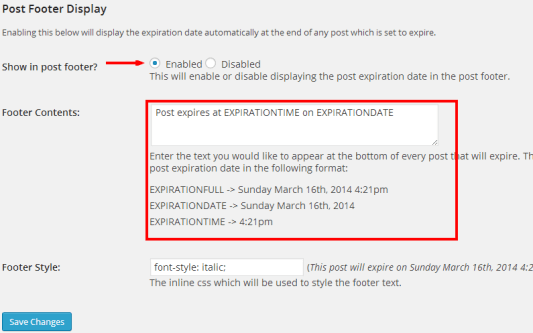
#3. After plugin activation. go to Setting>> Post expirator.

set wordpress Post Expiry date


#4. If you want to show expiration date in bellow post then enable. and configure footer content of your choice.

#5. Now write new post. Here you see new widget post expirator. If you are not showing then open screen option (Menu in header). And tick on Post expirator.

#6. if you want to add expiration date then tick on enable post expirator.screenshot 1


#7. Add expiration date and time. also set how to expire option.

Another Bonus Plugin to set expiry date:

>>>Simple Post Expiration<<<

If you have any problem in setup expiry date in wordpress post, feel free ask through comments.

Top 20 Best Professional Responsive Magazine Blogger Templates

0

Choosing is a good template for your new blog is not a easy thing. If you started a new magazine style content blog on blogspot. then you will love to see this collection of best professional responsive magazine blogger templates. These templates will make your blog awesome.

So choose the template from the list and start blogging.

Setiva

Setiva blogger template is a another beautiful and modern blogger template. its clean and fresh flat color based responsive blogger design and high user friendly blogger template.This theme perfect for news, magazine and personal websites.

[su_button url=”https://themeforest.net/item/setiva-responsive-magazine-blogger-template/full_screen_preview/9943134?ref=trixhub” target=”blank” style=”stroked” background=”#e64e4f” color=”#ffffff” size=”9″ radius=”round” icon=”icon: check” icon_color=”#6dec3e”]DEMO[/su_button]  [su_button url=”https://themeforest.net/item/setiva-responsive-magazine-blogger-template/9943134?ref=trixhub” target=”blank” style=”stroked” background=”#e64e4f” color=”#ffffff” size=”9″ radius=”round” icon=”icon: paper-plane-o” icon_color=”#6dec3e”]BUY NOW[/su_button]

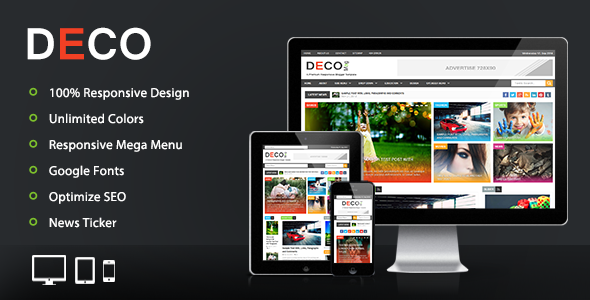
Deco Mag

Preview. large preview

Deco mag blogger template is a another beautiful modern blogger template. its clean and fresh flat color based responsive blogger design and high user friendly blogger template.This theme perfect for news, magazine and personal websites.

[su_button url=”https://themeforest.net/item/deco-mag-responsive-magazine-blogger-template/full_screen_preview/8926014?ref=trixhub” target=”blank” style=”stroked” background=”#e64e4f” color=”#ffffff” size=”9″ radius=”round” icon=”icon: check” icon_color=”#6dec3e”]DEMO[/su_button]  [su_button url=”https://themeforest.net/item/deco-mag-responsive-magazine-blogger-template/8926014?ref=trixhub” target=”blank” style=”stroked” background=”#e64e4f” color=”#ffffff” size=”9″ radius=”round” icon=”icon: paper-plane-o” icon_color=”#6dec3e”]BUY NOW[/su_button]

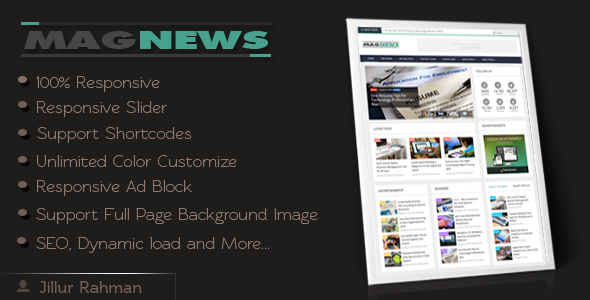
MagNews

01 preview. large preview

MagNews is a clean, SEO friendly, flexible and responsive Blogger template. It’s perfect for magazine,news and personal Blogger blog. There are used many awesome blogger widgets that attraction visitor’s eye. You can build your blogger homepage content by easily drag & drop modules into the admin layout section.

[su_button url=”https://themeforest.net/item/magnews-responsive-blogger-template/full_screen_preview/7591951?ref=trixhub” target=”blank” style=”stroked” background=”#e64e4f” color=”#ffffff” size=”9″ radius=”round” icon=”icon: check” icon_color=”#6dec3e”]DEMO[/su_button]  [su_button url=”https://themeforest.net/item/magnews-responsive-blogger-template/7591951?ref=trixhub” target=”blank” style=”stroked” background=”#e64e4f” color=”#ffffff” size=”9″ radius=”round” icon=”icon: paper-plane-o” icon_color=”#6dec3e”]BUY NOW[/su_button]

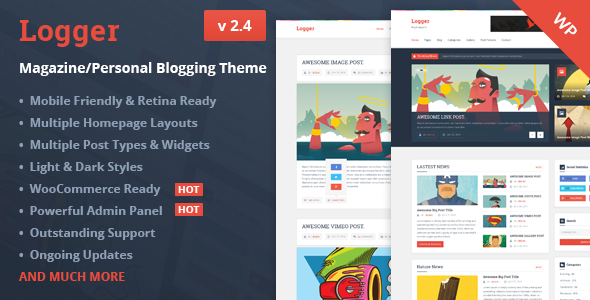
Logger – Responsive Personal Blogging Theme

01 preview. large preview

Logger is a simple, clean, personal, modern and professional blog ideal for making a professional blogging, it is your perfect choice for your personal blog. This template is 100% responsive so it is compatible with many devices, no need to coding as it is very customizable, also it is search engine optimized.

[su_button url=”https://themeforest.net/item/logger-responsive-personal-blogging-theme/full_screen_preview/12473576?ref=trixhub” target=”blank” style=”stroked” background=”#e64e4f” color=”#ffffff” size=”9″ radius=”round” icon=”icon: check” icon_color=”#6dec3e”]DEMO[/su_button]  [su_button url=”https://themeforest.net/item/logger-responsive-personal-blogging-theme/12473576?ref=trixhub” target=”blank” style=”stroked” background=”#e64e4f” color=”#ffffff” size=”9″ radius=”round” icon=”icon: paper-plane-o” icon_color=”#6dec3e”]BUY NOW[/su_button]

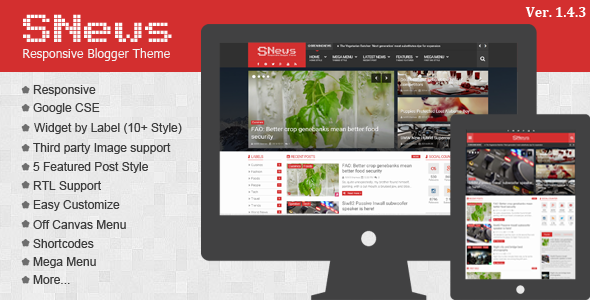
SNews – News/Magazine Responsive

01 SNews Preview. large preview

SNews is the most efficient blogger theme for your magazine , news editorial, newspaper website. It has a lot of option that magazine website need. For example ability to change layout for each categories, breadcrumbs for post and category, social widget, post widget that has many options to sort and much more. This theme shows you how cool and flexible blogspot magazine theme can be.

[su_button url=”https://themeforest.net/item/snews-newsmagazine-responsive-blogger-theme/full_screen_preview/11254865?ref=trixhub” target=”blank” style=”stroked” background=”#e64e4f” color=”#ffffff” size=”9″ radius=”round” icon=”icon: check” icon_color=”#6dec3e”]DEMO[/su_button]  [su_button url=”https://themeforest.net/item/snews-newsmagazine-responsive-blogger-theme/11254865?ref=trixhub” target=”blank” style=”stroked” background=”#e64e4f” color=”#ffffff” size=”9″ radius=”round” icon=”icon: paper-plane-o” icon_color=”#6dec3e”]BUY NOW[/su_button]

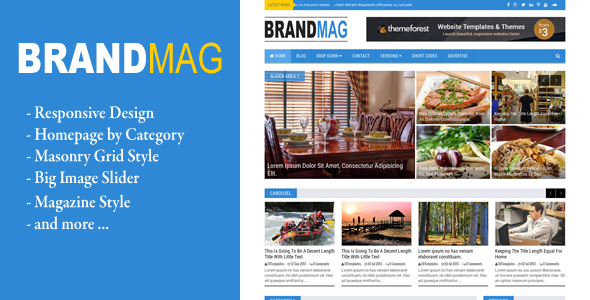
Brand Mag

large image. large preview

Brand Mag is a Premium Blogger Template with Responsive layout and suited for magazine blogs. It’s design with modern style, simple color combination, clean and modern look, and has been built by using some of the most popular current design trends. It’s perfect choise for many types of magazine blogs. Easy to customize, ideal for everyone who starts or has launched such a blog.

[su_button url=”https://themeforest.net/item/brand-mag-responsive-blogger-newsmagazine/full_screen_preview/11447278?ref=trixhub” target=”blank” style=”stroked” background=”#e64e4f” color=”#ffffff” size=”9″ radius=”round” icon=”icon: check” icon_color=”#6dec3e”]DEMO[/su_button]  [su_button url=”https://themeforest.net/item/brand-mag-responsive-blogger-newsmagazine/11447278?ref=trixhub” target=”blank” style=”stroked” background=”#e64e4f” color=”#ffffff” size=”9″ radius=”round” icon=”icon: paper-plane-o” icon_color=”#6dec3e”]BUY NOW[/su_button]

MagOne – Magazine Blogger Template

MagOne%2B %2BBlogger%2BMagazine%2BTemplate

MagOne template is flexible and responsive magazine template for Blogger / Blogspot websites. Drag and drop to build a magazine website in minute.

[su_button url=”https://themeforest.net/item/magone-magazine-blogger-template/full_screen_preview/12016203?ref=trixhub” target=”blank” style=”stroked” background=”#e64e4f” color=”#ffffff” size=”9″ radius=”round” icon=”icon: check” icon_color=”#6dec3e”]DEMO[/su_button]  [su_button url=”https://themeforest.net/item/magone-magazine-blogger-template/12016203?ref=trixhub” target=”blank” style=”stroked” background=”#e64e4f” color=”#ffffff” size=”9″ radius=”round” icon=”icon: paper-plane-o” icon_color=”#6dec3e”]BUY NOW[/su_button]

MaxBlog

MaxBlog is a latest blogspot blogging theme with widgetized features. It has everything you need to setup magazine style blog. You can also start video blog with this template.

[su_button url=”https://themeforest.net/item/maxblog-responsive-magazine-blogger-theme/full_screen_preview/10887035?ref=trixhub” target=”blank” style=”stroked” background=”#e64e4f” color=”#ffffff” size=”9″ radius=”round” icon=”icon: check” icon_color=”#6dec3e”]DEMO[/su_button]  [su_button url=”https://themeforest.net/item/maxblog-responsive-magazine-blogger-theme/10887035?ref=trixhub” target=”blank” style=”stroked” background=”#e64e4f” color=”#ffffff” size=”9″ radius=”round” icon=”icon: paper-plane-o” icon_color=”#6dec3e”]BUY NOW[/su_button]

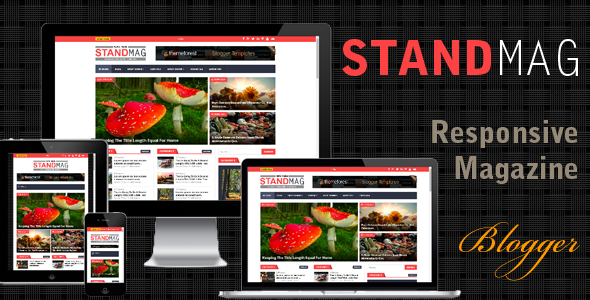
Stand Mag

large image. large preview

Stand Mag is a Premium Blogger Template with Responsive layout and suited for magazine blogs. It’s design with modern style, simple color combination, clean and modern look, and has been built by using some of the most popular current design trends. It’s perfect choise for many types of magazine blogs.

[su_button url=”https://themeforest.net/item/stand-mag-responsive-blogger-magazine/full_screen_preview/10490647?ref=trixhub” target=”blank” style=”stroked” background=”#e64e4f” color=”#ffffff” size=”9″ radius=”round” icon=”icon: check” icon_color=”#6dec3e”]DEMO[/su_button]  [su_button url=”https://themeforest.net/item/stand-mag-responsive-blogger-magazine/10490647?ref=trixhub” target=”blank” style=”stroked” background=”#e64e4f” color=”#ffffff” size=”9″ radius=”round” icon=”icon: paper-plane-o” icon_color=”#6dec3e”]BUY NOW[/su_button]

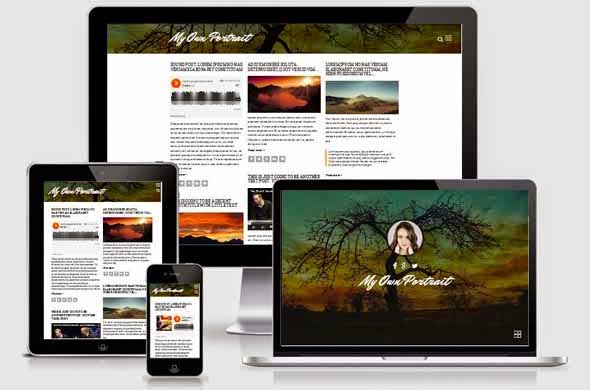
My Own Portrait – Masonry Style

responsive

“My Own Portrait” is a Portfolio Premium Blogger template with Responsive layout and suited for all blogs. It’s design with Masonry style, simple color combination, clean and modern look, SEO Optimized, and has been built by using some of the most popular current design trends.

[su_button url=”https://themeforest.net/item/my-own-portrait-masonry-style-blogger-template/full_screen_preview/10008431?ref=trixhub” target=”blank” style=”stroked” background=”#e64e4f” color=”#ffffff” size=”9″ radius=”round” icon=”icon: check” icon_color=”#6dec3e”]DEMO[/su_button]  [su_button url=”https://themeforest.net/item/my-own-portrait-masonry-style-blogger-template/10008431?ref=trixhub” target=”blank” style=”stroked” background=”#e64e4f” color=”#ffffff” size=”9″ radius=”round” icon=”icon: paper-plane-o” icon_color=”#6dec3e”]BUY NOW[/su_button]


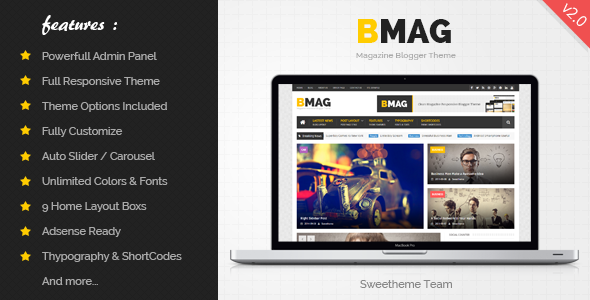
BMAG

Main Preview. large preview

BMAG is a Magazine Responsive Blogger Template, it is clean and compatible with many devices, It’s perfect for creating your magazine or blog using blogspot, no need to coding as it is very customizable.

[su_button url=”https://themeforest.net/item/bmag-magazine-responsive-blogger-template/full_screen_preview/8933899?ref=trixhub” target=”blank” style=”stroked” background=”#e64e4f” color=”#ffffff” size=”9″ radius=”round” icon=”icon: check” icon_color=”#6dec3e”]DEMO[/su_button]  [su_button url=”https://themeforest.net/item/bmag-magazine-responsive-blogger-template/8933899?ref=trixhub” target=”blank” style=”stroked” background=”#e64e4f” color=”#ffffff” size=”9″ radius=”round” icon=”icon: paper-plane-o” icon_color=”#6dec3e”]BUY NOW[/su_button]

NEWS.A smart

NEWES.A BLOGGER TEMPLATE is Responsive Blogger Template, it is clean and compatible with many devices, It’s perfect for creating your magazine or blog NEWS using blogspot, no need to coding as it is very customizable.

[su_button url=”https://themeforest.net/item/newsa-smart-responsive-blogger-template/full_screen_preview/9674016?ref=trixhub” target=”blank” style=”stroked” background=”#e64e4f” color=”#ffffff” size=”9″ radius=”round” icon=”icon: check” icon_color=”#6dec3e”]DEMO[/su_button]  [su_button url=”https://themeforest.net/item/newsa-smart-responsive-blogger-template/9674016?ref=trixhub” target=”blank” style=”stroked” background=”#e64e4f” color=”#ffffff” size=”9″ radius=”round” icon=”icon: paper-plane-o” icon_color=”#6dec3e”]BUY NOW[/su_button]

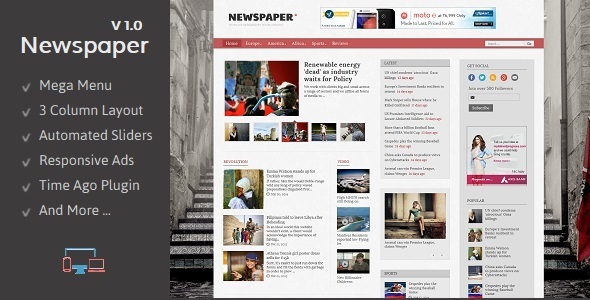
Newspaper

01 Main. large preview

Newspaper Blogger Template is designed to meet the requirements of news bloggers. With features like Mega Menu, Automated Featured Slider and Time Ago Support this blogger template delivers all that is required for a news site.

[su_button url=”https://themeforest.net/item/newspaper-responsive-blogger-template/full_screen_preview/8816787?ref=trixhub” target=”blank” style=”stroked” background=”#e64e4f” color=”#ffffff” size=”9″ radius=”round” icon=”icon: check” icon_color=”#6dec3e”]DEMO[/su_button]  [su_button url=”https://themeforest.net/item/newspaper-responsive-blogger-template/8816787?ref=trixhub” target=”blank” style=”stroked” background=”#e64e4f” color=”#ffffff” size=”9″ radius=”round” icon=”icon: paper-plane-o” icon_color=”#6dec3e”]BUY NOW[/su_button]
Desire Mag

dmg cover. large preview

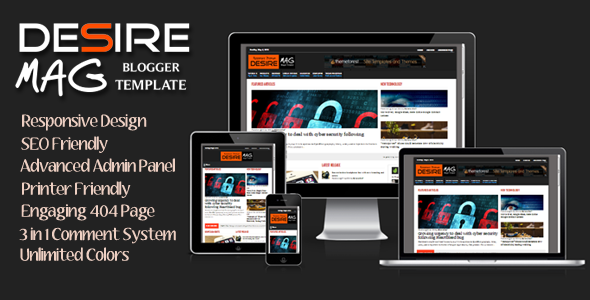
Desire Mag is a clean and professional looking responsive blogger template with built-in advanced features and powerful admin panel for easy customization. This template will suit best for technology, news, magazine or personal blogs.

[su_button url=”https://themeforest.net/item/desire-mag-responsive-magazine-blogger-template/full_screen_preview/7755223?ref=trixhub” target=”blank” style=”stroked” background=”#e64e4f” color=”#ffffff” size=”9″ radius=”round” icon=”icon: check” icon_color=”#6dec3e”]DEMO[/su_button]  [su_button url=”https://themeforest.net/item/desire-mag-responsive-magazine-blogger-template/7755223?ref=trixhub” target=”blank” style=”stroked” background=”#e64e4f” color=”#ffffff” size=”9″ radius=”round” icon=”icon: paper-plane-o” icon_color=”#6dec3e”]BUY NOW[/su_button]

Maxxiz

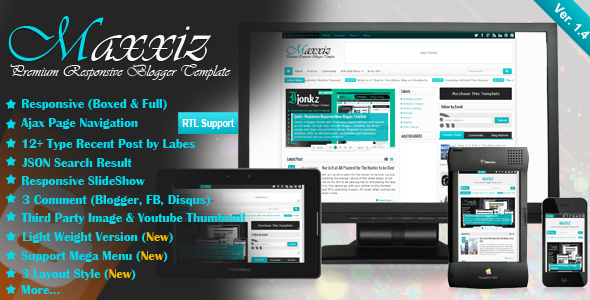
Maxxiz a blogger theme with responsive layout. Its High User Friendly Blogger Template. Its design simple and clean and perfect for magazine or portofolio websites. With an attractive color combination and impressed professionals and has many features.

[su_button url=”https://themeforest.net/item/maxxiz-responsive-magazinenews-blogger-template/full_screen_preview/5322391?ref=trixhub” target=”blank” style=”stroked” background=”#e64e4f” color=”#ffffff” size=”9″ radius=”round” icon=”icon: check” icon_color=”#6dec3e”]DEMO[/su_button]  [su_button url=”https://themeforest.net/item/maxxiz-responsive-magazinenews-blogger-template/5322391?ref=trixhub” target=”blank” style=”stroked” background=”#e64e4f” color=”#ffffff” size=”9″ radius=”round” icon=”icon: paper-plane-o” icon_color=”#6dec3e”]BUY NOW[/su_button]
Geek Press

01 preview banner. large preview

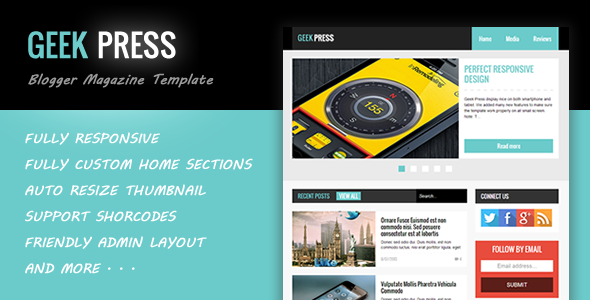
Geek Press template was designed as a flat and responsive Blogger template for News and Magazine websites. Geek Press is very easy to work without touch to code, it will help you publish your small news / magazine projects as the fastest way ever.

[su_button url=”https://themeforest.net/item/geek-press-responsive-news-magazine-template/full_screen_preview/5716407?ref=trixhub” target=”blank” style=”stroked” background=”#e64e4f” color=”#ffffff” size=”9″ radius=”round” icon=”icon: check” icon_color=”#6dec3e”]DEMO[/su_button]  [su_button url=”https://themeforest.net/item/geek-press-responsive-news-magazine-template/5716407?ref=trixhub” target=”blank” style=”stroked” background=”#e64e4f” color=”#ffffff” size=”9″ radius=”round” icon=”icon: paper-plane-o” icon_color=”#6dec3e”]BUY NOW[/su_button]
Flat News

01 preview banner. large preview

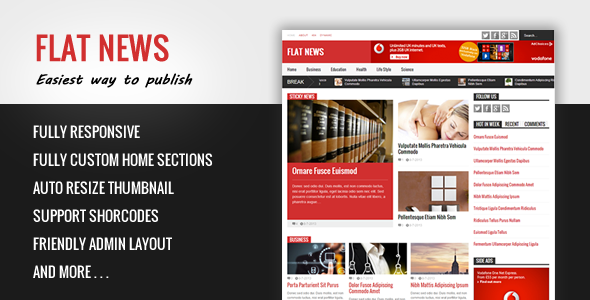
Flat News is a news and magazine Blogger template. This template is very easy to work without touch to code. Flat News is 100% responsive and drag-drop to build your own home design.

[su_button url=”https://themeforest.net/item/flat-news-easy-news-magazine-template/full_screen_preview/5379218?ref=trixhub” target=”blank” style=”stroked” background=”#e64e4f” color=”#ffffff” size=”9″ radius=”round” icon=”icon: check” icon_color=”#6dec3e”]DEMO[/su_button]  [su_button url=”https://themeforest.net/item/flat-news-easy-news-magazine-template/5379218?ref=trixhub” target=”blank” style=”stroked” background=”#e64e4f” color=”#ffffff” size=”9″ radius=”round” icon=”icon: paper-plane-o” icon_color=”#6dec3e”]BUY NOW[/su_button]
Sevida

01 Sevida%20Cover. large preview

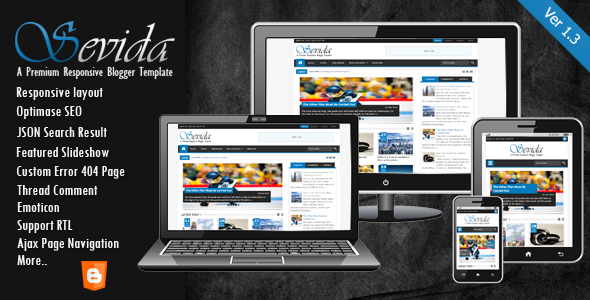
Sevida is the premium responsive blog and magazine template for Blogger fans. This template shows you how cool and flexible Blogspot magazine template can be.

[su_button url=”https://themeforest.net/item/sevida-responsive-magazine-blogger-template/full_screen_preview/4604301?ref=trixhub” target=”blank” style=”stroked” background=”#e64e4f” color=”#ffffff” size=”9″ radius=”round” icon=”icon: check” icon_color=”#6dec3e”]DEMO[/su_button]  [su_button url=”https://themeforest.net/item/sevida-responsive-magazine-blogger-template/4604301?ref=trixhub” target=”blank” style=”stroked” background=”#e64e4f” color=”#ffffff” size=”9″ radius=”round” icon=”icon: paper-plane-o” icon_color=”#6dec3e”]BUY NOW[/su_button]
Masala

Masala%2B %2BResponsive%2BMultipurpose%2BBlogger%2BTemplate

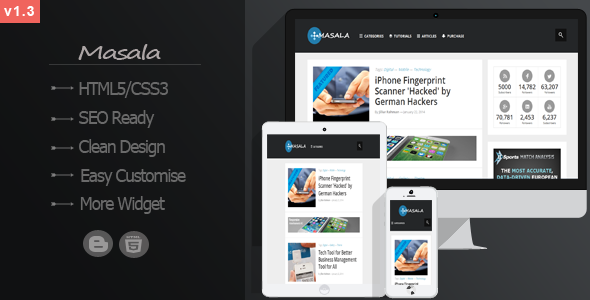
Masala is a very clean, flexible, neat, multipurpose, elegant and 100% responsive blogger/blogspot template forever. This blogger template help you how to make a professional blog,portofolio,tech,elegent website as your like. It’s created by using HTML5/CSS3.

[su_button url=”https://themeforest.net/item/masala-responsive-multipurpose-blogger-template/full_screen_preview/7142715?ref=trixhub” target=”blank” style=”stroked” background=”#e64e4f” color=”#ffffff” size=”9″ radius=”round” icon=”icon: check” icon_color=”#6dec3e”]DEMO[/su_button]  [su_button url=”https://themeforest.net/item/masala-responsive-multipurpose-blogger-template/7142715?ref=trixhub” target=”blank” style=”stroked” background=”#e64e4f” color=”#ffffff” size=”9″ radius=”round” icon=”icon: paper-plane-o” icon_color=”#6dec3e”]BUY NOW[/su_button]
Mega Mag

Preview. large preview

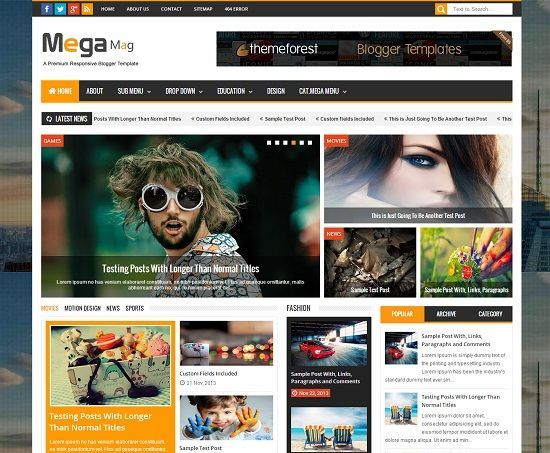
Mega mag blogger template is a another beautiful modern blogger template. its clean and fresh style responsive blogger design and high user friendly blogger template.This theme perfect for news, magazine and personal websites.

[su_button url=”https://themeforest.net/item/mega-mag-responsive-magazine-blogger-template/full_screen_preview/8343644?ref=trixhub” target=”blank” style=”stroked” background=”#e64e4f” color=”#ffffff” size=”9″ radius=”round” icon=”icon: check” icon_color=”#6dec3e”]DEMO[/su_button]  [su_button url=”https://themeforest.net/item/mega-mag-responsive-magazine-blogger-template/8343644?ref=trixhub” target=”blank” style=”stroked” background=”#e64e4f” color=”#ffffff” size=”9″ radius=”round” icon=”icon: paper-plane-o” icon_color=”#6dec3e”]BUY NOW[/su_button]
Critical SEO errors in E-commerce and how to avoid them

Search engine optimization has become a pivotal marketing tool for online merchants as this is one marketing tool that reaches innumerable potential customers and it has proven to be effective as well. It is only logical that online merchants would tap into the potential of this powerful marketing tool for its efficacy and efficiency. However, when uninformed and uneducated about the ways of search engine optimization, online business owners commit the most basic yet critical mistakes in search engine optimization making what is otherwise an efficacious tool into a useless one. Albeit complicated, comprehending what makes SEO tick is rather easy to follow and the mechanics are certainly understandable. However, in order to fully exploit SEO’s powerful potential, online business owners need to fully appreciate what mistakes they have been committing and how to avoid making the same one in the future.

It is a common misconception among online business owners to think that their responsibility only entails listing hundreds of thousands of products on their e-commerce websites and from this, search engine traffic will start rolling in. This notion is extremely erroneous. What online business owners failed to consider is that optimizing for e-commerce websites for SEO is much more difficult than it is for blogs and simple company websites. E-commerce websites have a lot more pages constantly shuffling on and off the website and because of this numerous problems may arise that make SEO very hard for these websites. Furthermore, SEO errors on e-commerce websites can and will cost you money and for this reason alone; it would be much wiser to invest time and effort in getting SEO right. What this article aims to do is to identify the most common e-commerce websites mistakes online merchants do and how to avoid them.

Recommended: 5 Best Search Engine Optimization Tips to Rank Better

  1. Product titles are common or are not optimized for SEO

In other words, the products enlisted are not given their proper description. Product titles and their corresponding descriptions are essential as it gives an overview to the user about the product you are selling; the complete lack of a text description virtually diminishes the chances of the page being in the top ten of a search engine query. This is why a description added to an item card is a necessity; strengthen your page’s chances. Remember, an image may speak a thousand words to the user but search engines cannot see images, so enrich your image by adding a description of the product. Always consider the fact that the more content you write for your product description, the better your chances for your SEO efforts. These are useful tips that should aid you in writing your description:

>>>Write descriptive content that will help your customers make purchasing decisions.

>>>Test your description, word count helps with purchase conversion (70 characters max)

>>>Do not copy content from other websites (Search engines will recognize this)

>>>Do not use product jargon

  1. Utilizing Product Description straight from Manufacturers

This alone is guaranteed to get your site banned from the search engines. These descriptions are distributed to many online stores and most of them are leaving the text the way it was without any alterations. This would ensue to a number of pages with non-unique filter content and filters from Google. To make things worse, these descriptions in their raw form are not written in any way that would make the product appealing or sellable. This is why it is necessary to always create unique content as Google has been getting better at knocking down websites a few notches on the rankings for duplicate content and content scraping. Creating unique content for thousands of products might be a daunting task so the first thing you may want to consider is to put a no index meta tag on product pages you cannot write unique content for. If you have product pages which you either cannot get to or will be out your inventory in a few days then consider keeping them out of the search engines. Your SEO is better off in good standing than letting it suffer from poorly optimized product pages.

  1. Badly formatted URLS

Most shopping engines present their product pages with URLS which are unreadable for both users and search engines. They are like that because when the systems were developed, it was easier for programmers to make the URLS using that pattern (without taking into account SEO). Hopefully, you are one of the lucky few whose platforms allow you to change the URL into something more meaningful and descriptive. Furthermore, when you are creating your URL structure, try to make it based on your product groups or categories.

  1. Product Reviews are severely lacking

Product reviews are essential. They help provide potential consumers feedback from a consumer who has already bought your product. Potential consumers would look for this before making a purchase as this gives them an insight as to the quality and efficacy of your product and it’s rather unfortunate that some e-commerce websites would overlook and neglect this aspect. If your site has no such medium for providing feedback and reviews, you are missing a very large percentage of the audience. Moreover, it is easier for review pages to reach the top of search results than selling pages. In addition to this, enabling user reviews allows your users to create unique content for your online store which is free and it helps enliven the product page which brings the search engines more often. Every time a site is updated more frequently, the better your SEO efforts are.

  1. Usability is neglected

Search engine optimization is about usability, user friendliness and user experience and to make more sales and profit online, your online shop has to be usable. This usually depends on various factors; however there are key points where you should focus on. Firstly, your website should be easy to navigate, fast, SEO friendly, well-structured and mobile responsive. Finally, the usability of an online shop has to do with the type of products you are selling. For optimum results, use software that is customized to accommodate and showcase your products in the best way possible.

About Author : Jeric is a Filipino blogger and a digital marketing enthusiast. He is currently working at Optimind Technology Solutions, a digital marketing agency that provides different kinds of services such as SEO, social media marketing, mobile app development and web design in the Philippines.