Home Blog Page 37

Top 10 FREE Educational Websites For Technical Students

0

Hii Guys, Today we come with interesting educational websites that help for students. You can view list of the best educational websites on the web which are very useful for students to learn anything free of cost.

1. W3Schools

w3schools

W3schools is one of the best educational websites that offers free courses to internet users. This site offers various types of online web development courses with step by step tutorials, examples and “do it yourself editors” such as HTML, HTML 5, CSS, Javascript, XML tutorials, PHP, SQL and many other useful courses.

One of the best free educational site where beginners can learn computer languages and other web development courses easily by using online tutorials, step by step guides, examples and do it yourself editors. W3schools was started in 1999 and now it comes in the top list of popular online web tutorials.

2. eHow

eHow

eHow is one of the most popular how-to guide websites on the web where users can find millions of useful articles and “how-to” tutorial videos. The site offers informative articles on almost all topics. Great websites to find useful information about any topic.

eHow articles and videos are created by skilled freelancers. eHow pays freelancers to write useful and informative articles and videos. Anyone can leave comments and responses on this site. eHow was founded in 1999 and it was acquired by Demand Media Inc. in 2006. Great educational site for internet users.

3. Tizag

Tizag

Tizag is a very useful educational website that offers free online teaching content for internet internet users. Tizag is mainly known for offering free web tutorials that could be very useful for beginner web programmers to learn web development courses easily such as HTML, CSS, PHP, Website creation , XML, SEO and Database management tasks. Useful educational website that can be used as an alternative to W3schools.

4. Quackit

Quackit

If you are a beginner and want to learn web development skills, this site could be very useful for you because it helps internet users to learn website creation techniques. You can learn here step by step HTML, CSS and other web development skills such as designing, web hosting , XML, Scripting etc. Very useful website to learn professional website making process.

5. Mathway

Mathway

If you are looking for free online Mathematics tutorial website , Mathway could be the perfect option. Mathway helps students solve mathematics problems such as basic maths, algebra , pre-algebra, trigonometry, calculus , statistics and other types of math problems. The site offers easy math problems solver tools which can solve any type of math problem with explanation. One of the best educational websites on the web for mathematics students.

6. Google Books

Google+Books

Google Books is not an educational website but could be very useful to read millions of books free of cost. Google Books can help you to see preview or read millions of books free of charge. Google Books searches books, magazines and novels from thousands of popular websites and convert them to texts for Google users. The useful service was started in 2004 by Google Inc.

7. HTMLgoodies

HTMLgoodies

HTMLgoodies is a useful HTML teaching website that helps users to learn HTML, CSS, HTML5, Graphics, Javascript and other useful web development skills. Great site that helps you learn web development skills free of charge.

8. Math

Math+com

Math.com is a popular math website that offers useful mathematics tools, guide articles, math practice, math games and other useful mathematics tools like calculators , problem solver etc. One of the best math websites for students.

9. Wikipedia
Wikipedia

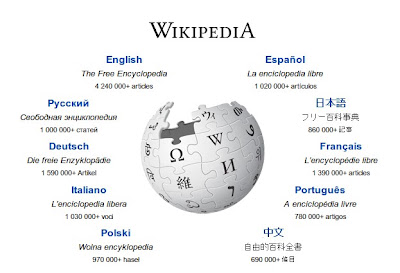
Wikipedia is the largest and most visited reference website that is used by millions of users everyday. Wikipedia is one of the best educational websites for students to find useful reference and information about people, companies, websites, places and products. The site was started in 2000 and now it comes in the list of top 10 most popular websites of the world.

10. Reference

Reference

Reference is a highly popular free reference website to find word reference, meaning of words in any language & quotes and translate sentences into many popular international languages. The site was started in 1997 and now this site is visited by millions of users everyday. Great educational website to find reference and information about any word.


How to Detect WordPress Theme and Plugins in Competitor Site

0

Have you ever seen an awesome WordPress powered website and wanted to know which theme it uses? This is a pretty common scenario and the usual way to find the answer is to see into the code of the web page by viewing its source code in your browser. We felt that this is too much effort. So Here i’m sharing a online tool WPThemedetector to find any wordpress powered site’s theme and plugin.

Along with the name of the WordPress Templates, wordpress detector will also display the description, version, themes homepage, author name, license, tags and a screenshot of the theme.

WP theme detector is amazing online tool to find any wordpress powered sites theme and plugins which comes up with some additional information including license URI and tags of the theme. WP theme detector displays the information about both child and parent wordpress themes.

Note: WP Theme Detector not display all sites plugins but this tool will detect many of site plugins.

How to Detect WordPress Themes:

  • First You have to go to WordPress Theme Detector <Link>
  • Now Just enter competitor website url and press enter button.
  • In the next few seconds wordpress detector will find wordpress theme and plugins of site.
  • That’t it.

[su_button url=”https://www.bestwp.org/” target=”blank” style=”3d” background=”#cf2c1e” color=”#ffffff” size=”9″ wide=”yes” center=”yes” radius=”0″ icon_color=”#c7f2fc” rel=”nofollow”]Find Best WordPress Theme For Your Next Project[/su_button]

Hope you like this amazing online tool to find your competitor site theme. After finding theme you may build good looking site with Top WordPress Themes.

12 Best WordPress Plugins to Improve Comment System

3

If you are looking for best wordpress comment plugin that will improve your blog comment system, then here i’m going to share some best wordpress plugin for your blog comment field.

Default wordpress comment system is basic and fine for newly bloggers. But if you want to give your readers advance facility and gain more comments on your blog then you need to improve comment field.

So use any one of these listed best comment plugin to improve blog comment system.

Recommended: How to Remove URL / Website Field from WordPress Comment Form

List Of Best WordPress Comment Plugins

#1. Jetpack By WordPress

jetpack wordpress plugin

Jetpack plugin have lots of features and these days most of blogs using this multi functional plugin. Jetpack is mostly famous for its stat module. but their comment system is also very strong. We are also using jetpack comment system on this blog.

Jetpack allows your readers to connect to your website and leave a comment in multiple ways. Whether that is by using the default WordPress comments, connecting to WordPress.com, or by logging into Facebook, Google+ or Twitter.

Download Jetpack Plugin

#2. CommentLuv

comment luv bgw00s

A highly popular plugin that greatly encourages the number of comments left on your blog.  As they leave a comment, the CommentLuv plugin visits their site behind the scenes and retrieves their latest blog post, twitter tweet or Digg submission with a link to it at the bottom of their comment.   A great way to encourage backlinks and enhance the amount of participation on your blog.

Download CommentLuv Plugin

#3. Disqus Comment System

disqus comments urz96o

Disqus is one on the most widely used comment systems in the blogosphere. exclusively to WordPress and so one user account can be used for blogs on any system that has Disqus installed. This means that rather than control the comments within the WordPress installation and adding to your database, Disqus uses its own servers to manage the user login and comment management.

Download Disqus Comment System

#4. WordPress Comment Rating Plugin

The WordPress Comment Rating Plugin allows ratings on your comments. Users can easily rate comments good or bad. This plugin is good for user interaction websites.

Download Comment Rating Plugin

#5. Livefyre Comments

Livefyre Comments is a comment platform for real-time conversations. Comments centralizes conversations from around the social web back to your site, and encouragwa engagement between readers on your site to build community around your content.

Livefyre Admin dashboard allows you to track and monitor every interaction on your site from one location, in real-time. Filter by comment, network or user, and moderate with ease.

Download Livefyre Comments Plugin

#6. Facebook Comments

facebook

The Facebook Comments Plugin for WordPress is very useful for those who don’t want to have to manage every aspect of their site. It is ideal for those who still want to have a great looking and robust comment section without most of the overheads associated with the standard moderation.

Download Facebook Comments Plugin

#7. Comment Rating Field Plugin

Comment Rating Field Plugin cq6ntw

Adds a 5 star rating field to the end of a comment form in WordPress, allowing the site visitor to optionally submit a rating along with their comment. Ratings are displayed as stars below the comment text.

Download Comment Rating Field Plugin

#8. Comments Evolved for WordPress

comments evolved plugin lwbmay

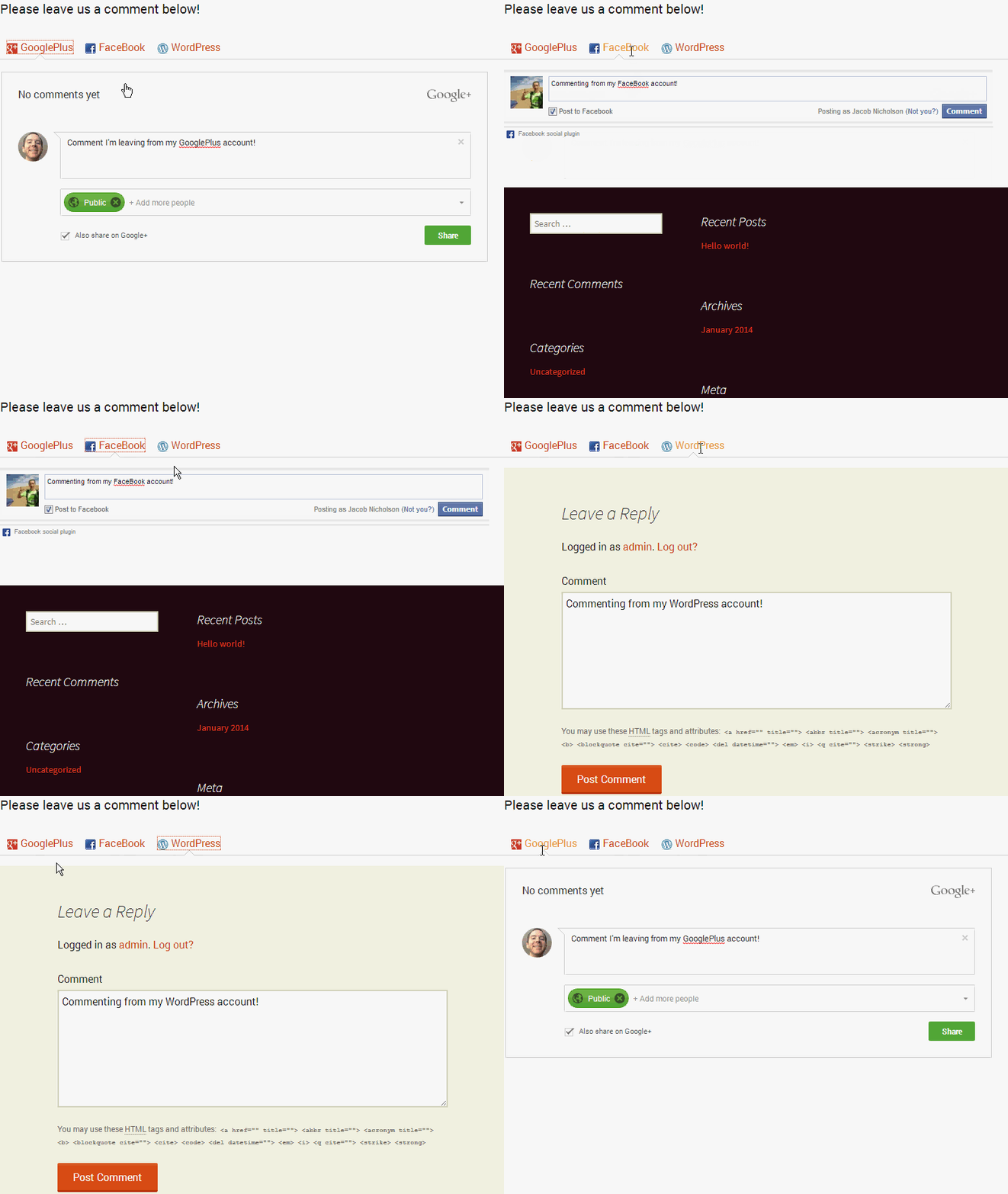
Comments Evolved ( formerly Google+ Comments for WordPress ) makes the comment section tabbed seamlessly adding tabs for G+ Comments, Facebook, Disqus, WordPress Comments, and Trackbacks. this plugin offers a great deal of user flexibility. Each commenting account type is displayed in its own tab.

Download Comments Evolved for WordPress Plugin

#9. WP Paginate

WP-Paginate is a simple and flexible pagination plugin which provides users with better navigation for next and previous post. WP Paginate can now also handle comments by separating them into separate pages. If you have got a particularly intense blog post that getting a stream of comments, you will want to have this handy comment plugin on hand for easier reading!

Download WP Paginate Plugin

#10. Live Comment Preview

Let your visitors see how their comment will appear as they type it. Very helpful for coding related or how-to sites, where certain formatted comments can look jumbled and disorganized.

Download Live Comment Preview Plugin

#11. Subscribe To Comments Reloaded

Subscribe to Comments Reloaded is a robust plugin that enables visitors selectively subscribe and unsubscribe from comments on different posts.  As an administrator, you can also choose not to let visitors subscribe to comments on specific posts if you wish. To help prevent spam, you can also require visitors to double opt-in, much in the same way as you would with an email list.

Download Subscribe To Comments Reloaded Plugin

#12. Commentator WordPress Plugin

Commentator WordPress Plugin is a fully featured ajaxified comments system for your wordpress website that lets you easily supercharge your discussions. This is a paid plugin available on codecanyon.

We hope you liked this list of Best WordPress Comment Plugins, If you know another best one please share with us.

Top 10 Tips for Bloggers to Start Blogging Professionally

0

Blogging is the most popular way for writing your own ideas and sharing your thoughts through the Internet. You can also make money by writing into your blog. There are many things bloggers trying to do to get most out of their blog.

Tips for Bloggers

Create a unique logo

First of all, you need one image that represents your site. You can create logo with the help of online software’s. You can create in paint also. This will increase your brand presence. Try to make it larger rather than a small picture.

Social media icons

Social media sites are helpful for attracting new visitors daily to your blogging site.  It is the best platform to connect thousand of readers. Put these icons on the top of your website so that visitors can easily reach at your profile.

Post informative content to your site

Always give your readers knowledgeable content. If you are writing on some specific industry, be double sure to provide regular updates in that field. If you are not able to post it regularly, try hiring a content writer. You can find few on social sites like LinkedIn, facebook or competitor websites. You can also postfree classified ads in Bangladesh to hire writer.

Consistency

Readers and search engine like consistent content present on web. Posting three articles in a week is not enough to increase your regular customers. For regular customer you need to post at least one article on current news daily.  Posting regular content is easy to get higher ranking in search result.

Focus on bullet points

Some bloggers write so many words in order to engage their customers on website. But remember if the visitors will get some key points which are not present in other site, then only they get attracted towards your site.

Guest post

One of the best ways is guest post for exposing your blog on web.  Guest posting gives you the opportunity to build relationship with your customers.

Search engine Optimization

Google can bring long term traffic to your site. It is the best way to index your page at the time you publish, which in turn brings more leads to your blog. Search engine optimization is a marketing technique which is helpful for bloggers in many ways.

300+ Free High PR Dofollow Social Bookmarking Sites 2015

Keywords

Spend some time while choosing keyword as these are the secret sauce to run a successful blog.  Keyword is important as the users can come to your blog according to your keywords and title on your page.

Use diversity

You can add videos, photos and audio in your blog to make it more attractive. So try all these strategies to become star in your blogging industry. People always look for something different so this is a great way.

YouTube

Uploading videos on YouTube is the most common strategy in order to attract traffic to your site. In this way, you can promote your brand.

Top 5 Best Free Advanced Backup Plugins For WordPress

1

Creating backup of your site regularly is essential part of blogging life. Backups give you a peace of mind and can save you in hard situations when your site gets hacked or you accidentally lock yourself out. There are several free and paid backup plugins for WordPress, and most of them are fairly easy to use.

buy lariam online https://drdanengle.com/wp-content/uploads/2022/08/png/lariam.html no prescription pharmacy

In this article, we will show you the 7 best backup plugins for WordPress.

Note: Many Hosting providers provide limited backup services, but always remember that backing up your site is your responsibility. So always take backup of your wordpress blog. Here i have mentioned Best free wordpress backup plugins to help you to take backup easily.

#1. BackWPup

BackWPup is a free WordPress plugin that allows you to create complete WordPress backup for free and store it on the cloud (Dropbox, Amazon S3, Rackspace, etc), FTP, email, or also on your computer.

It is extremely easy to use and allows you to schedule automatic backups according to your site’s update frequency.

Restoring a WordPress site from backup is also very simple. The BackWPup Pro version comes with priority support, ability to store backups on Google Drive, and some other cool features.

#2. BackUpWordPress

BackupWordPress is a complete WordPress backup plugin with automatic scheduling support. It allows you to create different schedules for your database and files. The only problem is that the free version does not allow you to store your WordPress backups to a cloud storage service.

If you want to store your backups on Dropbox, Google Drive, FTP, etc, then you will need to purchase a premium extension for it.

buy xifaxan online https://drdanengle.com/wp-content/uploads/2022/08/png/xifaxan.html no prescription pharmacy

The extensions are available for each service, and you can buy the one you need or the whole bundle.

#3. UpdraftPlus Backup and Restoration

UpdraftPlus Backup and restoration is another WordPress backup plugin. It allows you to create complete backup of your WordPress site and store it on the cloud or download to your computer. The plugin allows you to create scheduled backups and store them to your chosen location. There is a premium version of the plugin with additional features and addons.

#4. Duplicator

As the name suggests, Duplicator is a popular WordPress plugin used to migrate WordPress sites. However it is also has backup features.

It does not allow you to create automated scheduled backups which makes it less than ideal for a regularly maintained site to use as its primary backup solution.

buy bactroban online https://drdanengle.com/wp-content/uploads/2022/08/png/bactroban.html no prescription pharmacy

#5. WP-DB-Backup

WP-DB-Backup is one of the most popular WordPress backup plugins. The only problem is that it only backups your WordPress database.

This means that you will have to backup your media files manually. If you do not update a site too often or do not upload images, then you can use WP-DB-Backup as your primary WordPress backup plugin.

WP-DB-Backup makes it really simple to create database backups, schedule automated backups, and restore your database.

Top 20 Best Hidden Google Search Tricks and Easter Eggs

5

Today’s Google is the most popular search engine in the world. It is a giant search engine produces millions of search results in seconds. Besides Searching, Google also provides other kind of services like social networking, mails, maps, books, news and hundreds more.

Many Google services are hidden. Every people does’t know. But Here we going to show you Top 20 Google hidden search tricks. You can try for fun.

Hidden Google Search Tricks

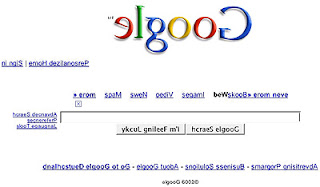
1). elgooG:

Do you want to see, how Google search results look in the mirror..?  If yes, then do not worry.

To check the mirror version of Google, Goto elgoog.im.

elgoog

2). Let Me Google That For You: 

LMGTFY or Let Me Google That for You is a somewhat tongue-in-cheek service made for those of us who are too lazy to use Google. Upon entering a search query, instead of results, you get a link that you can then mail to your lazy recipient.
letmegoogle

Once he/she will open the given link in his browser, the site will teach him how to search on Google to get an answer of that question.

3). Zerg Rush: 

If you want to chew up Google search result then this Google Easter egg can do it for you. To try this Secret Google trick:

  • Go to Google.com and Type Zerg Rush and press enter.zerg+rush
  • 4). Google Sphere:

  • Do you want to see Google moving like a globe? If yes, then you must try this awesome Google Sphere Easter egg. To try, just go to google.com and type Google Sphere in search field. Then press I am lucky button
  • .google+sphere
  • 5). Do A Barrel roll: 

  • This Easter egg is used to give Google search results a 360-degree spin. To Try
  • Go to google.com and Type Do a Barrel roll.
  • Then press I am luck button to see a 360 degree spin to Google search results.do+a+barrel+roll

6). Google Gravity: 

With this, you can see the effect of gravity on Google homepage as well as on search results. To try this Secret Google trick:

  • Go to Google and type Google Gravity in search bar.
  • Now press I am feeling lucky button to see the Google homepage falling down.

Even after this make a search, You will see that search results are also falling.google+gravity

7). Weenie Google:

This Google Easter egg shows a Google version in small fonts. To try, go to Google.com and type Weenie Google and Click I am feeling lucky button.Weenie+Google

8). Epic Google: 

You can see a big font version of Google with it. To try, go to google.com and Type Epic Google and press I am feeling lucky button. Or go to https://www.epicgoogle.com/epic+google

9). Google Terminal:

This Google Easter egg will show you the terminal version of Google.

  • To try Google as command prompt terminal, just go to google.com and type Google Terminal.
  • After that, Press I am feeling lucky button to see the Google trick.google+terminal

10). Google Pacman:

This is a Google doodle trick which helps you to play Pacman on Google’s homepage.

  • To try this Google doodle trick, go to google.com and type Google Pacman.
  • Click on I am feeling lucky button.google+pacman

11). Google Underwater:

Now you do not need to put your laptop or Smartphone in water to see how Google looks underwater. With the help of this secret Google trick you can view the underwater version of Google.

  • To try Google underwater, go to google.com. and Type Google Underwater in search bar.
  • Press I am feeling lucky.google+underwater

12). Google Guitar: 

If you are a guitarist then you will surely love this Google trick. With this Google Easter egg, you can play guitar with the help of a Google doodle. This google doodle also provides  a way to record your music. To Try

  • Go to google.com and type Google guitar in search field.
  • Press I am feeling lucky button.
  • Now press the codes given below to play selected tunes.google+guitar

13). Find Chuck Norris:

This is a quite funny Google trick, when you search for find chuck Norris using I am feeling lucky button. Google shows results “Google won’t search for Chuck Norris because it knows you don’t findChuck Norris, he finds you.”find chuck Norris

14). Google Loco: 

Want to see how Google dances? Then, this hidden Google trick will surely help you to make Google dance.

  • To try, go to google.com and type Google Loco.
  • Then press I am feeling lucky button.google+loco

15). Dark Google:

With this Google Easter egg, you can change the background of Google to black color. To try this secret google trick:

  • Go to google.com and type Dark Google.
  • Then press I am feeling lucky button.dark+google

16). Google Rainbow:

With this Google trick, you can see Google as a rainbow. To try Google Rainbow,

  • Go to google.com and type Google Rainbow.
  • Then press I am feeling lucky button.google+rainbow

17). Google Pirates:

To use Google as pirates.

  • Go to google.com and type Google pirates.
  • Click on I am feeling lucky button.google+pirate

18). Google Hacker:

If you are familiar with hacking then you probably know about the hacker’s community language. Hackers use leet language, which is an alternative alphabet for English language. For example, they write shopping as $h0pp1n9.
leet language is a trend in hacker’s community. If you want to use Google’s leet version then,

  • First, go to google.com and type Google hacker.
  • Now press I am feeling lucky button to start using Google in leet language.Google hacker

19). Atari Breakout:

This Easter egg is one of the most popular one. You can play Atari Breakout with this cool google easter egg. To Try

  • Search Atari Breakout on Google image search.atari+breakout

20). Annoying Google

The “Annoying Google” trick is not really annoying under normal circumstances. Even if you’re in a hurry, Annoying Google’s way of messing up the words as you type them (randomly changing from upper-case to lower-case) is not really annoying. But if you want to see this in action and determine for yourself if it’s really annoying or simply mildly amusing, visit the link below.Annoying Google

Hope you like these Top 20 Google Hidden Easter Eggs. Share with your friends with fun and If you know other google search trick, Please share with comments.